Choosing the right tablet can make editing, sketching, note-taking, and content planning feel far more efficient. The best models balance display quality, responsiveness, battery life, and accessory support without adding unnecessary bulk.
This roundup of tablet computers for content creators focuses on practical performance for everyday creative workflows, from quick social edits to more demanding illustration and multitasking.
Best 10 Tablet Computers for Content Creators Picks for 2026
Creator Essential

- A16 chip supports editing and multitasking.
- Liquid Retina display suits drawing and viewing.
- Apple Pencil and keyboard support add flexibility.
Best For: Creators who want a versatile iPad for drawing, editing, and portable productivity.
Budget Media Pick

- 10.1-inch Full HD screen is good for viewing and basic work.
- Optional stylus supports sketching and handwriting.
- Long battery life and durable build help on the go.
Best For: Creators who need an affordable tablet for notes, sketches, and light social content.
Smart Productivity Pick
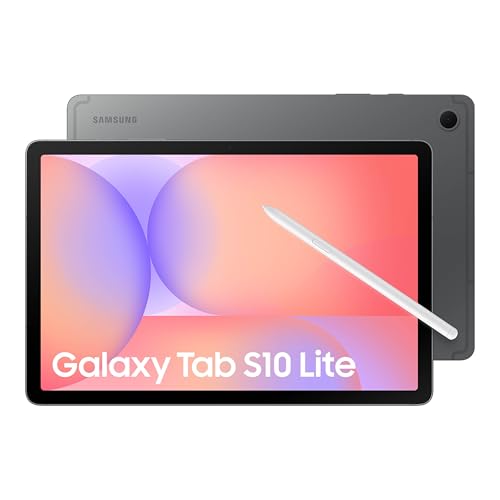
- Included S Pen is ready for notes and drawing.
- Exynos 1380 supports multitasking and search tools.
- Up to 2TB microSD expansion adds serious storage headroom.
Best For: Creators who want an Android tablet for writing, drawing, and smart productivity.
Study-to-Studio Pick
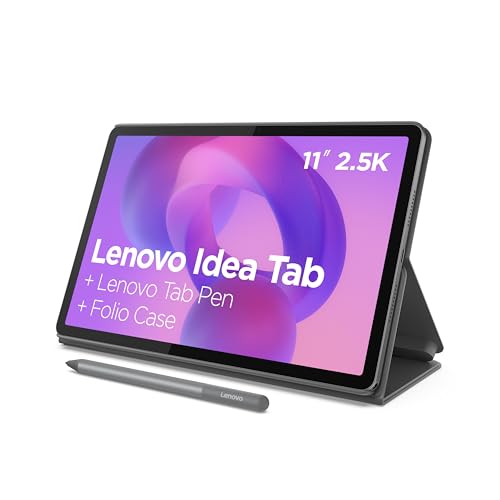
- 2.5K 90Hz display looks sharp and smooth.
- Tab Pen and folio case are included.
- 8GB RAM and Dimensity 6300 handle multitasking.
Best For: Creators who want a pen-ready Android tablet for writing, sketching, and planning.
Family-Friendly Multitasker
Samsung Galaxy Tab A11+ 8GB RAM, 256GB Storage

- 8GB RAM with 256GB storage
- 11-inch screen with up to 90Hz refresh rate
- Quad speakers and fast charging
Best For: Creators who want a roomy, responsive Android tablet for everyday work and media
AI Study Slate
Lenovo Idea Tab Pro with Pen and Folio

- 12.7-inch 3K display with quad JBL Dolby Atmos speakers
- Includes Tab Pen Plus and folio case
- 11-hour streaming battery with 45W quick charge
Best For: Students and creators who want a large, pen-ready tablet with AI features
Premium Portable Creator Tablet
Samsung Galaxy Tab S10 FE 10.9"

- Included magnetic S Pen for drawing and notes
- 10.9-inch 2K+ display with 90Hz refresh rate
- IP68 resistance and up to 20-hour battery life
Best For: Mobile creators who want stylus support and a premium portable design
Portable Study-and-Creation Pick
Lenovo Idea Tab Plus 12.1" 2.5K Tablet
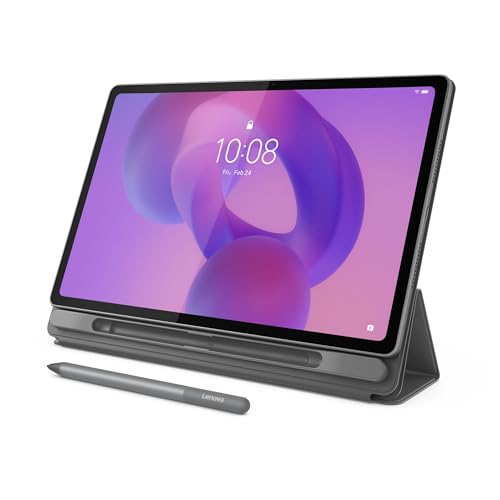
- 12.1-inch 2.5K display with up to 800 nits brightness
- Includes Tab Pen and folio case
- Light 1.2-pound design with up to 13 hours streaming
Best For: students and light creators who want a slim Android tablet
Flagship Multitasker
Samsung Galaxy Tab S11 11" AMOLED Tablet
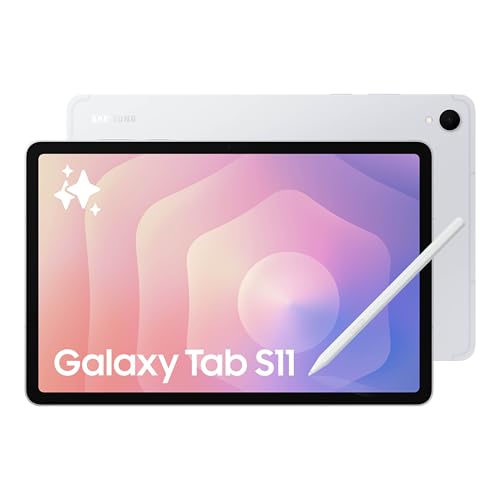
- 11-inch Dynamic AMOLED 2X display with Vision Booster
- 12GB RAM for smooth multitasking
- Includes S Pen and microSD expansion
Best For: Android creators who want premium multitasking and sketching
Creator Essential – Apple iPad 11-inch A16
For tablet computers for content creators, the 11-inch iPad is a straightforward pick if you want a familiar creative app ecosystem, strong performance from the A16 chip, and a display that works well for drawing, editing, and everyday production tasks. It also brings fast Wi-Fi, USB-C, and support for Apple Pencil and the Magic Keyboard Folio, so it can flex between sketchpad, notes device, and light workstation.
Best For: Creators who want a versatile iPad for sketching, photo edits, video calls, and portable productivity.
Pros:
- A16 chip delivers a performance boost for editing photos and videos.
- 11-inch Liquid Retina display is suited to drawing and media viewing.
- Apple Pencil support turns it into a capable note-taking and sketching tablet.
- 12MP front and back cameras help with calls, scanning, and 4K capture.
Cons:
- Wi-Fi only model may not suit creators who need cellular connectivity.
- Accessories like Apple Pencil and Magic Keyboard Folio are sold separately.
- Storage starts at 128GB, so heavy local media libraries may fill up fast.
Overall, this iPad stands out as the most balanced creative tablet in this group, especially if you already value iPadOS apps and want a smooth path from casual creation to more serious work.
Budget Media Pick – Fire HD 10 Relaxation Tablet
If you are shopping tablet computers for content creators on a tighter budget, the Fire HD 10 is better suited to light content capture, sketching, and everyday consumption than full-scale production work. Its 10.1-inch 1080p screen, up to 13-hour battery life, optional stylus support, and quick social-app camera use make it practical for casual idea capture and low-pressure workflow tasks.
Best For: Creators who mainly need an affordable tablet for notes, sketches, social content, and media consumption.
Pros:
- 10.1-inch Full HD display offers bright, detailed viewing.
- Optional Made for Amazon Stylus Pen supports handwriting and sketching.
- 13-hour battery life helps it last through long sessions.
- Durable, lightweight build is easy to carry around.
Cons:
- Sold with 32GB storage in this configuration, so space is limited without microSD expansion.
- Stylus pen is sold separately.
- Focus is more on entertainment and light tasks than creator-first performance.
This is the most budget-friendly option here, but it makes the most sense as a secondary tablet for casual creation rather than a primary device for demanding creative work.
Smart Productivity Pick – Samsung Galaxy Tab S10 Lite
The Samsung Galaxy Tab S10 Lite is a strong fit for tablet computers for content creators who want note-taking, sketching, AI tools, and multitasking in one Android slate. The 10.9-inch display, included S Pen, expandable storage, and features like Circle to Search make it appealing for creators who jump between research, annotation, and drafting ideas.
Best For: Creators who want an Android tablet for writing, drawing, smart search, and everyday multitasking.
Pros:
- Included S Pen is built for writing, drawing, notes, and math.
- Exynos 1380 processor supports multitasking, scrolling, and searching with ease.
- Up to 16 hours of battery life is useful for long creative days.
- MicroSD expansion up to 2TB leaves room for more files and media.
Cons:
- LCD panel is less premium than OLED alternatives.
- Some AI and keyboard-related features depend on compatible accessories or use cases.
- Best suited to productivity and content prep rather than heavy pro editing.
For creators who value handwriting, smart tools, and a broad Android workflow, this tablet offers a practical balance of features without pushing into premium pricing territory.
Study-to-Studio Pick – Lenovo Idea Tab 11-inch
The Lenovo Idea Tab is a compelling option for tablet computers for content creators who split their time between planning, sketching, and media consumption. Its 11-inch 2.5K display, 90Hz refresh rate, included Tab Pen, and folio case make it especially convenient for creators who want a ready-to-use setup for note-taking, idea work, and casual content creation.
Best For: Creators who want a pen-ready Android tablet for writing, sketching, and everyday creative planning.
Pros:
- 11-inch 2.5K display with 90Hz refresh offers crisp and smooth visuals.
- Included Tab Pen and folio case add value right out of the box.
- Dimensity 6300 chip and 8GB memory support AI-enhanced multitasking.
- Dolby Atmos-tuned speakers and long battery life help with work and breaks.
Cons:
- More focused on study and light creative work than high-end production tasks.
- Storage expansion is not highlighted in the supplied notes.
- Best results will depend on the Android apps you use for creation.
This Lenovo stands out for creators who want an approachable, pen-friendly tablet with solid display quality and a sensible accessory bundle already included.
Family-Friendly Multitasker – Samsung Galaxy Tab A11+ 8GB RAM, 256GB Storage
For shoppers comparing tablet computers for content creators, the Samsung Galaxy Tab A11+ is a practical pick if you want a smooth everyday tablet with plenty of room for media, notes, and files. Its 8GB RAM, 256GB storage, 11-inch 90Hz display, and quad speakers make it a capable all-around device for streaming, browsing, and light creative work.
Best For: Creators and families who want a responsive Android tablet with strong storage, a fluid display, and long battery life.
Pros:
- 8GB RAM and 256GB storage help with multitasking and large files.
- 11-inch display with up to 90Hz refresh rate feels smooth for scrolling and media.
- Quad speakers with Dolby Atmos provide rich audio for playback and review.
- Fast charging and long battery life support extended use.
Cons:
- Included notes emphasize entertainment and student use more than pro-grade creation.
- No stylus is listed in the supplied details.
Overall, the Galaxy Tab A11+ is a balanced option if you want a large-storage Android tablet that stays responsive and portable. It is especially appealing when your workflow leans toward content review, media consumption, and general productivity rather than advanced editing.
AI Study Slate – Lenovo Idea Tab Pro with Pen and Folio
When researching tablet computers for content creators, the Lenovo Idea Tab Pro stands out for users who want a big screen, included pen, and AI-assisted tools in one package. The 12.7-inch 3K LCD display, MediaTek Dimensity 8300 chip, Wi-Fi 6E, and bundled folio case make it a strong fit for note-taking, planning, and media-heavy workflows.
Best For: Students and creators who want a large, pen-ready tablet with AI tools and strong battery life.
Pros:
- 12.7-inch 3K LCD display gives you lots of space for reading and multitasking.
- Included Tab Pen Plus and folio case add value right out of the box.
- MediaTek Dimensity 8300 and Wi-Fi 6E support fast, smooth performance.
- 11 hours of video streaming and 45W quick charge reduce battery downtime.
Cons:
- 128GB storage is more limited than some competing creator-friendly tablets.
- Focus is more on study and productivity tools than advanced creative specs.
All told, the Idea Tab Pro is a smart buy if you want a large-screen Android tablet that helps with reading, brainstorming, and everyday content planning. Its included pen and Gemini features make it especially useful for organized, note-driven workflows.
Premium Portable Creator Tablet – Samsung Galaxy Tab S10 FE 10.9"
If you are shopping tablet computers for content creators, the Samsung Galaxy Tab S10 FE is the most polished option in this group for note-taking, drawing, and on-the-go productivity. It combines a 10.9-inch 2K+ display, included magnetic S Pen, Exynos 1580 performance, and water-and-dust resistance in a slim design that suits commuting and travel.
Best For: Mobile creators who want stylus support, strong display quality, and a premium portable design.
Pros:
- Included magnetic S Pen supports drawing, note-taking, and smart features.
- 10.9-inch 2K+ display with 90Hz refresh rate offers crisp visuals.
- IP68 water and dust resistance adds durability for travel and daily carry.
- Up to 20 hours of battery life with fast charging helps through long sessions.
Cons:
- Storage is 128GB built in, with an included 128GB SD card rather than larger internal capacity.
- It is positioned as a premium tablet, so it may be more than casual users need.
For creators who value portability and stylus-driven workflows, the Galaxy Tab S10 FE is the most complete package here. Its combination of display quality, battery life, and S Pen integration makes it well suited to sketching, annotation, and mobile work.
Portable Study-and-Creation Pick – Lenovo Idea Tab Plus 12.1" 2.5K Tablet
If you want a tablet computers for content creators option that also fits everyday note-taking and lightweight editing, the Lenovo Idea Tab Plus is built around portability and clarity. Its 12.1-inch 2.5K display, included Tab Pen, and folio case make it easy to sketch, organize ideas, and move between work sessions without carrying much weight.
Best For: Students, casual creators, and mobile users who want a slim Android tablet with pen support and a bright, sharp display.
Pros:
- 12.1-inch 2.5K IPS display with up to 800 nits brightness for crisp viewing.
- Includes Lenovo Tab Pen and folio case for writing, sketching, and organizing.
- Lightweight 1.2-pound build is easy to carry throughout the day.
- Quad Dolby Atmos speakers and up to 13 hours of YouTube streaming.
Cons:
- 128GB storage may feel limited for larger media libraries.
- Designed more for learning and light creation than heavy pro workflows.
This is a practical pick if you value a bright screen, pen input, and all-day portability over top-tier performance. For creators who work in short bursts and want a tablet that stays easy to carry, it covers the essentials well.
Flagship Multitasker – Samsung Galaxy Tab S11 11" AMOLED Tablet
For tablet computers for content creators, the Samsung Galaxy Tab S11 focuses on speed, screen quality, and pen-driven ideas. The 11-inch Dynamic AMOLED 2X display, 12GB RAM, included S Pen, and expandable microSD storage make it a strong fit for sketching, drafting, and managing multiple apps at once.
Best For: Android creators who want a premium tablet for multitasking, sketching, and organized note-taking.
Pros:
- 11-inch Dynamic AMOLED 2X display with Vision Booster for rich, clear visuals.
- 12GB RAM helps apps open and switch smoothly for multitasking.
- Included S Pen supports note-taking, drawing, and quick idea capture.
- microSD expansion gives you more room for files, offline media, and projects.
Cons:
- 128GB base storage is modest before adding a microSD card.
- Best value depends on whether you will use the AI and S Pen features often.
This tablet stands out for creators who want a polished screen and fast workflow in a thin, durable body. If your work revolves around notes, sketches, and app switching, it offers a well-rounded premium experience.
Premium Creator Powerhouse – Lenovo Yoga Tab AI 11" 3K Creator Tablet
If you are comparing tablet computers for content creators and want the most creator-focused feature set here, the Lenovo Yoga Tab AI is the most ambitious option. It combines a Snapdragon 8 Gen 3 processor, 12GB RAM, a 3K 144Hz display, a Pro Pen, and a keyboard so you can move from sketching and editing to typing and multitasking with less friction.
Best For: Serious creators, remote workers, and travelers who want a powerful Android tablet with pen, keyboard, and expanded connectivity.
Pros:
- Snapdragon 8 Gen 3 and 12GB RAM are built for demanding creative and multitasking work.
- 11.1-inch 3.2K display with 144Hz refresh rate and 98% DCI-P3 color gamut.
- Includes Lenovo Tab Pen Pro, keyboard, and 7-in-1 USB-C hub for a fuller workflow.
- 512GB total storage and microSD support provide ample room for content and files.
Cons:
- Accessory-heavy setup may be more than casual users need.
- Premium specs can make it a higher-commitment buy than simpler tablets.
This is the strongest choice if you want a tablet that can support both creative work and productivity without feeling limited. Its display, performance, and included accessories make it especially appealing for users who want a tablet that can take on more serious tasks.
How We Picked These Tablet Computers for Content Creators
We focused on the features that matter most in real creative use: display sharpness, refresh rate, processing power, RAM, storage, stylus compatibility, and overall portability. For Tablet Computers for Content Creators, we also weighed ecosystem advantages, accessory options, and whether the tablet is suited to light editing, drawing, or longer productive sessions.
Quick Comparison
Some tablets here are better for portable note-taking and casual creative work, while others are better suited to drawing, multitasking, and heavier media workflows. In general, prioritize a brighter, higher-resolution display and more memory if you expect to run design apps, manage large files, or switch between multiple tools at once.
Display and Performance Tradeoffs
Creators working with photo edits, illustration, or video timelines should lean toward sharper panels and faster chipsets. If your workflow is mostly scripting, planning, and light editing, a midrange tablet can be enough, especially if it has a responsive screen and solid battery life.
Key Buying Factors for Tablet Computers for Content Creators
Display quality: Resolution, color reproduction, and refresh rate affect how comfortable a tablet feels for drawing and editing. A larger, sharper panel is usually easier for timeline work and split-screen multitasking.
Performance and RAM: More RAM helps with app switching and larger creative projects. Faster processors improve responsiveness when exporting media or using layered files.
Storage: Creative files add up quickly, so 128GB should be viewed as a starting point. If you work with lots of video, RAW images, or offline assets, choose more storage or expandable memory.
Stylus and keyboard support: If you sketch, annotate, or write scripts, make sure the tablet supports the accessories you actually plan to use. A good pen and keyboard can turn a tablet into a serious workstation.
Portability and battery: Lightweight designs are ideal for travel, campus, or shooting on location. Battery life matters if you edit away from a charger or use the tablet all day for planning and uploads.
Who Should Buy Which Tablet Computers for Content Creators?
Choose a compact, premium tablet if you want the easiest all-around experience for drawing, editing, and mobile productivity. Pick a larger model if screen space matters more than size, especially for layout work and split-screen apps. If you need a budget-friendly option for notes, scripting, and light content tasks, a simpler tablet can still deliver good value. For creators who want the most versatile setup, look for stronger performance, higher storage, and bundled pen or keyboard support.