Choosing your first 3D scanner can be difficult when specifications, scanning modes, software support, and portability vary so widely. The best beginner-friendly 3D scanners make it easier to capture useful models without requiring advanced scanning experience.
We compared 10 accessible handheld and desktop options, focusing on setup, tracking, accuracy, speed, compatibility, and the types of objects each scanner handles best.
Best 10 Beginner-Friendly 3D Scanners Picks for 2026
Top Pick for Versatility
Creality Pika Portable 3D Scanner

- Dual blue-laser and NIR scanning modes
- 260g wireless design with swappable batteries
- AI tools assist with model cleanup
Best For: Beginners scanning objects of varied sizes
Best for Steady Handheld Scanning
- Optical anti-shake support
- Marker-free scanning workflow
- AI tracking and repair features
Best For: Beginners who want help with handheld stability
Best Compact Scan-to-Print Option
Creality Pika Wireless 3D Scanner

- 0.03mm stated blue-laser accuracy
- Scans objects from 5mm to 2,000mm
- Wireless operation and one-click exports
Best For: Portable hobby scanning and 3D printing
Best for Guided Professional Workflows
Revopoint INSPIRE 2 3D Scanner

- Dual infrared and multi-line laser scanning
- Lightweight 190g body with Wi-Fi 6
- Includes calibration and scanning accessories
Best For: Beginners building toward design and reverse engineering
Easy Wireless Starter

- One-click modeling for beginners
- Up to 0.1mm accuracy and 60FPS scanning
- Wi-Fi 6 with OBJ, STL, and PLY export
Best For: First-time users scanning medium and large objects
Precision All-Surface Pick

- 0.05mm accuracy with 30FPS scanning
- Scans dark and metallic surfaces without spray
- Quad-camera coverage from 0.8 to 78 inches
Best For: Versatile scanning from small objects to automotive parts
Budget DIY Learning Pick

- Markerless tracking simplifies setup
- 0.07mm accuracy for small to medium objects
- Requires a capable PC and some learning
Best For: STEM, DIY prototyping, and learners entering 3D scanning
Best Lightweight Pick

- One-click beginner-friendly workflow
- Anti-shake scanning for steadier results
- Scans dark and metallic objects without markers
Best For: Portable PC-based scanning and everyday 3D modeling
Best Accuracy for Beginners
- Up to 0.07mm accuracy
- AI marker-free tracking with re-locking
- One-click processing and multiple export formats
Best For: Detailed scans for printing, CAD, and reverse engineering
Best Wireless Option

- Wireless scanning across PC, iOS, and Android
- Anti-shake 24-bit full-color scanning
- Includes tripod, power bank, holder, and case
Best For: Portable multi-device scanning and larger objects
Top Pick for Versatility – Creality Pika Portable 3D Scanner
For shoppers seeking beginner-friendly 3D scanners, the Creality Pika combines a compact wireless design with two scanning modes. Its NIR structured light mode suits larger or full-body scans, while the seven-line blue laser mode targets small objects and fine details.
Best For: Beginners who want one portable scanner for miniatures, mechanical parts, collectibles, and full-body projects.
Pros:
- Lightweight 260g body with Wi-Fi 6, touchscreen, and dual swappable batteries.
- Blue laser and NIR modes cover objects from 10mm to 2,000mm.
- AI body completion, retexturing, and hole filling can simplify post-processing.
- Scans dark and metallic surfaces without spray and exports STL, OBJ, PLY, and ASC files.
Cons:
- The extensive feature set may take time for first-time users to learn.
- The listed 0.03mm accuracy applies to the blue laser scanning capability, not every scanning mode.
The Pika is a strong all-around choice when portability, wireless operation, and automated model cleanup matter as much as detail. Its included tripod, turntable, and calibration board also make it easier to begin scanning without assembling a separate accessory kit.
Best for Steady Handheld Scanning – 3DMakerpro Moose Lite Premium
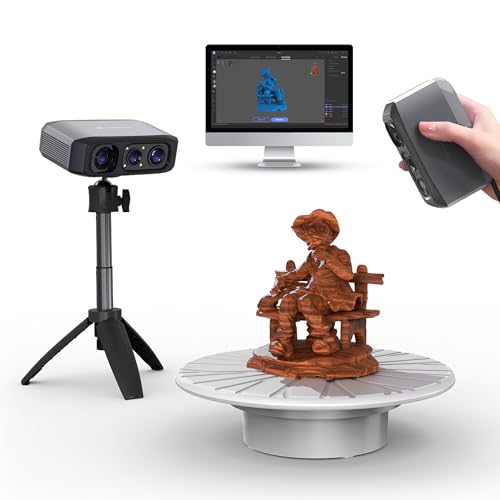
The 3DMakerpro Moose Lite Premium is aimed at users who want beginner-friendly 3D scanners with guidance built into the scanning process. AI visual tracking, optical anti-shake hardware, and marker-free operation are designed to reduce common setup and handling challenges.
Best For: New users who value steadier handheld scanning and software-assisted model repair.
Pros:
- Optical anti-shake modules help compensate for unsteady hand movements.
- AI visual tracking can detect vulnerabilities and automate model repair.
- Marker-free scanning reduces preparation time.
- JMStudio includes lifetime free OTA software upgrades and a re-scanning function.
Cons:
- The listed scanning speed is 10 FPS, which may be less suitable for fast-moving workflows.
- At 3.65 pounds, it is substantially heavier than the pocket-sized options in this roundup.
Its main appeal is usability rather than an unusually broad list of hardware specifications. If shaky scanning technique is your biggest concern, the anti-shake module and interruption-friendly re-scanning feature make this a practical starting point.
Best Compact Scan-to-Print Option – Creality Pika Wireless 3D Scanner
Among beginner-friendly 3D scanners, this Creality Pika emphasizes a simple portable workflow from capture to export. Its dual-light system handles both detailed small parts and larger objects, while wireless connectivity and one-click exports can shorten the path to 3D printing.
Best For: Beginners who want a compact scanner for projects ranging from tiny components to large objects.
Pros:
- Seven parallel blue lasers provide stated accuracy up to 0.03mm for detailed capture.
- NIR structured light supports fast scans of larger objects and full-body subjects.
- At 260g, it is easy to carry, and Wi-Fi 6 enables cable-free phone or PC connections.
- AI hole filling, body completion, and retexturing can reduce editing work.
Cons:
- Outdoor scanning is specified for brightness up to 80,000 lux, so very bright conditions may exceed its stated range.
- The compact body and feature-rich workflow may still require practice for consistently aligned scans.
This model is a sensible fit for hobbyists who want portability without giving up a fine-detail mode. Dual batteries and broad file export support further suit repeated scan-to-print sessions.
Best for Guided Professional Workflows – Revopoint INSPIRE 2 3D Scanner
The Revopoint INSPIRE 2 suits beginners who want a more structured path into 3D scanning while leaving room for advanced projects. It combines infrared structured light with multi-line laser scanning, user-friendly Revo Metro software, and included calibration accessories.
Best For: New users working toward detailed 3D printing, reverse engineering, product design, or digital archiving.
Pros:
- Dual scanning modules accommodate different materials, sizes, and environments.
- Captures dark and reflective surfaces without scanning spray, according to the supplied notes.
- Lightweight 190g design with Wi-Fi 6 and outdoor scanning support up to 20,000 lux.
- Includes a calibration board, turntable, tripod, markers, filters, and support resources.
Cons:
- Computer requirements are relatively demanding, including 16GB RAM and a specified discrete GPU for Windows.
- Revo Design is paid separately and supports Windows only.
- Its 0.05mm stated accuracy and 0.03mm precision are different specifications, so buyers should compare them carefully.
INSPIRE 2 is a good choice when beginner-friendly software and a complete starter kit matter more than the simplest possible hardware. Its optical zoom, RGB color capture, and calibration workflow also provide useful room to grow.
Easy Wireless Starter – Ferret Pro
The Creality Ferret Pro is a practical choice for beginners seeking a beginner-friendly 3D scanner with simple operation and quick results. Its one-click modeling workflow, wireless connectivity, and support for common output formats make it approachable for first-time scanning projects.
Best For: Beginners scanning medium and large objects for 3D printing, design, animation, or presentations.
Pros:
- One-click modeling helps newcomers get started without extensive scanning knowledge.
- Up to 0.1mm accuracy and scanning speeds up to 60FPS support detailed, efficient capture.
- Wi-Fi 6 wireless connectivity helps maintain smoother data transmission.
- Exports to OBJ, STL, and PLY for use with a range of software.
Cons:
- The supplied notes do not specify the included accessories or supported operating-system requirements beyond Windows, Mac, iPhone, and Android compatibility.
- Its 0.1mm accuracy may be less suited to applications demanding finer precision.
The Ferret Pro balances accessible software with useful wireless flexibility. It is a strong entry point for hobbyists who want to scan and model without starting with a complicated workflow.
Precision All-Surface Pick – Otter Lite Basic
The Creality Otter Lite Basic is a beginner-friendly 3D scanner for users who want high detail without preparing dark or metallic objects with spray. Its quad-camera design, automatic-looking handheld workflow, and broad format support make it adaptable from small items to large projects.
Best For: Beginners and makers scanning objects ranging from coins and figurines to automotive parts and machinery.
Pros:
- Up to 0.05mm accuracy and 30FPS scanning capture fine detail efficiently.
- Can scan dark, shiny, and metallic surfaces without powder or spray.
- Quad-camera coverage supports objects from 0.8 inches to 78 inches.
- Includes full-color capture, multiple alignment modes, and exports such as PLY, OBJ, STL, 3MF, GLTF, and FBX.
Cons:
- The optional Scan Bridge handle is sold separately.
- Its wide feature set may be more than casual users need for simple projects.
With its combination of fine accuracy, full-color capture, and no-spray scanning for challenging surfaces, the Otter Lite Basic is the most versatile option here. It is particularly attractive if your projects vary greatly in size or material.
Budget DIY Learning Pick – 3DMakerpro Fox
The 3DMakerpro Fox is an entry-level, beginner-friendly 3D scanner aimed at STEM education, DIY prototyping, and 3D printing. Markerless tracking and anti-shake assistance simplify setup, but buyers should expect a learning curve and use a capable computer for smooth software performance.
Best For: Budget-conscious learners scanning small to medium objects for miniatures, automotive parts, and artistic prototypes.
Pros:
- Markerless tracking avoids the need to apply target dots to objects.
- Anti-shake technology helps compensate for minor hand movement.
- NIR light is eye-safe for direct face and body scanning.
- JMStudio supports scanning, editing, fusion, and OBJ, STL, PLY, and ASC export.
Cons:
- The product notes emphasize a learning curve and recommend basic CAD or 3D-modeling knowledge.
- A capable PC with a dedicated GPU is strongly recommended.
- It is designed for objects from 40mm to 1200mm, so it is not positioned for very large subjects.
The Fox offers helpful beginner-oriented hardware features at an entry-level position, but it is not a completely hands-off option. Choose it if you are willing to learn mesh refinement and slicing alongside scanning.
Best Lightweight Pick – Creality CR-Ferret SE
The Creality CR-Ferret SE is a practical choice for shoppers seeking beginner-friendly 3D scanners with a compact, easy-to-use design. Its one-click workflow, anti-shake technology, and ability to scan dark or metallic objects make it approachable for home modeling, 3D printing, and portable scanning.
Best For: Beginners who want a lightweight desktop or handheld scanner for everyday objects, dark surfaces, and full-color models.
Pros:
- One-click scanning and an intuitive workflow help reduce the learning curve.
- Anti-shake technology supports stable results for users with unsteady hands.
- Can scan dark, black, and metallic objects without spray or markers.
- Its 105g design is highly portable and includes 24-bit full-color capture.
Cons:
- Supports PC scanning only; it does not include a battery handle.
- Its stated accuracy is 0.1mm, rather than the finer accuracy offered by some alternatives.
Choose the CR-Ferret SE if simple operation and portability matter more than mobile-device flexibility. It is especially appealing for beginners who want to start scanning quickly without extensive surface preparation.
Best Accuracy for Beginners – Fox 3D Scanner
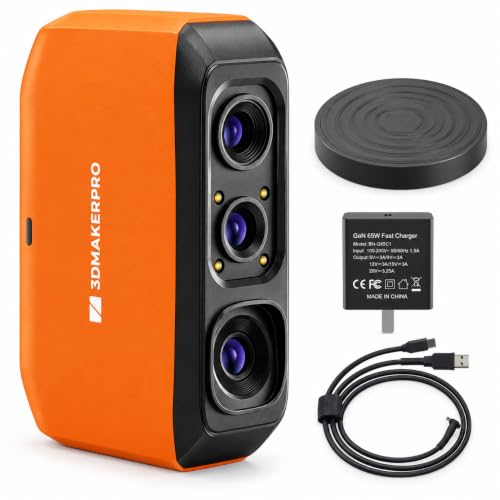
The Fox 3D Scanner combines beginner-friendly controls with up to 0.07mm accuracy and 0.10mm resolution. Guided software, marker-free AI SLAM tracking, and one-click model processing make it a strong option for users who want detailed scans without handling every cleanup step manually.
Best For: Beginners who need higher accuracy across objects ranging from small mechanical parts to larger subjects.
Pros:
- Up to 0.07mm accuracy supports detailed printing, CAD, and reverse-engineering projects.
- AI tracking reduces the need for markers and can re-lock onto previously scanned areas.
- One-click processing handles alignment, fusion, noise reduction, and mesh optimization.
- Scans objects from 40mm to 1200mm and exports OBJ, STL, PLY, and ASC files.
Cons:
- Compatibility is limited to Windows 10/11 64-bit and macOS 12/13 systems listed in the notes.
- At 210g, it is lightweight but heavier than the 105g Creality options.
Fox is the most compelling pick here for beginners who prioritize precision and broad project coverage. Its automated processing and guided workflow help make advanced scanning tasks more manageable.
Best Wireless Option – Creality CR-Scan Ferret Pro
The Creality CR-Scan Ferret Pro is one of the most flexible beginner-friendly 3D scanners in this group, with Wi-Fi 6 wireless scanning and support for Windows, macOS, Android, and iOS. Its anti-shake tracking, full-color capture, and included accessories make it well suited to users who want to scan away from a desk.
Best For: Beginners who want wireless scanning across phones, tablets, and computers, along with a portable all-in-one kit.
Pros:
- Built-in Wi-Fi 6 enables wireless scanning with Android, iOS, and PC devices.
- Anti-shake tracking and 24-bit full-color scanning support detailed models.
- Scans objects from 50mm to 2000mm and exports OBJ, STL, or PLY files.
- Includes a tripod, power bank, phone holder, Wi-Fi box, carrying case, and one-year warranty.
Cons:
- It is not recommended for very small or highly detailed items such as jewelry or precision parts.
- Reflective, transparent, and very dark surfaces may produce weaker results.
- Compatible mobile devices and computers must meet the listed operating-system and RAM requirements.
The Ferret Pro stands out when device flexibility and wireless convenience are priorities. Its included accessories and broad size range make it a useful starting point for home, workshop, and on-location scanning.
How We Picked the Best Beginner-Friendly 3D Scanners
We evaluated these scanners using the features that matter most to first-time users: practical accuracy, scanning speed, tracking stability, software compatibility, portability, and the amount of preparation required before scanning. We also considered whether each model supports common workflows such as 3D printing, color capture, wireless scanning, and scanning objects at different sizes.
Advertised precision is only one part of performance. Lighting, surface color, object geometry, movement, and post-processing can affect the final mesh, so we favored scanners with helpful tracking systems, multiple scan modes, automatic alignment, or AI-assisted processing where available.
Quick Comparison
| What to Compare | Best For |
|---|---|
| Blue laser or structured light | Detailed scans and more demanding surfaces |
| NIR or infrared scanning | Convenient general-purpose object and body scanning |
| Wireless operation | Portable scanning away from a computer |
| Color capture | Models where appearance matters as much as shape |
| Marker-free or AI-assisted tracking | Faster setup for beginners |
| Small-object support | Miniatures, parts, and detailed components |
Key Buying Factors for Beginner-Friendly 3D Scanners
Accuracy and Scan Resolution
Choose accuracy according to your projects. Around 0.1mm can be sufficient for many replacement parts, cosplay items, and general 3D printing. Higher advertised precision is more useful for intricate components, but only when the scanner and software can maintain reliable tracking.
Tracking and Scanning Modes
Stable tracking is often more valuable than headline speed. Look for marker-free tracking, anti-shake processing, AI-assisted alignment, or multiple technologies such as blue laser and NIR structured light. These features can reduce rescans and make handheld use less frustrating.
Object Size and Surface Type
Check the stated scanning range before buying. Some scanners are better for small parts, while others can capture people, furniture, or larger objects. Dark, shiny, transparent, or textureless surfaces may still need spray, markers, extra lighting, or careful movement.
Software and Device Compatibility
Confirm support for your computer or phone before ordering. Windows, macOS, iOS, and Android compatibility varies, and some features may require a cable, a particular processor, or proprietary software. Also check export formats and whether the software includes mesh cleanup, alignment, and hole filling.
Portability and Workflow
Wireless scanning is convenient for larger objects and locations without a nearby computer, while desktop-connected models can offer a steadier workflow. Consider battery life, included accessories, calibration requirements, and how easily files can move into your slicer or CAD program.
Who Should Buy Which Beginner-Friendly 3D Scanners?
Beginners who want the simplest general-purpose experience should prioritize automatic tracking, broad device compatibility, and a forgiving software workflow. Choose a more accurate blue-laser or hybrid model if you expect to scan mechanical parts or fine details. For people and larger objects, prioritize fast capture, wireless operation, and stable tracking. If visual appearance matters, choose a scanner with full-color capture. Buyers focused on miniatures or small components should verify minimum object size and detail performance before choosing based on maximum accuracy alone.