Frequent scanning demands more than impressive specifications. The right 3D scanner should deliver consistent tracking, dependable detail, comfortable handling, and a workflow that fits repeated projects.
We selected 10 leading handheld models for different use cases, from rapid blue-laser scanning and large-object capture to portable design work and 3D-printing preparation. Use the guide below to narrow the field by accuracy, speed, software, connectivity, and budget.
Best 10 3D Scanners for Frequent Use Picks for 2026
Portable Detail Specialist

- 0.03mm blue-laser precision
- Up to 110 FPS via USB 3.0
- Built-in screen and cross-platform support
Best For: Portable detailed scanning across creative and design projects
Quiet Everyday Modeler
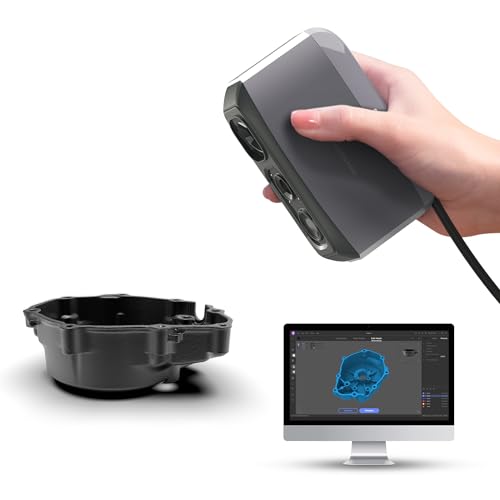
- 0.05mm accuracy for detailed models
- Lightweight 250g design with no fan noise
- AI tracking and integrated JMStudio software
Best For: Quiet, routine 3D printing and model-making workflows
Industrial Precision Workhorse

- Up to 0.01mm single-frame precision
- Four blue-laser and structured-light modes
- Automated dual-axis turntable scanning
Best For: Precision inspection, reverse engineering, and prototyping
Wide-Range Color Scanner

- Scans objects from 0.8 to 78 inches
- 30 FPS with 0.05mm accuracy
- No-spray dark and metallic surface scanning
Best For: Versatile object, automotive, and full-color scanning
Best for Industrial-Speed Scanning

- Up to 90 fps scanning
- 0.01 mm single-frame precision
- No-spray scanning for dark and glossy parts
Best For: Frequent industrial inspection and reverse engineering
Best for Versatile Precision

- 0.02 mm blue-light accuracy
- Blue laser and NIR scanning modes
- Scans objects from 5 mm to 2,000 mm
Best For: Mixed-size parts, people, and artifact scanning
Best for Portable Outdoor Work

- Lightweight 190 g design
- Wireless Wi-Fi 6 scanning
- Color capture with optical zoom
Best For: Portable scanning, product design, and digital archiving
Wireless Precision Pick
Creality Raptor Pro with Scan Bridge

- 0.02 mm laboratory-condition accuracy
- Up to 60 FPS and 660,000 points per second
- Wireless scanning and full-color mapping
Best For: Frequent users needing fast, wireless scans across varied object sizes
Versatile Handheld Choice

- Blue-light and NIR scanning for varied object sizes
- Up to 60 FPS with 0.02 mm accuracy
- Anti-shake tracking and 24-bit color capture
Best For: Frequent handheld scanning across design, repair, and modeling projects
Professional-Scale Workhorse

- Scans objects from 5 mm to 4,000 mm
- 22+7 blue lasers with up to 660,000 points per second
- Supports professional software and powder-free scanning
Best For: Industrial, automotive, reverse-engineering, and other intensive workflows
Portable Detail Specialist – Creality Pika
For creators who need 3D scanners for frequent use across workshops, studios, and outdoor projects, the Creality Pika combines a compact design with blue-laser and NIR scanning. Its 0.03mm precision, fast computer-connected scanning, built-in display, and cross-platform support make it a flexible everyday tool.
Best For: DIY creators, 3D printing enthusiasts, designers, and users who need portable scanning with detailed capture and body-scanning capability.
Pros:
- 0.03mm precision and blue-laser scanning for fine details on small objects and parts.
- Supports up to 110 FPS through USB 3.0 on a computer, helping speed repeated scanning tasks.
- Built-in 3-inch screen, Wi-Fi 6, and support for Windows, macOS, Android, and iOS.
- AI-assisted hole filling, body completion, and retexturing can simplify model cleanup.
Cons:
- Computer-connected performance is higher than the listed mobile scanning speeds.
- Its stated scanning range is limited to small and medium objects from 5mm to 2m.
The Pika is a strong frequent-use option when portability and workflow speed matter as much as detail. Its multiple scanning modes and broad device compatibility make it especially practical for mixed projects.
Quiet Everyday Modeler – 3DMakerpro Moose Lite
The 3DMakerpro Moose Lite is a lightweight choice for people seeking 3D scanners for frequent use in 3D printing and model-making workflows. Its 0.05mm accuracy, marker-free scanning support, quiet operation, and integrated JMStudio software are designed to keep routine scanning manageable.
Best For: 3D printing users and makers who prioritize a lightweight, quiet scanner for detailed models and repeated Windows or Mac workflows.
Pros:
- Claims 0.05mm accuracy and 0.1mm resolution for detailed point-cloud capture.
- Lightweight 250g plastic design with heat dissipation and no fan noise.
- AI tracking and point-cloud processing support smoother scanning and model preparation.
- Offers nine light-adjustment levels and can scan in dark conditions.
Cons:
- Listed scanning speed is up to 10 FPS, slower than some alternatives in this roundup.
- Official JMStudio compatibility is specified for Windows 10/11 64-bit and macOS 12/13.
- Smart Grip smartphone scanning accessory is sold separately.
Moose Lite makes the most sense for users who scan regularly at a desk or workshop and value low noise and easy handling. Its software combines scanning and editing, though mobile use requires an additional accessory.
Industrial Precision Workhorse – Revopoint MetroX Pro
For demanding users evaluating 3D scanners for frequent use in inspection, reverse engineering, and precision modeling, the Revopoint MetroX Pro offers industrial-grade blue-laser scanning. Multiple laser and structured-light modes, automated turntable scanning, and flexible tracking options support repeatable professional workflows.
Best For: Industrial measurement, quality inspection, reverse engineering, prototyping, and precision modeling where high accuracy is central.
Pros:
- Offers up to 0.01mm single-frame precision and 0.02mm single-frame accuracy.
- Four scanning modes address flat, shiny, dark, detailed, and complex surfaces.
- Dual-axis turntable enables one-click automated scanning of complex objects.
- Supports feature, marker, and global-marker tracking for different object types.
Cons:
- Its listed package weight is 14.82 pounds, making it less portable than handheld-focused options.
- Revo Design and Revo Measure are paid separately and support Windows only.
- Its advanced capabilities may be more than casual users need.
The MetroX Pro is the most specialized option here for precision-focused, repeated work. Its automated scanning and surface-handling modes can reduce friction in professional workflows, while the software costs and heavier package deserve consideration.
Wide-Range Color Scanner – Creality Otter Lite Basic
The Creality Otter Lite Basic is built for users who need 3D scanners for frequent use across objects ranging from coins to car-sized parts. Its quad-camera design, 0.05mm accuracy, 30 FPS scanning, full-color capture, and ability to handle dark or metallic surfaces make it suited to varied scanning routines.
Best For: Reverse engineering, 3D printing, prototyping, inspection, automotive parts, and full-color object or body scanning.
Pros:
- Scans objects from 0.8 inches to 78 inches using four cameras with different focal ranges.
- Up to 0.05mm accuracy and 30 FPS support an efficient handheld workflow.
- Can scan dark, shiny, and metallic surfaces without powder or spray, including outdoors up to 30,000 lux.
- Captures 24-bit color and exports to formats including PLY, OBJ, STL, 3MF, GLTF, and FBX.
Cons:
- The optional Scan Bridge handle is sold separately for added stability during extended sessions.
- Its full feature set depends on using CrealityScan 4 software and compatible devices.
Otter Lite Basic stands out for frequent users who scan a wide range of sizes and materials. Its broad object coverage and no-spray dark-surface capability reduce setup steps, while the optional handle may be useful for longer sessions.
Best for Industrial-Speed Scanning – MetroY Ultra
For frequent-use 3D scanners, the Revopoint MetroY Ultra stands out when speed, precision, and difficult surface handling are priorities. Its blue-laser system supports up to 90 fps, while no-spray scanning and outdoor capability make it practical for demanding inspection and reverse-engineering workflows.
Best For: Frequent industrial scanning, tight-tolerance inspection, reverse engineering, and larger batches of small-to-medium parts.
Pros:
- Up to 0.01 mm single-frame precision and 0.015 + 0.04 mm × L (m) volumetric accuracy.
- Up to 90 fps with 34-laser cross-line scanning when paired with an NVIDIA GPU.
- Scans dark, glossy, and metallic surfaces without scanning spray.
- Wi-Fi 6 connectivity and a 5500 mAh battery grip support mobile work.
Cons:
- Requires a powerful computer, including an RTX 3060 GPU and at least 32GB RAM on Windows.
- The battery grip provides about 2.5 hours of power.
- Its feature set may be more than casual users need.
The MetroY Ultra is a strong choice for repeated professional scanning where throughput and measurement-focused detail matter. Its demanding system requirements are the main consideration before buying.
Best for Versatile Precision – CR-Scan Raptor
The Creality CR-Scan Raptor is built for frequent use across a wide size range, from 5 mm parts to objects measuring up to 2,000 mm. Its blue-laser and NIR modes combine high-precision capture with marker-free scanning flexibility.
Best For: Users scanning varied object sizes, detailed parts, faces, bodies, and artifacts on a capable Windows or macOS computer.
Pros:
- Blue-light scanning reaches up to 0.02 mm accuracy.
- Blue laser scans at up to 60 fps, while NIR mode supports marker-free scanning at up to 20 fps.
- Handles objects from 5 × 5 × 5 mm to 2,000 × 2,000 × 2,000 mm.
- 24-bit color capture adds visual detail to scanned models.
Cons:
- Requires a high-performance computer with at least 16GB RAM and a dedicated Nvidia GPU on Windows.
- NIR mode is slower than blue-light mode.
- The scanner is listed with a package weight of 8.48 pounds, which may reduce portability.
With two scanning technologies and broad size coverage, the Raptor is a versatile option for frequent operators handling changing subjects. Buyers should confirm their computer meets the stated requirements.
Best for Portable Outdoor Work – INSPIRE 2
For frequent-use 3D scanners that need to travel, the Revopoint INSPIRE 2 combines a lightweight 190 g design with Wi-Fi 6, outdoor scanning support, and two scanning modules. It is designed for flexible capture across reflective, dark, and mixed-geometry surfaces.
Best For: Portable 3D printing, product design, digital archiving, heritage preservation, and outdoor scanning in shaded or semi-bright conditions.
Pros:
- Lightweight 190 g body with wireless scanning and interactive streaming.
- Infrared structured light and 11 infrared laser lines scan challenging surfaces without spray.
- Up to 0.05 mm accuracy and 0.03 mm precision, supported by a high-precision calibration board.
- RGB color capture and adjustable 1.5× or 2× optical zoom support detailed textured models.
Cons:
- Outdoor scanning is rated for up to 20,000 lux, less than some specialized outdoor scanners.
- Windows users need an RTX 3060 GPU and a modern processor for the listed configuration.
- Revo Design is paid separately and supports Windows only.
The INSPIRE 2 is a practical frequent-use option when portability, wireless operation, and color capture are as important as geometric accuracy. Its lower outdoor-light rating makes it better suited to shaded or semi-bright environments than harsh sunlight.
Wireless Precision Pick – Creality Raptor Pro with Scan Bridge
For shoppers comparing 3D scanners for frequent use, the Creality Raptor Pro with Scan Bridge emphasizes fast capture, fine accuracy, and wireless convenience. It scans at up to 60 FPS and supports objects from 5 mm to 2,000 mm, making it suitable for varied projects.
Best For: Users who want wireless scanning, full-color capture, and detailed scans across small to large objects.
Pros:
- Up to 0.02 mm accuracy under laboratory conditions.
- Fast scanning at up to 60 FPS and 660,000 points per second.
- Includes the Scan Bridge for wireless scanning and supports full-color mapping.
- Marker-based alignment helps stitch multiple scans.
Cons:
- The stated 0.02 mm accuracy applies to laboratory conditions.
- Its 12.17-pound package weight may be a consideration for mobile workflows.
The broad size range and wireless accessory support make this a practical option for recurring scanning tasks. Choose it when convenience and high-speed, color-capable capture matter as much as precision.
Versatile Handheld Choice – Creality CR-Scan Raptor
Among 3D scanners for frequent use, the Creality CR-Scan Raptor stands out for combining blue-light and NIR scanning in a handheld design. It supports objects from 5 mm to 2,000 mm, with high-speed blue-laser capture reaching 60 FPS.
Best For: Makers and designers scanning miniatures, mechanical parts, faces, full bodies, and other small-to-large objects on Windows or macOS.
Pros:
- Dual blue-light and NIR modes cover a wide range of object sizes.
- Offers up to 0.02 mm accuracy and 0.1 mm fine-detail resolution.
- Anti-shake tracking and autofocus support steadier handheld scanning.
- 24-bit full-color scanning and marker-free scanning are supported.
Cons:
- NIR scanning operates at up to 20 FPS, slower than blue-laser scanning.
- Recommended computer specifications are relatively demanding, including 16GB or more RAM.
The combination of scanning modes, stabilization, and beginner-friendly CrealityScan software gives this model useful flexibility for repeated projects. Verify that your computer meets the recommended requirements before buying.
Professional-Scale Workhorse – Creality CR-Scan Raptor Pro
For demanding 3D scanners for frequent use, the Creality CR-Scan Raptor Pro is designed for projects ranging from 5 mm parts to 4,000 mm objects. Its 22 crossed and 7 parallel blue lasers, NIR mode, and 660,000-point-per-second capture target fast, detailed workflows.
Best For: Industrial design, reverse engineering, automotive work, medical applications, and users who need large-object scanning with professional software compatibility.
Pros:
- Up to 0.02 mm measurement-grade accuracy, with stated volume accuracy of 0.02 mm + 0.08 mm/m.
- Handles black, metallic, and up to 71% transparent glass surfaces without powder spray, according to the supplied specifications.
- Supports objects from 5 mm to 4,000 mm and includes body and face scanning.
- Compatible with Geomagic, Rhino, ZBrush, Maya, and SolidWorks.
Cons:
- Recommended Windows specifications include an i7 Gen 10 processor, 8GB GPU VRAM, and 32GB RAM.
- Its professional feature set may be more than casual users need.
- Wireless scanning requires a handle.
With its unusually broad size range, material handling, and professional software support, the Raptor Pro is the strongest fit here for intensive workflows. It is best matched with capable hardware and users who will regularly use its advanced scanning modes.
How We Picked These 3D Scanners for Frequent Use
We focused on features that matter when a scanner is used regularly rather than occasionally. The selection emphasizes stated accuracy, frame rate, tracking stability, scanning range, color capture, connectivity, and compatibility with common 3D-printing and modeling workflows. We also considered whether each scanner is suited to small detailed parts, larger objects, human subjects, outdoor work, or general-purpose projects.
Specifications are useful starting points, but advertised accuracy is not the same as guaranteed results in every environment. Lighting, surface finish, scanning distance, calibration, software settings, and operator technique all affect the final model.
Quick Comparison
| Priority | Look for | Best fit |
|---|---|---|
| Fine detail | Blue lasers, high stated accuracy, strong tracking | Mechanical parts and reverse engineering |
| Fast capture | High frame rate and anti-shake tracking | Frequent production scanning and moving subjects |
| Large objects | Wide scanning range and stable alignment | Automotive, furniture, and equipment projects |
| Portability | Wireless connectivity, compact design, and battery flexibility | Field work and on-location scanning |
| Color models | Full-color capture and reliable texture processing | Archiving, presentation, and visual prototypes |
Key Buying Factors for 3D Scanners for Frequent Use
Accuracy and Resolution
Choose accuracy based on the smallest features you need to reproduce. High-precision blue-laser systems are generally better for detailed parts, while a broader scanning range may matter more for large objects. Resolution and accuracy are different: resolution describes captured feature spacing, while accuracy describes how closely measurements match the real object.
Speed and Tracking
Higher frame rates can reduce scanning time, but only when tracking remains stable. Anti-shake features, multiple cameras, and infrared or blue-light systems can make repeated passes easier. For people or objects that are difficult to keep still, dependable tracking is often more valuable than the highest headline accuracy.
Object Size, Surface, and Lighting
Check the supported object range before buying. Shiny, transparent, very dark, or featureless surfaces may require spray, markers, extra lighting, or careful preparation. If you scan outdoors or in changing light, prioritize a model designed for those conditions.
Software and Workflow
Confirm operating-system support, export formats, calibration tools, and whether the software includes alignment, hole filling, texture processing, or body completion. Wi-Fi and USB options can affect how easily files move between the scanner and your workstation.
Who Should Buy Which 3D Scanners for Frequent Use?
Choose a high-accuracy blue-laser model if you regularly capture mechanical components, replacement parts, or objects for dimensional inspection. A fast anti-shake scanner is a better fit for production work, larger objects, or subjects that are difficult to keep perfectly still.
For mobile users, prioritize a compact wireless scanner with a practical battery and simple setup. Buyers focused on presentation models or digital archives should look for reliable color capture and texture processing. If you are new to 3D scanning, favor predictable tracking, clear software, and broad object compatibility over a specification that only looks impressive on paper.