The best 3D scanners for home workshops can simplify reverse engineering, custom-part design, 3D printing, and digital archiving. The right model depends on the size and finish of the objects you scan, the accuracy you need, and how much setup you want to manage.
We compared 10 notable handheld and desktop scanners across precision, tracking, scan speed, color capture, portability, and overall ease of use. Use the guide below to narrow the list to a scanner that fits your projects and workspace.
Best 10 3D Scanners for Home Workshops Picks for 2026
Lightweight Precision Pick

- 0.05mm claimed accuracy and 0.10mm resolution
- AI tracking with integrated JMStudio processing
- Lightweight, quiet design for medium objects
Best For: Portable home-workshop scanning and detailed 3D-printing projects
Color Scanning Favorite
- Full-color scanning with HD RGB camera
- Up to 18 fps with 9-axis stabilization
- Exports to widely used 3D formats
Best For: Medium-object scanning, colorful models, and flexible workshop workflows
Wide-Range Accuracy Option

- Blue-light accuracy rated up to 0.02mm
- Blue and infrared modes cover varied object sizes
- RGB and LED systems support color and marker tracking
Best For: Versatile scanning from small workshop parts to large objects
Advanced Measurement Choice

- Up to 0.01mm single-frame precision claim
- Four modes for varied surfaces and scan subjects
- Automated turntable and real-time mobile streaming
Best For: Precision modeling, inspection, reverse engineering, and prototyping
Accessible Starter

- 0.07mm accuracy with NIR light
- Markerless, anti-shake scanning
- Exports OBJ, STL, PLY, and ASC
Best For: DIY prototyping and STEM projects
Versatile Precision Pick

- Up to 0.05mm accuracy
- Structured light and laser modes
- Wireless and full-color scanning
Best For: Reverse engineering and detailed modeling
Steady Color Scanner
- Anti-shake handheld scanning
- Captures dark and metallic objects without spray
- 24-bit full-color output
Best For: Beginner PC-based scanning of automotive parts
Best Wireless Pick

- 0.1mm accuracy and 30FPS scanning
- Wi-Fi 6 wireless transmission
- OBJ, STL, and PLY export
Best For: Mobile-friendly home workshop scanning
Best Lightweight Option

- 105g portable design
- 0.1mm precision with anti-shake scanning
- Captures dark and metallic objects without spray
Best For: Beginners and portable workshop use
Best for Larger Parts
CR-Ferret SE Full-Color Scanner

- Scans objects up to 2000mm
- 0.1mm accuracy and 30FPS speed
- Handles black and metal surfaces without spray
Best For: Medium-to-large workshop components
Lightweight Precision Pick – 3DMakerpro Moose Lite
For home workshops seeking 3D scanners for home workshops, the 3DMakerpro Moose Lite is a compact option for medium-sized objects and detailed 3D-printing projects. Its blue-light system, AI tracking, and integrated JMStudio software aim to simplify the process from scanning through model preparation.
Best For: Makers who want a lightweight, quiet scanner for medium objects, detailed models, and portable use.
Pros:
- Claims up to 0.05mm accuracy and 0.10mm resolution.
- AI visual tracking and point-cloud processing help preserve object detail.
- Supports Android, iOS, Windows, and macOS.
- Weighs about 250g and operates without fan noise.
Cons:
- Its stated scan range is 15mm to 1500mm, so it is not intended for very large objects.
- Detailed scanning workflows may still require model cleanup in JMStudio.
The Moose Lite is a practical fit when portability and quiet operation matter as much as resolution. It is particularly appealing for hobbyists scanning parts, props, and medium objects for printing or display.
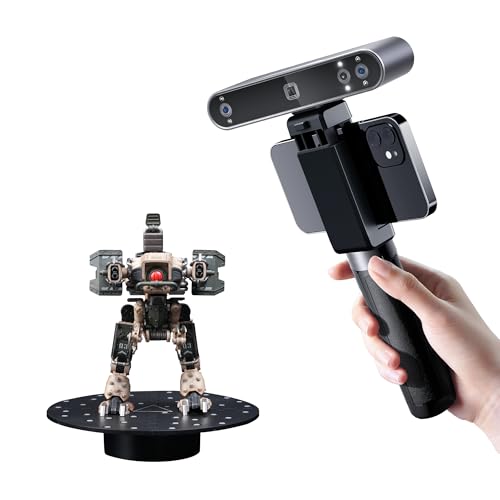
Color Scanning Favorite – Revopoint POP3 Plus
The Revopoint POP3 Plus is a versatile choice among 3D scanners for home workshops, especially if you want both printable geometry and full-color model capture. It combines refined accuracy, stabilization, broad device support, and common export formats in a lightweight handheld design.
Best For: Makers scanning medium-sized objects, body parts, or colorful reference models for printing, design, and creative projects.
Pros:
- Offers stated accuracy within 20 microns with its calibration board.
- Captures full-color scans using an HD RGB camera and Flash LED lighting.
- Scans at up to 18 fps with a 9-axis IMU to help stabilize frames.
- Exports to PLY, OBJ, STL, 3MF, GLTF, FBX, and ASC.
Cons:
- The software is limited to x86_64 architecture.
- Some advanced scan-to-CAD functionality depends on separately powered Revo Design software.
With support for Windows, macOS, iOS, and Android plus Wi-Fi 6 or USB-C connectivity, the POP3 Plus is easy to fit into varied workshop setups. Its 190g weight also makes extended handheld scanning more manageable.
Wide-Range Accuracy Option – Creality CR-Scan Raptor
The Creality CR-Scan Raptor stands out among 3D scanners for home workshops by combining blue-light precision with infrared scanning. That two-mode approach covers objects from small parts to large subjects, making it useful for makers who need more range than a single-purpose handheld scanner provides.
Best For: Experienced Windows-based users scanning small, medium, and large objects, including featureless or reflective surfaces.
Pros:
- Blue-light mode claims accuracy up to 0.02mm.
- Supports scanning sizes from 5mm objects up to 2000mm objects.
- Infrared mode provides a large capture range for bigger objects.
- RGB, flash, and infrared LEDs support texture capture and marker recognition.
Cons:
- Recommended Windows requirements are demanding, including an i7-Gen10 CPU, Nvidia graphics, and 32GB RAM.
- Its 372g weight is higher than some compact handheld alternatives.
- Blue light may cause minor eye discomfort with direct exposure.
The Raptor is a capable choice for a workshop that scans varied object sizes and can meet its substantial computer requirements. Its combination of tracking aids and multiple light sources favors flexibility over the simplest setup.
Advanced Measurement Choice – Revopoint MetroX Pro
The Revopoint MetroX Pro is aimed at serious makers who need high precision from 3D scanners for home workshops. Its blue-laser modes, structured light, automated turntable, and support for shiny or dark surfaces make it better suited to demanding measurement, reverse-engineering, and prototyping work than casual scanning.
Best For: Advanced workshops focused on precision modeling, inspection, reverse engineering, and detailed prototypes.
Pros:
- Claims single-frame precision up to 0.01mm and accuracy up to 0.02mm.
- Four scanning modes address flat, shiny, dark, and feature-rich surfaces.
- Automatic dual-axis turntable scanning can streamline complex objects.
- PC-to-mobile real-time streaming helps monitor scans away from the computer.
Cons:
- The package weight is listed at 14.82 pounds, indicating a less portable setup.
- Revo Design and Revo Measure are paid separately and support Windows only.
- Its advanced capabilities may be more than casual home projects require.
MetroX Pro is the most measurement-oriented option in this group. Choose it when scan accuracy, surface versatility, and workflow automation justify a more advanced—and likely more involved—workshop setup.
Accessible Starter – 3DMakerpro Fox
The 3DMakerpro Fox is an approachable option for home workshops exploring 3D scanners for home workshops. Its markerless tracking, anti-shake technology, and NIR light system simplify setup, while its 0.07mm accuracy suits small to medium scanning projects.
Best For: DIY prototyping, STEM projects, desktop miniatures, automotive parts, and users willing to learn basic mesh refinement and slicing.
Pros:
- Markerless tracking reduces setup time by eliminating target dots.
- NIR light supports direct face and body scanning and is safe for human eyes.
- Supports OBJ, STL, PLY, and ASC exports through JMStudio.
- Handles objects from approximately 40mm to 1200mm.
Cons:
- Requires patience and a learning curve for consistent results and successful prints.
- A capable computer, preferably with a dedicated GPU, is strongly recommended.
- Its 150–400mm working distance may require careful positioning.
The Fox offers a practical entry point for hobbyists, but it is best suited to buyers comfortable refining scans in CAD or 3D-modeling software rather than expecting fully finished meshes immediately.
Versatile Precision Pick – Revopoint INSPIRE 2
The Revopoint INSPIRE 2 is a feature-rich choice among 3D scanners for home workshops, especially when projects involve varied surfaces or outdoor work. It combines infrared structured light, multi-line laser scanning, wireless operation, and up to 0.05mm accuracy.
Best For: Detailed 3D printing, reverse engineering, product design, color capture, and portable scanning in shaded or semi-bright outdoor conditions.
Pros:
- Dual scanning modes help handle different materials, sizes, and environments.
- Can scan reflective or dark surfaces without scanning spray using 11 infrared laser lines.
- Lightweight 190g design with Wi-Fi 6.0 for flexible scanning and streaming.
- Built-in RGB capture records synchronized color and surface texture.
Cons:
- Revo Design scan-to-CAD software is sold separately and supports Windows only.
- Recommended Windows hardware includes an i7 13th Gen or Ryzen 7 5800 processor, 16GB RAM, and an RTX 3060 GPU.
- Outdoor performance is specified for lighting up to 20,000 lux, not all bright-sun conditions.
The INSPIRE 2 is the most adaptable option here for demanding workshop workflows, provided your computer meets its requirements and you account for the separate cost of Revo Design.
Steady Color Scanner – Creality CR-Ferret SE
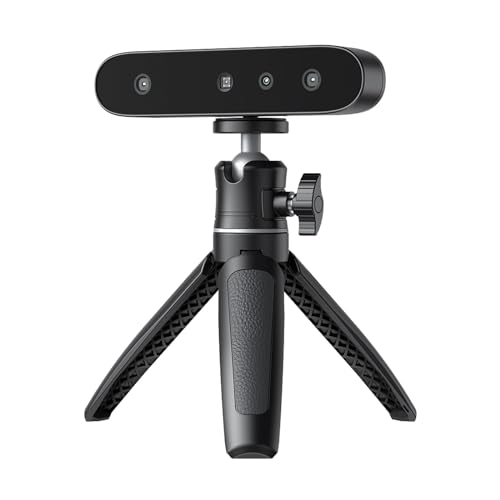
The Creality CR-Ferret SE is a compact option for 3D scanners for home workshops, with anti-shake tracking designed to make handheld scanning more forgiving. It can capture black and metallic objects without scanning spray and records 24-bit full-color models.
Best For: Beginners scanning car parts, tires, dark objects, and small workshop projects on a Windows or Mac computer.
Pros:
- Anti-shake technology helps maintain steady scans with unsteady hands.
- Scans black and metallic objects without requiring spray.
- Built-in 2MP color camera provides 24-bit full-color capture.
- Lightweight 105g body is easy to carry.
Cons:
- Ferret SE does not include a battery handle.
- It supports PC scanning only, unlike the other Ferret variants.
- Its stated accuracy and scanning capabilities may be less suited to highly demanding precision work.
The CR-Ferret SE is a sensible beginner-focused choice when portability, color capture, and easier scanning of dark or metallic parts matter more than a broader wireless workflow.
Best Wireless Pick – CR-Scan Ferret Pro
For home workshops that value mobility, the Creality CR-Scan Ferret Pro combines handheld scanning with Wi-Fi 6 wireless transmission. Its 0.1mm accuracy, 30FPS scanning, and flexible file exports make it a practical option for 3D printing, design, and reverse-engineering projects.
Best For: Workshop users who want wireless scanning with support for iOS, Android, Mac, and Windows workflows.
Pros:
- Up to 0.1mm accuracy, 0.16mm resolution, and 30FPS scanning.
- Wi-Fi 6 wireless transmission supports a smoother mobile workflow.
- Exports OBJ, STL, and PLY files for 3D printing and design software.
- Anti-shake tracking helps maintain scan continuity during hand movement.
Cons:
- Best results require avoiding highly reflective, transparent, or extremely dark surfaces.
- Wireless mobile use requires the dedicated bridge and compatible devices.
The Ferret Pro is the most flexible choice here for makers who want to move around a project or scan outdoors. Check your computer or mobile device against the listed performance requirements before buying.
Best Lightweight Option – CR-Ferret SE Portable
The Creality CR-Ferret SE is a compact choice for home workshops needing a straightforward scanner for modeling and 3D printing. It offers anti-shake operation, 0.1mm precision, full-color capture, and a 105g design that is easy to carry between work areas.
Best For: Beginners and makers who prioritize simple operation, portability, and scanning dark or metallic parts.
Pros:
- Anti-shake technology helps produce stable models with unsteady hands.
- Can scan black, dark, and metallic objects without spray or markers.
- Built-in 2MP camera provides 24-bit full-color capture.
- One-click operation and a 105g body make it beginner-friendly and portable.
Cons:
- Supplied compatibility information lists Mac and Windows rather than mobile devices.
- The notes do not specify a wireless connection or scanning speed.
This SE model is appealing when convenience matters more than wireless mobility. Its lightweight build and simplified workflow suit occasional scanning tasks, while dark- and metal-object support can reduce preparation time.
Best for Larger Parts – CR-Ferret SE Full-Color Scanner
For home workshops scanning components beyond tabletop size, this CR-Ferret SE offers a 150mm-to-2000mm scanning range and a capture area up to 560 × 820mm. It also combines 0.1mm accuracy, 30FPS scanning, full-color textures, and anti-shake tracking for practical 3D printing workflows.
Best For: Makers scanning medium-to-large objects, including black, metallic, or non-reflective parts.
Pros:
- 0.1mm accuracy, 0.16mm resolution, and 30FPS scanning speed.
- Flexible scanning range supports objects from 150mm to 2000mm.
- 2MP color camera captures vivid, original-color textures.
- Scans black and metal objects without white powder or spray.
Cons:
- The supplied details identify it as a desktop scanner rather than a wireless model.
- Its larger-object capability may be unnecessary for small, detail-focused projects.
This version stands out when your workshop projects include automotive parts, body-related forms, or other medium-to-large objects. Its combination of range, speed, and marker-free dark-object scanning can streamline preparation.
How We Picked the Best 3D Scanners for Home Workshops
We focused on scanners suited to practical maker tasks rather than industrial inspection alone. Our comparison considers stated accuracy, scanning speed, supported object sizes, tracking stability, color capture, connection options, software workflow, and the learning curve for first-time users. We also included a mix of entry-level, portable, desktop, structured-light, and laser-based designs because workshop needs vary widely.
Specifications are useful, but they do not tell the entire story. A scanner’s real value depends on whether it can maintain tracking on your typical parts, capture dark or reflective surfaces with reasonable preparation, and produce files that move smoothly into CAD or slicing software.
Quick Comparison
| Priority | Look For | Best Fit |
|---|---|---|
| Small-detail accuracy | Higher stated precision and laser scanning | Mechanical parts, molds, and inspection |
| General 3D printing | Stable tracking and broad object-size support | Replacement parts and custom accessories |
| Color reference | Full-color capture and texture mapping | Props, models, and visual documentation |
| Portability | Handheld design, wireless connection, and battery flexibility | Large objects or scanning away from a bench |
| Simple setup | Desktop operation and guided software | Beginners and repeat household projects |
Key Buying Factors for 3D Scanners for Home Workshops
Accuracy and Resolution
Accuracy describes how closely measurements match the physical object, while resolution affects how finely surface details are captured. For functional parts, prioritize repeatable accuracy and dependable tracking over the smallest headline number. Extremely fine precision is more valuable when you regularly scan small mechanical features.
Object Size and Scanning Range
Check the manufacturer’s recommended scan size. Some models are better for small components, while others handle furniture, vehicle panels, or human-sized subjects. A scanner that is too narrowly specialized can require multiple passes or make tracking difficult on larger objects.
Surface, Lighting, and Tracking
Dark, glossy, transparent, or textureless surfaces can challenge many consumer scanners. Matte spray, removable markers, controlled lighting, and a turntable may improve results. Anti-shake tracking and reliable alignment are especially helpful when scanning handheld or irregular objects.
Software and File Workflow
Confirm that the included software supports the formats and repair tools you need, such as STL, OBJ, or PLY export. CAD users should verify how easily scans can be cleaned, scaled, meshed, and converted into usable reference geometry.
Who Should Buy Which 3D Scanners for Home Workshops?
Choose an entry-level scanner if you are learning 3D scanning, making basic prints, or digitizing household objects. Choose a higher-precision laser model for small parts, reverse engineering, and measurement-focused work. Choose a full-color scanner for figures, props, artwork, or visual records where texture matters. Choose a portable wireless model if you scan large objects or need to work away from your computer. For a fixed workbench and repeatable projects, a desktop-oriented scanner can be easier to position and operate.