Good lighting can make a webcam call look clearer without replacing your camera. The right setup brightens your face, softens shadows, and fits around the screen or desk space you already use.
These 10 options range from compact clip-on lights to dual-light and tripod-based setups. The best choice depends on where you take calls, how much room you have, and how much control you want over the light.
Best 10 Video Conferencing Kits with Lighting Picks for 2026
Best for Color Accuracy
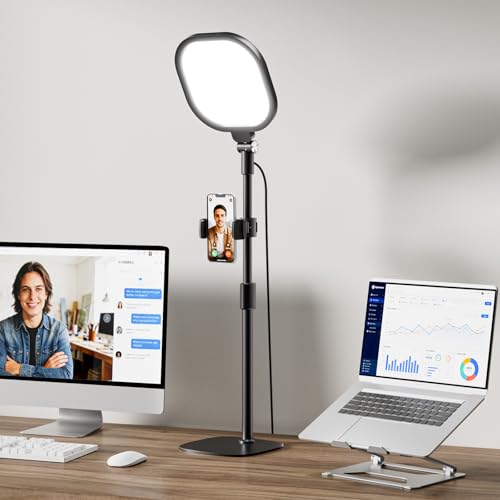
- CRI>98 soft-panel lighting
- 30 lighting combinations with memory
- 20.5–28.5-inch adjustable stand
Best For: Color-conscious home-office calls
Best Two-Desk Pack
LitONES Video Conference Lights

- Two lights with stands and phone holders
- 22.5–32.5-inch adjustable stands
- USB powered; adapter not included
Best For: Two workstations or shared setups
Best Tall Desk Stand
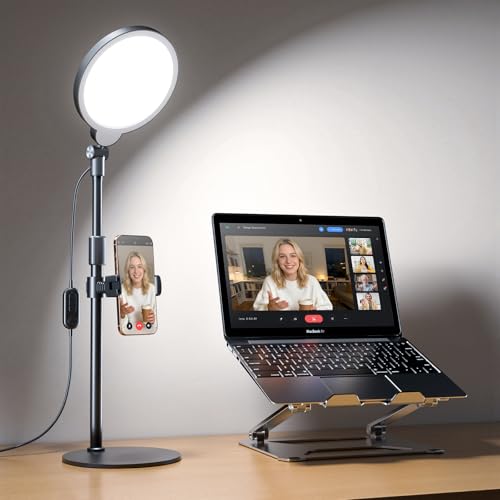
- 20.5–32-inch height range
- 30 lighting combinations
- Rotating holder fits 2.24–3.5-inch phones
Best For: Height-adjustable monitor-side lighting
Best Portable Clip-On
LitONES 5-Inch Soft Video Light

- Clip-on mount with desk-stand option
- 50 lighting combinations
- Compact 5-inch head; 11.8 ounces
Best For: Portable laptop video calls
Compact Monitor Clip
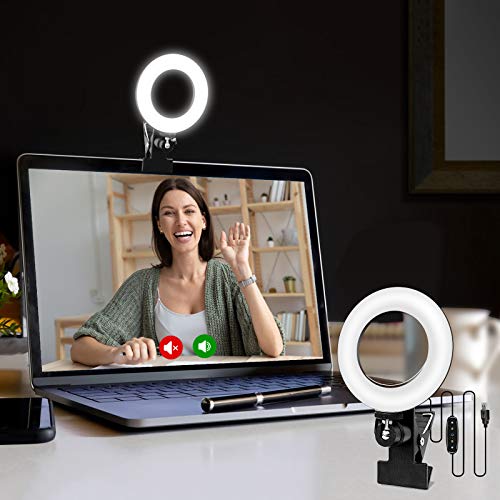
- Clips to a monitor or laptop
- Three color settings; five brightness levels
- USB-powered, rotating mount
Best For: Portable, single-light video calls
Dual Monitor Lights
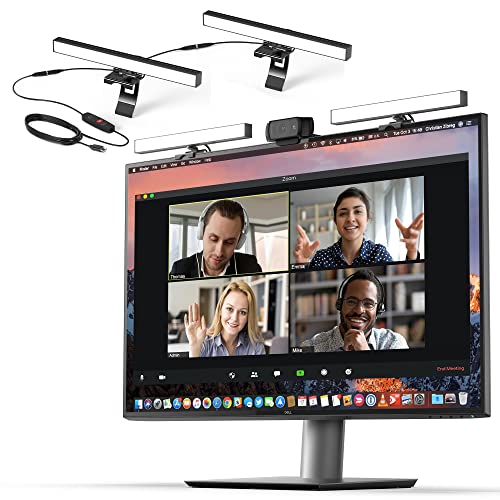
- Two connected, diffused lights
- Adjustable brightness and color temperature
- USB power required; adapter not included
Best For: Stationary monitor or laptop setups
Freestanding Studio Setup

- Two adjustable LED panels
- Tripods extend up to 60 inches
- Three color settings; dimmable output
Best For: Calls, recording, and streaming with room for tripods
Best Mounting Options
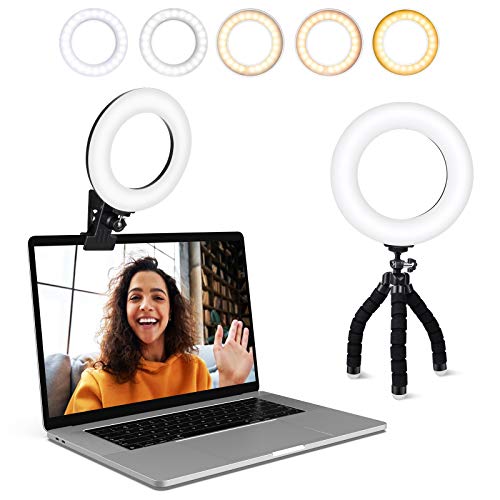
- Five color temperatures and brightness levels
- Padded clip plus flexible mini tripod
- USB-powered with a 2 m cord
Best For: Flexible lighting placement around a home-office setup
Best Portable Pick
ALTSON Rechargeable LED Selfie Light

- Rechargeable 2200 mAh battery
- Three modes and ten brightness levels
- 95 g panel with clip and mounting adapters
Best For: Calls and video recording from changing locations
Best Dual-Light Setup
yAyusi Dual-Lamp Conference Lighting

- Two rotatable light bars
- Remote and touch controls
- Three color modes and ten brightness levels
Best For: Stationary screens needing adjustable light from two sides
Best for Color Accuracy – LitONES CRI>98 Desk Light
Among video conferencing kits with lighting, this LitONES desk light is a strong choice when natural-looking color matters. Its 7-inch square soft panel combines diffusion and edge lighting, while its CRI>98 rating is intended to keep skin tones and objects looking true to life.
Best For: A fixed home-office setup where you want adjustable, soft front lighting and accurate color on camera.
Pros:
- Three color temperatures and 10 brightness levels offer 30 lighting combinations.
- Memory function recalls your preferred setting.
- Metal stand adjusts from 20.5 to 28.5 inches; the light head and included phone holder rotate.
Cons:
- The desktop base takes up some surface space.
- It is a lighting accessory, not a complete camera-and-microphone kit.
The adjustable stand and large soft panel make this a practical desk-first option. Choose it over a smaller clip-on light if precise color and repeatable settings are higher priorities than portability.
Best Two-Desk Pack – LitONES Video Conference Lights
If you need video conferencing kits with lighting for two workstations, this LitONES pack includes two lights, stands, bases, and phone holders. Each edge-lit light provides soft illumination with three color temperatures and 10 brightness levels.
Best For: Equipping two desks or sharing a matching lighting setup between two people.
Pros:
- Two-light pack covers two setups without buying separate units.
- Stands adjust from 22.5 to 32.5 inches and have padded metal bases.
- CRI 97.8 and adjustable 3000–6500K color temperature support natural-looking calls.
Cons:
- USB power is required; a 10W adapter is recommended for optimal brightness but is not included.
- The included phone holders fit phones up to 3.35 inches wide.
The main advantage here is quantity: you get two adjustable desktop lights with matching accessories. Check your available USB power and phone width before choosing the pack.
Best Tall Desk Stand – Yarrashop 30-Mode Video Light
This Yarrashop model suits shoppers comparing video conferencing kits with lighting for a monitor-side desk setup. Its edge-lit panel offers three color temperatures and 10 brightness levels, while the stand adjusts from 20.5 to 32 inches.
Best For: Desks that need flexible light height and positioning for calls, teaching, or recording.
Pros:
- Thirty lighting combinations and CRI 97.8 give you control over brightness and color.
- Light head rotates 360 degrees horizontally and 180 degrees vertically.
- Includes a rotating phone holder for phones 2.24 to 3.5 inches wide.
Cons:
- Requires 5V/2A USB power; a power adapter is not included.
- The standing base needs desktop space.
The taller adjustment range is its clearest reason to buy. It works well when you need to bring the light above a monitor, provided you have room for the base and a suitable USB power source.
Best Portable Clip-On – LitONES 5-Inch Soft Video Light
For portable video conferencing kits with lighting, this compact LitONES light avoids a tall desk stand. Its 5-inch diffused, edge-lit panel clips to a laptop or monitor, with a fold-out desk-stand option for setups where clipping is less suitable.
Best For: Laptop users who move between desks and want a compact light with flexible mounting.
Pros:
- Five color temperatures and 10 brightness levels provide 50 lighting combinations.
- Clip mount, adjustable support, rotation, and tilt help position the light.
- Weighs 11.8 ounces and runs from 5V/2A USB power.
Cons:
- The 5-inch head is smaller than the desktop panels in this roundup.
- Clip fit and stability depend on proper positioning; ultra-thin laptops may be better served by the desk stand.
This is the most travel-friendly mounting style of the four. Choose it when a light you can move with your laptop matters more than the height of a full desktop stand.
Compact Monitor Clip – Cyezcor Ring Light
If you’re comparing video conferencing kits with lighting for a small desk, the Cyezcor ring light clips to a monitor or laptop and runs from a USB port. Its rotating mount lets you aim the light toward your face.
Best For: Laptop and monitor users who want a portable, single-light setup for calls.
Pros:
- Three color-temperature settings and five brightness levels offer quick adjustments.
- Ring design provides soft, even facial illumination.
- USB power works with a computer port, power bank, or phone charger.
Cons:
- Requires a USB power connection during use.
- One small light offers less flexibility for positioning light from multiple directions.
Choose this for straightforward, screen-mounted lighting rather than a more elaborate desk setup.
Among video conferencing kits with lighting, the HumanCentric double kit suits a stationary workstation: two connected, diffused lights sit atop a monitor or laptop with webcam-style stands. Adjustable brightness and color temperature help you tune your on-camera appearance.
Best For: Desk-based callers who want two screen-mounted lights without adhesives or suction cups.
Pros:
- Two lights share one power cable and can be positioned around a webcam.
- Preinstalled diffusers soften the light.
- Cable clips and Velcro straps help manage the setup.
Cons:
- No battery or power adapter is included; the lights must be plugged in.
- Connected lights can be spaced no more than 30 inches apart.
This is a practical pick when your screen has room for two lights. If a USB-A port supplies too little power for full brightness, you may need a separate USB wall adapter.
If you need video conferencing kits with lighting that stand apart from your screen, the NiceVeedi kit provides two LED panels on adjustable tripods. It takes more floor or desk space than clip-on lights, but lets you place illumination to either side of your setup.
Best For: Callers and creators who want freestanding lights that also work for recording or streaming.
Pros:
- Two panels offer 2800K, 4800K, and 6500K settings with 10–100% brightness adjustment.
- Each tripod extends up to 60 inches, and its panel can be angled.
- Includes a storage bag, phone holder, and USB-C adapters.
Cons:
- Requires space for two tripods.
- A 5V/2A wall charger is not included.
Pick this kit for flexible panel placement and uses beyond meetings; for a crowded desk, a monitor-mounted light may be simpler.
Best Mounting Options – ACMEZING Clip-On Ring Light
Among video conferencing kits with lighting, this ACMEZING ring light is a practical pick if you switch between a laptop, monitor, and desk. It includes both a padded metal clip and a flexible mini tripod.
Best For: Home-office users who want flexible placement and adjustable light for video calls.
Pros:
- Five color temperatures from 3200K to 6500K and five brightness levels.
- Ring design provides soft light that helps reduce facial shadows.
- USB-powered, with a 2 m cord and two mounting options.
Cons:
- Requires a USB power source; it is not listed as rechargeable.
- Five brightness steps offer less fine adjustment than ten-level alternatives.
The clip-and-tripod combination is the main reason to choose it. If you need lighting away from a USB port, consider a battery-powered option instead.
Best Portable Pick – ALTSON Rechargeable LED Selfie Light
If you need video conferencing kits with lighting that travel easily, this compact ALTSON panel clips to a device and runs on a rechargeable 2200 mAh battery. Its included adapters also let you attach it to a camera or tripod.
Best For: People who take calls from different locations or also shoot phone and camera video.
Pros:
- Three light modes, ten brightness levels, and a stated CRI of 97+.
- Compact 95 g design with a clip, storage pouch, and mounting adapters.
- USB-C rechargeable; rated for about four hours at 50% brightness.
Cons:
- The advertised 15-hour runtime applies at 10% brightness, not brighter settings.
- A single small panel may be less suitable for lighting a broad desk area.
This is the most versatile choice here for portable use. Check the brightness you expect to use against the stated battery runtimes before relying on it for long calls.
Best Dual-Light Setup – yAyusi Dual-Lamp Conference Lighting
For a more spread-out source of light than a single clip-on lamp, this yAyusi option uses two light bars. It stands out among video conferencing kits with lighting for its remote and touch controls and adjustable bar positions.
Best For: A stationary laptop or monitor setup where you want light from two sides.
Pros:
- Two light bars with 360° horizontal and 180° vertical rotation.
- Three color modes and ten brightness levels.
- Remote and touch controls; supports clip-on or desktop placement.
Cons:
- Two bars, stands, and cabling create a more involved setup than a single light.
- Listed for indoor use and requires a power connection.
Choose this kit if positioning two lights around your screen matters more than portability. Check its stated adjustment ranges against your device before buying.
How We Picked These Video Conferencing Kits with Lighting
We focused on practical differences visible in the selected products’ listed features: mounting style, light placement, adjustable brightness and color, portability, and included stands or accessories. The selection covers simple monitor lights, desk ring lights, two-light arrangements, and larger tripod-based options. Feature claims such as CRI ratings and color ranges are manufacturer specifications, not independently verified test results.
Quick Comparison: Match the Light to Your Setup
A clip-on light is the simplest fit for a laptop or monitor when desk space is tight. A ring light with a stand offers more freedom to position the source above or beside your webcam. Two-light setups can help balance shadows, especially if a window lights only one side of your face. Larger LED panels on tripods suit a dedicated desk or streaming space but take more room and setup time. A rechargeable light is worth considering if you change locations often or cannot rely on a nearby outlet.
Key Buying Factors
Placement and Mounting
Look at where the light will sit relative to your camera, not just its advertised brightness. A light close to eye level and slightly off-axis can illuminate your face without shining straight into your eyes. Check that a clip fits your screen and will not cover the webcam; for stand-mounted lights, check desk clearance and maximum height.
Brightness, Color, and Softness
Dimming matters because a light that looks good at night may be too strong beside a daytime window. Adjustable color temperature helps you match warm room lamps or cooler daylight. Diffusion can reduce harsh shadows and reflections; glasses wearers may prefer a light they can raise or move to the side rather than a ring fixed around the camera.
Power and Everyday Controls
Check whether the light uses USB power, a rechargeable battery, or another power source, and whether the required cable or adapter works with your setup. Controls should be easy to reach during a call. If you move between rooms, prioritize quick mounting and a compact design over a tall stand.
Who Should Buy Which Video Conferencing Kits with Lighting?
Choose a clip-on model for occasional calls or a small laptop workspace. Pick a desk ring light when you want adjustable positioning without committing to a multi-stand setup. Consider a dual-light kit if uneven room lighting is your main problem, and a tripod-based LED kit if you also record video or need more placement flexibility. For travel or changing workspaces, a compact rechargeable option may be the most convenient of these Video Conferencing Kits with Lighting. Before buying, confirm the mount, power requirements, and space needed where you actually take calls.