A good conference room setup should let remote attendees see and hear everyone without making each meeting a technical project. The right choice depends on your room layout, seating distance, and whether you need a simple USB connection or a more flexible camera system.
These 10 options span all-in-one 360-degree devices, wide-angle huddle-room cameras, and PTZ systems for rooms that need more reach. Use the guide below to narrow the field before checking each product’s current specifications.
Best 10 Conference Room Cameras and Mics Picks for 2026
Best for Roundtable Views
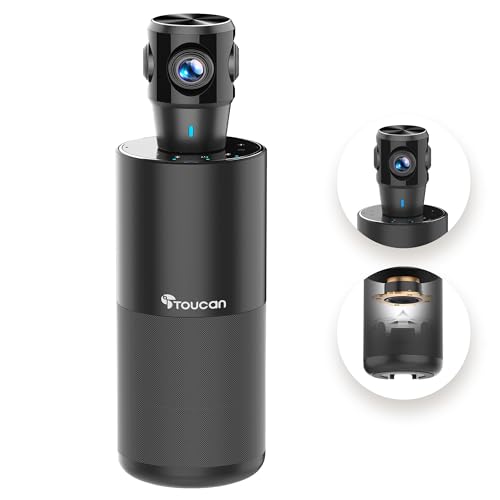
- 360° room view
- 1080p video with four mics
- USB plug-and-play setup
Best For: Roundtable meetings with participants seated on all sides
Best for Presenter Tracking

- 4K video with 120° view
- AI framing and presenter tracking
- Dual mics rated up to 5 m
Best For: Small rooms hosting presentations and group calls
Best for Huddle-Room Displays
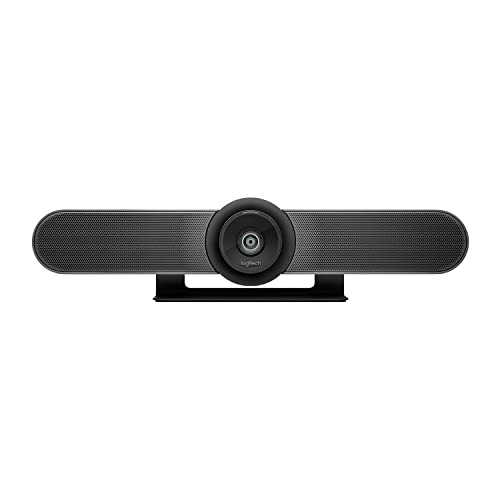
- 4K sensor and 120° view
- Pan and tilt expand view to 170°
- Beamforming mics reach 4 m
Best For: Small rooms with a display-side camera setup
Best for Hybrid Roundtables

- 360° 1080p video
- Automatic speaker focus
- Audio pickup up to 18 ft
Best For: Hybrid discussions around a shared table
Best for Huddle Rooms
Logitech MeetUp with Expansion Mic
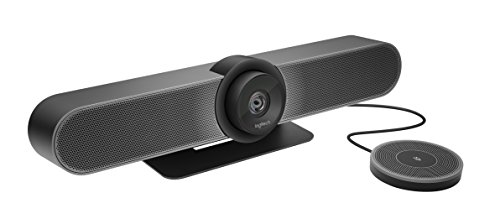
- 120-degree room view
- Expansion mic extends reach to 14 feet
- Ultra 4K, 1080p, and 720p options
Best For: Small rooms needing a wide view and longer mic reach
Best for Everyday Use
TONGVEO 4K PTZ Camera and Speakerphone
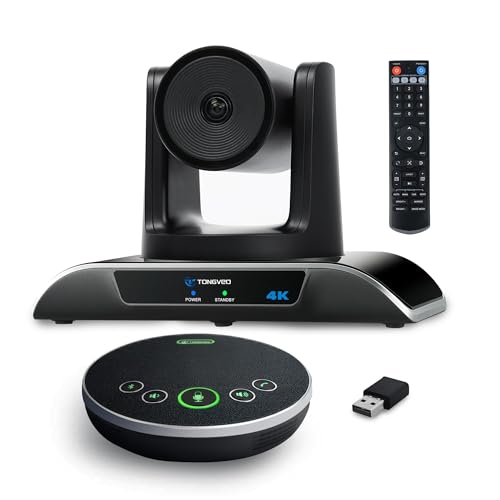
- 4K/30 fps with 120-degree view
- Auto-tracking and gesture controls
- Separate speakerphone with 16.4-foot stated pickup
Best For: Meetings with moving presenters and flexible camera placement
Best for Comfort
Meeting Owl 4+ 360-Degree Camera

- 360-degree 4K room capture
- Automatic speaker focus
- Stated 18-foot audio range
Best For: Hybrid discussions with speakers around the table
Best 4K PTZ Kit
TONGVEO 4K Camera and Wireless Speakerphone

- 4K/30 output via HDMI; 1080p via USB
- 3x optical zoom with AI tracking
- Separate speakerphone with four mics
Best For: Small-to-medium rooms with moving presenters
Best All-in-One Bar
Yealink UVC34 4K Conference Camera

- Integrated camera and eight-mic array
- 4K camera with 120° field of view
- Teams and Zoom certified; privacy shutter
Best For: Huddle rooms seeking a single USB-connected unit
Best 1080p PTZ Kit
TONGVEO 60 fps Camera and Speakerphone

- 1080p/60 video via HDMI and USB
- 3x optical zoom and AI tracking
- Separate Bluetooth speakerphone
Best For: Small-to-medium rooms prioritizing smooth video
Best for Roundtable Views – TOUCAN SC360
For teams comparing conference room cameras and mics, the TOUCAN SC360 combines a 360° view, 1080p video, four microphones, and a speaker in one compact device. It is designed to show participants seated around a table rather than just those facing a front-mounted camera.
Best For: Roundtable meetings where everyone needs to appear on camera.
Pros:
- 360° capture keeps participants around the room in view.
- Four microphones and a built-in speaker make it an all-in-one meeting device.
- USB plug-and-play setup includes a Type-C-to-USB-A adapter.
Cons:
- Video resolution tops out at 1080p, not 4K.
- The supplied notes do not specify a microphone pickup distance.
Choose this for its around-the-table perspective and simple setup; if pickup range or 4K detail is a priority, compare those specifications before buying.
Best for Presenter Tracking – WYRESTORM FOCUS-210
The WYRESTORM FOCUS-210 is a practical choice among conference room cameras and mics for small spaces that host both group calls and presentations. Its 4K camera offers a 120° field of view, AI auto framing, and presenter tracking, while dual noise-canceling microphones are specified to pick up voices from up to 5 meters away.
Best For: Small meeting rooms that alternate between group discussions and presentations.
Pros:
- AI auto framing and presenter tracking adapt the shot to the meeting.
- 120° wide-angle 4K video covers a small room.
- USB plug-and-play connection and a physical lens cover simplify shared-room use.
Cons:
- Its 120° view is not a 360° roundtable view.
- The supplied notes do not specify speaker output despite the product title mentioning speakers.
This is a strong fit when framing and presenter movement matter more than showing every side of a table at once.
Best for Huddle-Room Displays – Logitech MeetUp
Logitech MeetUp puts conference room cameras and mics into an all-in-one unit suited to huddle rooms and small meeting spaces. It pairs a 4K sensor and 120° field of view with beamforming microphones that capture voices up to 4 meters away.
Best For: Small rooms that need a camera mounted near an in-room display.
Pros:
- Motorized pan and tilt extend the view up to 170° for areas such as a whiteboard.
- Beamforming microphones have a stated 4-meter pickup range.
- Supports USB bring-your-own-device use and offers wall or credenza mounting options.
Cons:
- The optional Expansion Mic for extending pickup to 5 meters is sold separately.
- The TV Mount for above- or below-display placement is an add-on.
MeetUp makes sense for a fixed small-room setup, especially if pan and tilt will help bring a whiteboard into view. Account for accessories if your mounting plan or table length requires them.
Best for Hybrid Roundtables – Owl Labs Meeting Owl 3
Among conference room cameras and mics built for hybrid discussions, the Meeting Owl 3 stands out for its 360° video and audio. It records in 1080p, picks up sound from up to 18 feet (5.5 meters), and automatically focuses on in-room speakers while retaining a room-wide view.
Best For: Hybrid roundtables where remote attendees need to follow who is speaking.
Pros:
- 360° coverage shows participants seated around the room.
- Automatic speaker focus helps remote attendees follow the conversation.
- Can pair with another Meeting Owl or compatible Owl Labs accessories for expanded coverage.
Cons:
- Video resolution is 1080p rather than 4K.
- Expanded coverage requires additional compatible devices or accessories.
Pick the Meeting Owl 3 when conversation flow and an all-around table view are the priorities. Its ecosystem offers room to expand, but the base device is the place to start when evaluating coverage.
Best for Huddle Rooms – Logitech MeetUp with Expansion Mic
For shoppers comparing conference room cameras and mics for a small space, the Logitech MeetUp pairs a 120-degree camera with an expansion mic that extends its stated audio range from 8 to 14 feet. It is designed to keep people near the camera and at the edges of the room in view.
Best For: Huddle rooms and small conference rooms where a wide view and extended microphone reach matter.
Pros:
- 120-degree field of view helps include participants seated close to the camera.
- Expansion mic increases the stated audio range to 14 feet.
- Supports Ultra 4K, 1080p, and 720p video resolutions.
Cons:
- Designed for huddle rooms and small conference rooms rather than larger spaces.
- Image stabilization is not included.
Choose this setup when a fixed, extra-wide view suits your room better than a camera that follows speakers. Its expansion mic is the practical differentiator if the standard 8-foot audio range would be too short.
Best for Everyday Use – TONGVEO 4K PTZ Camera and Speakerphone
Among conference room cameras and mics for meetings with a moving presenter, this TONGVEO kit pairs a 4K PTZ camera with a separate speakerphone. Auto-tracking, gesture controls, and remote presets offer several ways to adjust the shot without returning to the computer.
Best For: Small to medium-sized meetings that need presenter tracking and a separate, portable speakerphone.
Pros:
- Captures up to 4K at 30 fps with a 120-degree field of view.
- Supports auto-tracking, gesture control, and remote-controlled PTZ presets.
- Speakerphone has two microphones with a stated 16.4-foot pickup range.
Cons:
- 5X zoom is digital, not optical.
- Viewing in 4K requires compatible equipment and software.
- Camera and speakerphone are separate devices to connect.
This is the more flexible choice when framing needs to change during a meeting. If you prefer a single device with fewer connections, the two-piece setup may be less appealing.
Best for Comfort – Meeting Owl 4+ 360-Degree Camera
For hybrid roundtables, the Meeting Owl 4+ takes a different approach to conference room cameras and mics: it captures a 360-degree room view in 4K and automatically focuses on whoever is speaking. Its all-in-one design combines the camera, microphones, and speaker in one device.
Best For: Hybrid meetings where remote attendees need to see speakers seated around the room.
Pros:
- Provides 360-degree video and a stated 18-foot audio range.
- Automatically focuses on in-room speakers using visual and audio cues.
- Certified for Microsoft Teams and compatible with other listed conferencing platforms.
Cons:
- Expanding coverage for larger rooms requires pairing another compatible device or adding an Expansion Mic.
- Its 360-degree approach may be unnecessary for meetings centered on one presenter.
The Owl 4+ makes the most sense when participation moves around the table. Its speaker-focused framing addresses a different need than a fixed wide-angle camera or a presenter-tracking PTZ setup.
Best 4K PTZ Kit – TONGVEO 4K Camera and Wireless Speakerphone
For teams comparing conference room cameras and mics, this TONGVEO kit pairs a 4K-capable PTZ camera with a separate wireless Bluetooth speakerphone. Its 3x optical zoom and AI tracking make it worth considering when a presenter moves around the room.
Best For: Small-to-medium meeting rooms that need presenter tracking and a portable speakerphone.
Pros:
- Camera supports 4K at 30 fps over HDMI, a 93° field of view, and 3x optical zoom.
- AI tracking follows a person or face as they move.
- Four-microphone speakerphone offers a stated 16.4-foot pickup range and connects by USB, Bluetooth, or wireless dongle.
Cons:
- USB camera output is specified at 1080p rather than 4K.
- The separate camera and speakerphone take more setup than a single integrated bar.
Choose this kit if camera movement and optical zoom matter more than a one-piece setup. Check your intended connection before buying: the advertised 4K output is via HDMI.
Best All-in-One Bar – Yealink UVC34 4K Conference Camera
The Yealink UVC34 takes an integrated approach to conference room cameras and mics, combining a 4K camera and eight-microphone array in one USB-connected unit. Its 120° field of view suits rooms where participants sit across a wide table.
Best For: Huddle rooms wanting a single camera-and-mic unit with Teams and Zoom certification.
Pros:
- 4K camera has a 120° field of view, plus AI auto framing and speaker tracking.
- Integrated eight-mic array has a stated 5-meter pickup range.
- Automatic electric privacy shutter closes when meetings end; a 7-meter USB cable allows flexible placement.
Cons:
- Uses digital rather than optical zoom.
- The stated 5-meter mic range may call for a different audio arrangement in larger rooms.
This is the simpler choice if you prefer one unit over a separate camera and speakerphone. Its wide view and certified platform support are strong practical draws; choose a PTZ kit instead if optical zoom is essential.
Best 1080p PTZ Kit – TONGVEO 60 fps Camera and Speakerphone
This TONGVEO option pairs a 1080p PTZ camera with a separate Bluetooth speakerphone. Among conference room cameras and mics, it is a practical match for buyers who prioritize 60 fps video, optical zoom, and presenter tracking over 4K resolution.
Best For: Small-to-medium rooms or teaching spaces that need smooth 1080p video and tracking.
Pros:
- Camera supports 1080p at 60 fps through HDMI and USB 3.0, with 3x optical zoom.
- AI tracking follows a person or face; the lens has a stated 114° field of view.
- Speakerphone offers a stated 16.4-foot pickup range and USB, Bluetooth, or dongle connections.
Cons:
- Video tops out at 1080p rather than 4K.
- The PTZ camera is wired even though the speakerphone can connect wirelessly.
Pick this system when smooth video and tracking are more useful to you than extra resolution. Plan for a wired camera connection, and check that the separate speakerphone fits your preferred setup.
How We Picked These Conference Room Cameras and Mics
We compared the listed products by camera format, stated resolution, microphone arrangement, speaker inclusion, framing features, and connection options. The selection includes tabletop 360-degree units, wide-angle all-in-one systems, and PTZ cameras paired with speakerphones. Those differences matter more than a resolution number alone: a sharp image will not help if people at the far end of the table cannot be heard.
We have not treated advertised pickup distances, AI tracking, or platform compatibility as independently tested results. Check the current manufacturer specifications and your meeting platform’s requirements before buying.
Quick Comparison: Match the System to the Room
- Small huddle room: A wide-angle all-in-one unit such as the Logitech MeetUp or Yealink system can keep setup compact and capture people seated near a display.
- People seated around a table: The TOUCAN 360, Meeting Owl 3, and Meeting Owl 4+ use a 360-degree format intended to show participants on multiple sides.
- Longer or more flexible rooms: A TONGVEO or other PTZ system offers repositioning and zoom; compare its included speakerphone and cabling before choosing.
- Audio needs extra reach: The Logitech MeetUp bundle with an expansion mic is worth considering when the standard mic placement may leave distant seats underserved.
Key Buying Factors for Conference Room Cameras and Mics
Coverage Before Resolution
Measure the distance from the camera to the farthest participant and note where people sit. A 360-degree camera suits a central table placement, while a front-of-room wide-angle camera may be better when everyone faces a screen. PTZ models can frame a presenter or shift between parts of a room, but their field of view and zoom type vary. Optical zoom preserves detail better than digital zoom at longer distances. A 4K specification also does not guarantee that your meeting app will transmit 4K video.
Microphones, Speakers, and Room Noise
Prioritize intelligible speech over a long feature list. Check the stated mic pickup range, whether an expansion mic is supported, and whether a speaker or speakerphone is included. For larger tables, confirm that every seat falls within practical mic range. Echo cancellation and noise reduction can help, but room acoustics, HVAC noise, and speaker placement still affect calls.
Connections and Compatibility
Confirm the complete signal path: USB type and length, HDMI needs, power requirements, and whether Bluetooth is used for audio rather than video. Check support for your operating system and preferred meeting app. A platform certification applies to a particular product configuration; it is not a substitute for verifying how your room PC will connect.
Who Should Buy Which Conference Room Cameras and Mics?
Choose a compact wide-angle system for a small, screen-facing team and a 360-degree tabletop device when conversation moves around the table. Pick a PTZ setup if framing flexibility or distance is the main challenge. If remote colleagues struggle to hear people at the far end, spend first on suitable mic coverage rather than a higher camera resolution. Before ordering, confirm what is in the box—including mounts, cables, speakerphone, and any expansion mic—so the system is ready for your room.