Choosing among professional 4K computer monitors is easier when you know which features matter most: color accuracy, connectivity, panel quality, and ergonomics.
Below, we focus on models that make sense for creators, editors, office pros, and anyone who wants sharp 4K detail without sacrificing daily usability.
Best 10 Professional 4K Computer Monitors Picks for 2026
Color-Accurate Creator Pick
ASUS ProArt PA279CV 27 Inch 4K USB-C Monitor
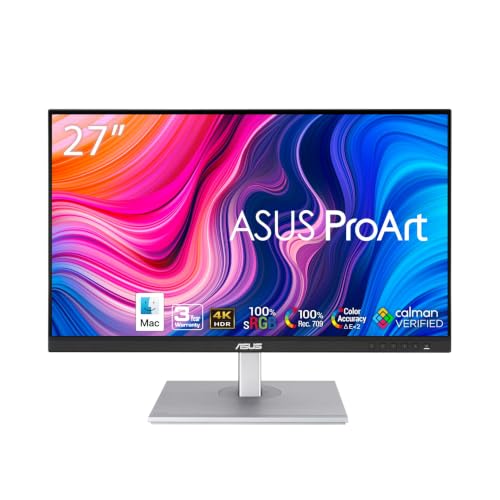
- Factory calibrated to Delta E < 2
- 100% sRGB and 100% Rec. 709 coverage
- USB-C with 65W Power Delivery
Best For: Color-critical creative work and streamlined USB-C setups
Big-Screen Office Workhorse
Dell UltraSharp DELL-U3225QE 32-inch 4K IPS Monitor

- 32-inch 4K IPS panel
- 2000:1 contrast ratio
- Pivot, height, and swivel adjustments
Best For: Productivity users who want a large, adjustable 4K display
Mac-Friendly Color Pro
ASUS ProArt PA279CRV 27 Inch 4K HDR Monitor

- 99% DCI-P3 and 99% Adobe RGB coverage
- Calman Verified, Delta E < 2 calibration
- USB-C with 96W Power Delivery and daisy-chain support
Best For: Mac-friendly creative work and multi-monitor color setups
Budget Generalist Choice
Samsung 32 Inch Flat Computer Monitor

- Three-sided borderless design
- 75Hz refresh rate with AMD FreeSync
- Flicker Free and Eye Saver Mode
Best For: Everyday office use and comfortable multi-monitor setups
Premium 31.5-Inch Office Display
Dell UltraSharp U3223QE 31.5-inch 4K monitor
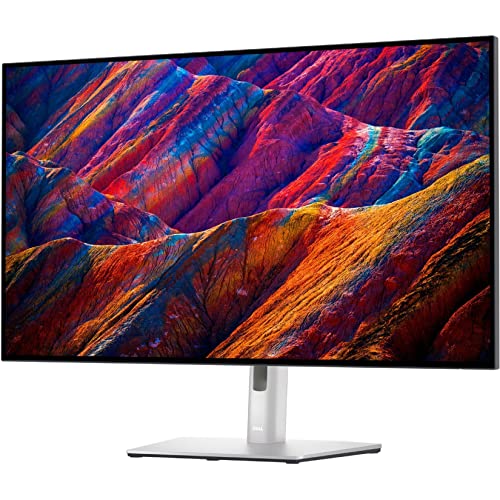
- 31.5-inch 4K UHD panel with ample desktop space
- 400-nit brightness and IPS Black technology
- HDMI, USB, and VESA mount support
Best For: Large productivity setups and office users who want a bright, flexible 4K display
Color-Focused 27-Inch Pick
LG 27US500-W 27-inch 4K UltraFine monitor

- 27-inch 4K IPS display with sharp detail
- Up to 90% DCI-P3 plus HDR10 support
- Onscreen Control and ergonomic stand
Best For: Color-aware professionals and multimedia users who want a simple 27-inch 4K setup
USB-C Productivity Monitor
Dell UltraSharp U2723QE 27-inch 4K USB-C monitor

- 27-inch 4K UHD IPS Black panel
- USB-C, DisplayPort, and eight USB ports
- Wide 178-degree viewing angles
Best For: Desk setups that need a compact 4K monitor with USB-C and strong connectivity
Creator-Ready 4K Detail

- 4K UHD resolution for detailed work
- HDR10 and wide color support
- HDMI, DP, USB-A, and USB-B ports
Best For: Creators and professionals who want a sharp 27-inch 4K display
Fast 4K All-Rounder

- 4K IPS display with 99% sRGB color
- 120Hz refresh rate with FreeSync Premium
- USB-C with up to 65W power delivery
Best For: Professionals who want a colorful 4K monitor with USB-C
Budget-Friendly Creator 4K

- 4K IPS panel with up to 95% DCI-P3
- DisplayHDR 400 and reader-focused features
- Height, tilt, and pivot adjustment
Best For: Users who want an adjustable 4K monitor for multimedia and daily use
Color-Accurate Creator Pick – ASUS ProArt PA279CV 27 Inch 4K USB-C Monitor
If you want a professional 4K computer monitor for color-sensitive work, the ASUS ProArt PA279CV is built around factory calibration, wide color coverage, and a USB-C connection that can simplify a creator’s desk. It is aimed at users who need dependable accuracy for design, editing, and other visual tasks.
Best For: Creators and professionals who want accurate color, USB-C convenience, and a long warranty.
Pros:
- Calman Verified and factory calibrated with Delta E < 2 color accuracy
- 100% sRGB and 100% Rec. 709 wide color gamut for accurate reproduction
- USB-C with 65W Power Delivery plus DisplayPort, HDMI, and USB 3.1 hub
- Includes a 5-year warranty with online registration
Cons:
- Notes list a 23.8-inch Full HD panel in one section, which conflicts with the 27-inch 4K product description
- Best suited to color work rather than entertainment-focused features
Overall, this is a practical choice if your priority is reliable color performance and streamlined connectivity in a professional 4K computer monitor. The extended warranty is a useful extra for long-term office or studio use.
Big-Screen Office Workhorse – Dell UltraSharp DELL-U3225QE 32-inch 4K IPS Monitor
The Dell UltraSharp DELL-U3225QE fits the professional 4K computer monitors category with a 32-inch 4K IPS panel, a high 2000:1 contrast ratio, and flexible stand adjustments for office-friendly ergonomics. It is a straightforward option if you want a larger workspace for everyday productivity.
Best For: Office users who want a larger 4K screen with adjustable ergonomics.
Pros:
- 32-inch 4K IPS display for a spacious desktop workspace
- 2000:1 contrast ratio for strong image depth
- Includes 2x DP, 1x HDMI, pivot, height adjust, and swivel support
- 5 ms response time for general productivity use
Cons:
- No color-calibration or wide-gamut claims are listed in the supplied notes
- Energy efficiency class F may matter for buyers focused on power use
If you need a large 4K monitor for work rather than creator-grade color specs, this Dell is a sensible fit. Its strength is the combination of screen size, IPS viewing, and ergonomic flexibility.
Mac-Friendly Color Pro – ASUS ProArt PA279CRV 27 Inch 4K HDR Monitor
For buyers comparing professional 4K computer monitors, the ASUS ProArt PA279CRV stands out with wide Adobe RGB and DCI-P3 coverage, factory pre-calibration, and USB-C power delivery. It is designed for creators who want accurate color, flexible placement, and a monitor that can handle multi-display workflows.
Best For: Color-focused creators, Mac users, and multi-monitor workspaces.
Pros:
- 99% DCI-P3 and 99% Adobe RGB coverage for vibrant, accurate color
- Calman Verified and factory pre-calibrated to Delta E < 2
- USB-C with 96W Power Delivery plus DisplayPort, HDMI, and USB hub
- Daisy-chain support and a fully adjustable stand for flexible setups
Cons:
- Added creator features may be unnecessary for basic office use
- The supplied notes do not list built-in speakers or gaming-oriented features
This model is a strong pick if your workflow depends on color precision and a clean single-cable setup. The daisy-chain support also makes it appealing for users building a more expansive workstation.
Budget Generalist Choice – Samsung 32 Inch Flat Computer Monitor
This Samsung 32-inch flat computer monitor is a more general-purpose option among professional 4K computer monitors, emphasizing a borderless design, smooth 75Hz motion, and eye-comfort features. It is better suited to everyday productivity and mixed-use desk setups than to color-critical creative work.
Best For: General office work, dual-monitor setups, and users who want eye-comfort features.
Pros:
- Three-sided borderless design for a clean multi-monitor look
- 75Hz refresh rate for smoother everyday motion
- AMD FreeSync helps reduce tearing
- Flicker Free and Eye Saver Mode support extended use
Cons:
- No 4K resolution is listed in the supplied notes
- Color accuracy and USB-C productivity features are not mentioned
If you need a simple, comfortable monitor for work and casual use, this Samsung has the right basics. It is the least specialized of the group, but the borderless look and eye-care tools make it easy to live with day to day.
Premium 31.5-Inch Office Display – Dell UltraSharp U3223QE 31.5-inch 4K monitor
The Dell UltraSharp U3223QE fits well into a list of professional 4K computer monitors if you want a large desktop canvas with strong brightness and flexible connectivity. Its 31.5-inch 4K UHD panel, IPS Black technology, and 400-nit brightness make it a practical pick for office work, desktop setups, and even some gaming on the side.
Best For: Professionals who want a large 4K workspace with strong brightness and broad device support.
Pros:
- 31.5-inch 4K UHD screen gives you ample desktop space.
- IPS Black technology helps deliver crisp content and energetic hues.
- 400-nit brightness supports comfortable viewing in brighter rooms.
- HDMI, USB, and VESA mount support add setup flexibility.
Cons:
- 5 ms response time is fine for general use, but not aimed at fast competitive gaming.
- Native resolution is listed as 2560×1440 in the supplied details, so buyers should verify the exact panel behavior.
- Large size and 22.8-pound weight may take more desk space.
Overall, this Dell is a strong all-around productivity monitor if your priority is size, clarity, and a workstation-friendly feature set. It stands out most for office users who want a roomy 4K display with useful connectivity and mounting options.
Color-Focused 27-Inch Pick – LG 27US500-W 27-inch 4K UltraFine monitor
The LG 27US500-W is a straightforward option among professional 4K computer monitors for users who care about detailed imagery, wide viewing angles, and simple workspace control. Its 27-inch 4K IPS panel, HDR10 support, and up to 90% DCI-P3 color gamut make it a practical choice for multimedia and creative-focused work.
Best For: Users who want a color-capable 27-inch 4K monitor for detailed media and general professional use.
Pros:
- 4K UHD resolution on a 27-inch IPS display delivers sharp detail.
- Up to 90% DCI-P3 and HDR10 support help bring color to life.
- Onscreen Control makes it easy to split the display or adjust settings.
- Ergonomic stand and flicker-free support improve everyday comfort.
Cons:
- 300 cd/m² brightness is adequate, but not as bright as some higher-end alternatives.
- 60 Hz refresh rate is standard for work, not ideal for high-motion use.
- Warranty is limited to 1 year, which is shorter than some rivals.
This LG model is a solid pick if you want a clean 27-inch 4K monitor with strong color features and a practical, easy-to-use setup. It is best suited to multimedia work and everyday professional tasks rather than performance-heavy use.
USB-C Productivity Monitor – Dell UltraSharp U2723QE 27-inch 4K USB-C monitor
Dell UltraSharp U2723QE - LED Monitor - 27-3840 x 2160 4K :: U2723QE (Monitors > Monitors)
Check Price On AmazonThe Dell UltraSharp U2723QE is a practical choice in professional 4K computer monitors if you want a compact 27-inch screen with strong productivity features. It pairs a 4K UHD IPS Black panel with USB-C connectivity, 400 cd/m² brightness, and wide 178-degree viewing angles for everyday office and multimedia use.
Best For: Productivity-focused users who want a 27-inch 4K monitor with USB-C and strong desktop flexibility.
Pros:
- 4K UHD resolution on a 27-inch display keeps text and imagery sharp.
- USB-C and DisplayPort connectivity support modern workstation setups.
- IPS Black technology and 178-degree viewing angles help with color and visibility.
- Eight USB ports add useful hub-style connectivity.
Cons:
- 10 ms response time is not focused on fast gaming performance.
- Brightness is 400 cd/m², which is good but not class-leading.
- The supplied notes only list monitors under accessories and provide limited package detail.
For buyers who want a compact 4K monitor that can anchor a productive desk, this Dell has a lot going for it. Its USB-C support and high-utility port selection make it especially appealing for streamlined professional setups.
Creator-Ready 4K Detail – Samsung ViewFinity S7 27-Inch
If you’re comparing professional 4K computer monitors for design, editing, or other detail-heavy work, the Samsung ViewFinity S7 focuses on clarity and easy day-to-day use. Its 4K UHD resolution, HDR10 support, and wide color handling are aimed at creators who need more screen space and more accurate-looking visuals.
Best For: Creators and professionals who want a sharp 27-inch 4K display with simple connectivity and eye-care features.
Pros:
- 4K UHD resolution gives you plenty of detail and workspace.
- HDR10 and wider color support help with more realistic image output.
- HDMI, DP, USB-A, and USB-B ports make multi-device setups easier.
- Easy Setup Stand reduces desk-time with a tool-free assembly design.
Cons:
- Refresh rate is not positioned for high-refresh gaming use.
- Best suited to productivity and creator workflows rather than fast motion tasks.
Overall, this is a practical option if your priority is a clean, creator-friendly 4K monitor with strong everyday ergonomics. The eye-care features and flexible ports make it especially appealing for long work sessions.
Fast 4K All-Rounder – Dell S2725QC 27-Inch
For buyers looking at professional 4K computer monitors that can also handle entertainment, the Dell S2725QC blends sharp visuals with unusually strong motion performance for a 4K screen. It combines 99% sRGB color, IPS viewing angles, USB-C convenience, and a 120Hz refresh rate for a flexible work-and-play setup.
Best For: Professionals who want a colorful 4K monitor with USB-C, smooth motion, and all-day comfort.
Pros:
- 4K IPS panel with 99% sRGB delivers vivid, work-friendly color.
- 120Hz refresh rate and AMD FreeSync Premium support smoother motion.
- Single USB-C cable with up to 65W power delivery reduces desk clutter.
- ComfortView Plus lowers blue light emissions without sacrificing color accuracy.
Cons:
- 4ms response time is solid, but not aimed at competitive gaming.
- Sound improvements are included, but the product still centers on display performance first.
In practical terms, this Dell is a strong pick if you want a professional 4K monitor that doesn’t feel slow or dated. The mix of USB-C convenience, color accuracy, and 120Hz smoothness makes it easy to recommend for hybrid work setups.
Budget-Friendly Creator 4K – LG 27UP650K-W Ultrafine
If you’re shopping for professional 4K computer monitors with a balanced feature set, the LG 27UP650K-W offers a straightforward 27-inch IPS panel with HDR support and ergonomic adjustment. It is built for clear everyday viewing, creator-style color handling, and flexible positioning on the desk.
Best For: Users who want an adjustable 4K monitor for multimedia, light creator work, and comfortable daily use.
Pros:
- 4K IPS display with up to 95% DCI-P3 color gamut expression.
- DisplayHDR 400 support adds better contrast and brightness handling.
- Height, tilt, and pivot adjustment help you set a comfortable viewing position.
- Switch app and built-in webOS features add useful multitasking options.
Cons:
- 60Hz refresh rate is more basic than some higher-end 4K competitors.
- 5ms response time is fine for general use, but not ideal for fast-paced gaming.
As a practical monitor choice, this LG leans toward versatility rather than premium speed. It makes sense if you want a comfortable 4K screen with solid color support, HDR capability, and everyday productivity tools.
How We Picked These Professional 4K Computer Monitors
We prioritized displays built for real work: true 4K resolution, reliable IPS-class viewing angles, accurate color coverage, USB-C or versatile input options, and stands that support long sessions. We also considered brightness, HDR support, eye-comfort features, and how well each monitor fits mixed use cases such as creative work, coding, and general productivity.
Quick Comparison
In this roundup, some models lean toward creator-first calibration and USB-C docking, while others emphasize smoother motion, higher refresh rates, or more budget-friendly value. If you need a simple rule of thumb: choose ProArt or UltraSharp-style models for color-critical work, Samsung and LG options for solid everyday 4K value, and higher-refresh Dell models if you want a monitor that can handle both work and light gaming.
Key Buying Factors for Professional 4K Computer Monitors
Color Accuracy and Panel Quality
For photo, video, and design work, look for strong factory calibration, wide color gamut support, and an IPS panel with consistent viewing angles. A monitor can be 4K yet still unsuitable for professional use if colors shift or accuracy is weak.
Connectivity and USB-C Power Delivery
USB-C with video, data, and charging can simplify a desk dramatically, especially for laptop users. Also check for HDMI, DisplayPort, and downstream USB hubs if you connect multiple devices.
Ergonomics and Eye Comfort
A height-adjustable, pivoting stand and features like flicker-free technology, low-blue-light modes, or reader modes matter more than many buyers expect. Comfort becomes a major advantage during long workdays.
Refresh Rate and HDR
Most Professional 4K Computer Monitors are optimized for clarity and color rather than speed, but some newer models offer higher refresh rates that improve scrolling and motion smoothness. HDR can help, but on many monitors it is a bonus rather than a true reference-level feature.
Who Should Buy Which Professional 4K Computer Monitors?
If you edit photos or manage color-sensitive content, prioritize the most accurate USB-C professional models. If your workload is mostly spreadsheets, documents, and meetings, a balanced 27-inch or 32-inch 4K screen with strong eye comfort may be the best fit. If you want one display for work and occasional entertainment, consider a model with higher refresh rate support and good contrast. For most buyers, the sweet spot is a 27-inch or 32-inch 4K monitor with IPS quality, dependable connectivity, and an ergonomic stand.