OLED can make flight sim cockpits feel far more alive, with deep blacks, fast response times, and rich HDR that suits night flying and detailed skies.
In this roundup, we focus on displays that balance immersion, smooth motion, and the right size and resolution for serious sim pilots.
Best 10 OLED Gaming Monitors for Flight Simulation Picks for 2026
Flagship 4K QD-OLED
ASUS ROG PG32UCDM 32 Inch 4K 240Hz OLED Gaming Monitor

- 32-inch 4K QD-OLED panel
- 240Hz and 0.03ms response
- Heat management and burn-in coverage
Best For: sim pilots who want a large premium 4K OLED
Fast QHD Performer
AOC Agon Pro 27 Inch Gaming Monitor QD OLED 240Hz 0.03ms, AG276QZD2
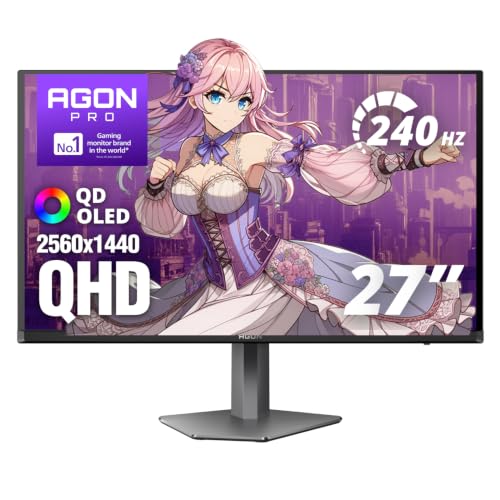
- 26.5-inch QHD QD-OLED panel
- Up to 280Hz refresh and 0.03ms response
- HDR10 with wide color gamut
Best For: pilots who want a responsive 27-inch OLED
Value-Focused QD-OLED
msi MAG 274QP QD-OLED X24 27-Inch WQHD Gaming Monitor

- 27-inch WQHD QD-OLED panel
- 240Hz refresh and 0.03ms response
- OLED Care 2.0 and graphene heatsink
Best For: pilots who want a sharp, responsive 27-inch OLED
Premium Glossy QD-OLED Pick
ASUS ROG XG27AQDMGR 27" 1440p 240Hz OLED

- 240Hz QHD OLED with 0.03ms response time
- Glossy WOLED panel with rich contrast and HDR
- OLED Care Pro plus 3-year burn-in coverage
Best For: Sim pilots who want glossy OLED visuals and strong panel protection
Speed-Focused QD-OLED Choice
Alienware AW2725DF 27" 360Hz QD-OLED

- 360Hz refresh rate for ultra-smooth motion
- QD-OLED with 99.3% DCI-P3 and Delta E < 2
- Ergonomic stand and burn-in coverage
Best For: Users who want the fastest refresh rate and vivid QD-OLED color
Glare-Resistant Value Option
Samsung 27" Odyssey OLED G6 QD-OLED

- Glare Free matte screen for bright rooms
- QD-OLED 1440p with HDR10 and Pantone validation
- 240Hz refresh and OLED Safeguard protection
Best For: Flight sim players who need better reflection control in bright spaces
Glossy Speed for Immersive Flights
LG 27GX704A-B 27-inch UltraGear QHD OLED

- 240Hz OLED with 0.03ms response time
- True Black 400 HDR and up to 1300-nit peak brightness
- HDMI 2.1, DisplayPort, and adaptive sync support
Best For: Pilots who want fast, bright OLED motion clarity
QD-OLED Color for the Cockpit
AOC 27" QHD 240Hz QD OLED Monitor

- QD-OLED panel with true blacks and vivid color
- 240Hz, 0.03ms response for smooth sim motion
- HDMI 2.1, DP 1.4, and ergonomic stand adjustments
Best For: Sim pilots who prioritize rich color and wide compatibility
Balanced OLED Flight Sim Pick
LG 27GS93QE 27-inch UltraGear OLED

- Matte 27-inch OLED reduces reflections
- 240Hz with 0.03ms response time
- True Black 400, HDMI 2.1, and adaptive sync
Best For: Buyers wanting a practical matte OLED for long sim sessions
Flagship 4K QD-OLED – ASUS ROG PG32UCDM 32 Inch 4K 240Hz OLED Gaming Monitor
If you want OLED gaming monitors for flight simulation, this ASUS ROG 32-inch model is built for a cockpit-style experience. The 4K QD-OLED panel, 240Hz refresh rate, and 0.03ms response time give you sharp instrument detail and very fluid motion, while the 32-inch size adds a more immersive view of the sky and dashboard.
Best For: Sim pilots who want a large 4K OLED with premium motion clarity and strong HDR support.
Pros:
- 32-inch 4K QD-OLED panel delivers high detail for gauges and scenery
- 240Hz refresh rate with 0.03ms response time supports very smooth motion
- Heat management features and burn-in coverage add peace of mind
- 90W USB-C, HDMI, and DisplayPort provide flexible connectivity
Cons:
- Premium feature set likely puts it at the higher end of the price range
- 32-inch 4K resolution may require a strong GPU for best results
This is the most feature-rich option in the group, especially if you value a larger canvas and want OLED performance that matches the demands of detailed flight sims. It balances immersion, clarity, and protection features well.
Fast QHD Performer – AOC Agon Pro 27 Inch Gaming Monitor QD OLED 240Hz 0.03ms, AG276QZD2
For flight simulation, this AOC Agon Pro offers a strong mix of speed and clarity in a more compact 27-inch format. Its QD-OLED panel, QHD resolution, and very fast response are a good fit if you want crisp cockpit visuals without pushing as many pixels as a 4K display.
Best For: Flight sim players who prefer a sharp, responsive 27-inch QHD OLED.
Pros:
- 26.5-inch QHD OLED panel keeps cockpit text and terrain details sharp
- Up to 280Hz refresh rate and 0.03ms response support smooth motion
- HDR10 and wide color gamut improve contrast and visual depth
- G-Sync support and console-friendly design add versatility
Cons:
- Smaller screen may feel less immersive than 32-inch options for sim use
- QHD resolution is less detailed than 4K for highly dense cockpit layouts
This model makes a lot of sense if you want speed-first OLED performance and don’t need the extra GPU load of 4K. It’s a practical pick for pilots who value responsiveness and strong image quality on a desk-friendly size.
Balanced QD-OLED Choice – Samsung 27” Odyssey OLED G5 (G50SF) Series QHD & QD-OLED Gaming Monitor
This Samsung Odyssey OLED G5 is a balanced option in the OLED gaming monitors for flight simulation category, especially if you want sharp QHD visuals in a 27-inch size. The QD-OLED panel, Glare Free coating, and 180Hz refresh rate make it well suited to long sim sessions where you want clear cockpit views and reduced reflections.
Best For: Sim flyers who want a glare-free 27-inch QD-OLED with solid speed and color.
Pros:
- QD-OLED panel with QHD resolution delivers strong clarity and color accuracy
- Glare Free technology helps keep reflections under control
- 180Hz refresh rate and 0.03ms response support fluid motion
- G-Sync Compatible and AMD FreeSync help reduce tearing
Cons:
- 180Hz is lower than some competing OLED gaming monitors
- 27-inch QHD format may not feel as expansive as 32-inch 4K for flight sims
If you want a practical OLED monitor that focuses on visibility and smoothness rather than raw top-end specs, this Samsung is easy to recommend. It’s a sensible middle ground for pilots who fly often and want less distraction from glare and screen tearing.
Value-Focused QD-OLED – msi MAG 274QP QD-OLED X24 27-Inch WQHD Gaming Monitor
The MSI MAG 274QP QD-OLED X24 is a strong choice for flight sim users who want a 27-inch OLED without stepping all the way up to 4K. Its WQHD resolution, 240Hz refresh rate, and QD-OLED panel should provide crisp cockpit detail, fast motion handling, and the contrast that makes clouds, terrain, and night flying stand out.
Best For: Flight sim players who want a sharp 27-inch QD-OLED with strong responsiveness.
Pros:
- WQHD QD-OLED panel offers sharp detail and deep blacks
- 240Hz refresh rate and 0.03ms response are ideal for smooth motion
- OLED Care 2.0 and graphene heatsink help with panel durability
- HDMI 2.1 and DisplayPort 1.4a support modern PC and console setups
Cons:
- 27-inch size may feel less immersive than a larger 32-inch monitor
- WQHD is less detailed than 4K for highly text-heavy cockpit layouts
This MSI lands in a practical sweet spot for pilots who want OLED contrast and fast refresh without moving to a bigger, more demanding 4K display. It looks well suited to users who want a responsive all-rounder for flight and general gaming.
Premium Glossy QD-OLED Pick – ASUS ROG XG27AQDMGR 27" 1440p 240Hz OLED
If you want OLED gaming monitors for flight simulation, this ASUS ROG 27-inch QHD panel is a strong fit for cockpit detail, sky gradients, and smooth camera movement. Its glossy WOLED screen, 240Hz refresh rate, and 0.03ms response time make it well suited to fast panning views and crisp instrument readability.
Best For: Sim pilots who want a glossy OLED look, high refresh rate, and strong burn-in protection for long sessions.
Pros:
- QHD 2560 x 1440 OLED panel with 99% DCI-P3 and Delta E < 2 for detailed, accurate visuals
- 240Hz refresh rate and 0.03ms response time for very smooth motion in flight cameras and fast transitions
- OLED Care Pro, Neo Proximity Sensor, and 3-year burn-in coverage add practical protection
- DisplayHDR 400 True Black support and glossy finish help scenery and cockpit contrast stand out
Cons:
- Glossy screen finish may reflect more ambient light than matte alternatives
- Only 27 inches, so it may feel compact for users who want a wider wraparound view
- Single HDMI port limits flexibility if you switch between multiple devices often
Overall, this model balances strong image quality with high-speed performance, making it a compelling choice for flight sim users who value rich blacks and smooth motion. The burn-in protections are especially relevant if you keep HUDs or cockpit panels on screen for long stretches.
Speed-Focused QD-OLED Choice – Alienware AW2725DF 27" 360Hz QD-OLED
For OLED gaming monitors for flight simulation, the Alienware AW2725DF stands out if you want maximum responsiveness and clean motion in fast-moving cockpit views. Its QD-OLED panel, 360Hz refresh rate, and 0.03ms response time are geared toward ultra-smooth rendering when you are tracking instruments, runways, and rapidly changing scenery.
Best For: Flight sim users who prioritize the highest refresh rate and vivid QD-OLED color.
Pros:
- 360Hz refresh rate offers exceptional motion clarity for rapid camera pans and fast action
- QHD QD-OLED panel with 99.3% DCI-P3 and Delta E < 2 for vivid, accurate image quality
- 0.03ms response time helps minimize blur and ghosting during movement
- Includes ergonomic height, tilt, swivel, and pivot adjustments plus OLED burn-in coverage
Cons:
- Matte finish will not have the same glossy punch some OLED buyers prefer
- 16:10 aspect ratio is less common than 16:9, which may matter for some sim setups
- Advanced speed and connectivity features may be more than casual sim users need
This is the best pick here for users who care most about responsiveness and motion handling. If your flight sim sessions include quick external views and frequent viewpoint changes, the Alienware’s 360Hz panel is hard to ignore.
Glare-Resistant Value Option – Samsung 27" Odyssey OLED G6 QD-OLED
If you are comparing OLED gaming monitors for flight simulation, the Samsung Odyssey OLED G6 is appealing for bright rooms and clean cockpit visibility. Its QD-OLED panel, Glare Free Technology, and 240Hz refresh rate are aimed at keeping reflections down while preserving the deep contrast and speed that make OLED a good fit for sim use.
Best For: Flight sim players who want a glare-resistant OLED with strong color reproduction.
Pros:
- Glare Free Technology helps reduce reflections in bright rooms and daylight setups
- QD-OLED 1440p panel with HDR10 and Pantone validation for vivid, lifelike color
- 240Hz refresh rate and 0.03ms response time support smooth motion in flight scenes
- OLED Safeguard and ergonomic stand add practical value for extended use
Cons:
- 400 cd brightness is lower than some buyers may expect from a premium OLED monitor
- Uses a matte finish, so it lacks the glossy look some OLED fans prefer
- Power consumption is listed at 78 watts, which is higher than the other models here
For sim pilots in brighter spaces, this Samsung is a practical balance of image quality and reflection control. It keeps the OLED strengths that matter for cockpit depth and scenery while making the screen easier to live with in real-world lighting.
Glossy Speed for Immersive Flights – LG 27GX704A-B 27-inch UltraGear QHD OLED
If you want an OLED gaming monitor for flight simulation, the LG 27GX704A-B leans hard into speed, contrast, and clarity. Its 27-inch QHD OLED panel, 240Hz refresh rate, and 0.03ms response time make cockpit movement, HUD elements, and fast scenery transitions look exceptionally smooth.
Best For: Sim pilots who want a glossy, high-speed OLED with strong HDR punch and flexible console/PC connectivity.
Pros:
- 240Hz refresh rate with 0.03ms response time for very smooth motion.
- QHD OLED panel with VESA DisplayHDR True Black 400 and up to 1300-nit peak brightness.
- HDMI 2.1, DisplayPort, USB ports, and G-SYNC Compatible / FreeSync Premium Pro support.
- Anti-glare, flicker-free, and low blue light certifications help with long sessions.
Cons:
- Glossy screen finish may reflect more light than matte alternatives.
- 27-inch size may feel compact for users wanting a larger instrument panel view.
This is a strong pick if you value motion clarity and HDR pop more than sheer screen size. For flight sim flying, it should deliver the crisp cockpit detail and smooth camera motion that make approach and landing work feel more natural.
QD-OLED Color for the Cockpit – AOC 27" QHD 240Hz QD OLED Monitor
The AOC 27-inch QD-OLED monitor is built for players who want vivid color and smooth motion in flight simulation. Its 2560×1440 QD-OLED panel, 240Hz refresh rate, and 0.03ms response time help keep aircraft movement and scenery crisp while the deep blacks add contrast to dim cockpits and night flying.
Best For: Flight sim users who want rich color, true blacks, and a feature set that works across PC and consoles.
Pros:
- QD-OLED technology delivers true blacks and high color volume.
- 240Hz at 1440p with 0.03ms response time for fluid motion.
- HDMI 2.1 and DisplayPort 1.4 support PC, PS5, and Xbox Series X use.
- Height, tilt, swivel, and pivot adjustments improve cockpit ergonomics.
Cons:
- Brightness is listed at 200 nits, which may be modest for very bright rooms.
- 27 inches may be less expansive than larger screens for full sim setups.
For sim pilots who care about image richness as much as smooth frame delivery, this AOC stands out. It is a practical 1440p OLED choice that balances color, ergonomics, and modern connectivity well.
Balanced OLED Flight Sim Pick – LG 27GS93QE 27-inch UltraGear OLED
The LG 27GS93QE is a straightforward OLED gaming monitor for flight simulation if you want strong motion handling without unnecessary extras. Its 27-inch QHD 240Hz panel and 0.03ms response time are well suited to smooth panning across cockpits, crisp instruments, and responsive flying in fast-moving scenery.
Best For: Buyers who want a matte 27-inch OLED with strong contrast, low reflection, and a solid warranty.
Pros:
- 240Hz refresh rate and 0.03ms response time for fluid gameplay.
- Matte, anti-glare OLED screen helps reduce reflections during long sessions.
- VESA DisplayHDR True Black 400 and 1.5M:1 contrast for deep blacks.
- HDMI 2.1, DisplayPort 1.4, G-SYNC Compatible, and FreeSync Premium Pro support.
Cons:
- Less flashy than glossy OLED alternatives if you want maximum pop.
- 27-inch size may not satisfy sim users seeking a larger display surface.
This model is appealing if you want the OLED essentials done well: contrast, speed, and comfort. For flight sim use, the matte finish and adjustable stand make it especially practical for long cockpit sessions.
How We Picked the Best OLED Gaming Monitors for Flight Simulation
For flight sim use, the best OLED Gaming Monitors for Flight Simulation prioritize sharp cockpit text, low motion blur, and strong contrast over raw esports speed alone. We looked for models with solid 1440p or 4K resolution, reliable VRR support, and refresh rates high enough to keep instrument movement and panning smooth.
We also weighed panel size, pixel density, HDR performance, connectivity, and comfort for long sessions. Flight simulation benefits from readable glass-cockpit displays, wide viewing angles, and monitors that avoid obvious tradeoffs in brightness or layout.
Quick Comparison
If you want maximum cockpit detail, 32-inch 4K models are the premium choice. If you want a versatile sweet spot, 27-inch 1440p OLEDs usually deliver the best balance of clarity, performance, and desk space. Higher-refresh options can help if you also play competitive games, but for sim flying, image quality and pixel density often matter more.
Key Buying Factors for OLED Gaming Monitors for Flight Simulation
Resolution and Screen Size
Flight sims reward resolution. A 32-inch 4K panel can make labels, MFDs, and map text easier to read, while 27-inch 1440p models remain more affordable and easier to drive at high frame rates. Choose the largest size your desk, viewing distance, and GPU can comfortably support.
Refresh Rate and VRR
High refresh rates are useful, but only if your system can hold smooth frame pacing. Look for Adaptive-Sync, FreeSync, or G-SYNC compatibility to reduce tearing during fast turns, turbulence, and low-level flying.
OLED Traits That Matter in Sims
OLED’s instant response and contrast are ideal for nighttime approaches, weather effects, and dark cockpit environments. Check HDR tuning, brightness behavior, and any panel coating differences, since these can affect daytime visibility and perceived sharpness.
Connectivity and Ergonomics
For modern GPUs and consoles, HDMI 2.1 can be valuable; for PC users, DisplayPort remains important. A stable stand, tilt and height adjustment, and VESA support also matter for keeping the monitor positioned correctly behind a yoke, HOTAS, or wheelstand setup.
Who Should Buy Which OLED Gaming Monitors for Flight Simulation?
Choose a 32-inch 4K OLED if you want the clearest cockpit readout and have a strong GPU. Pick a 27-inch 240Hz OLED if you want a balanced all-around setup for both flight sims and general gaming. Go for a 360Hz 1440p model only if you split time between simulators and fast-paced competitive titles. In short, the best OLED Gaming Monitors for Flight Simulation are the ones that match your desk space, graphics power, and how much detail you want to see at a glance.