Choosing the right rackmount video production monitor can make a big difference in live production, edit bays, flypacks, and control rooms. The best options balance screen size, brightness, connectivity, and rack-space efficiency.
Below, we focus on practical choices for 2026 workflows, from compact SDI rack displays to larger touchscreen and HDR-ready units built for demanding broadcast use.
Best 10 Rackmount Video Production Monitors Picks for 2026
Premium Live Production Pick
Atomos Shogun AV-19 19-inch HDR Rack Monitor
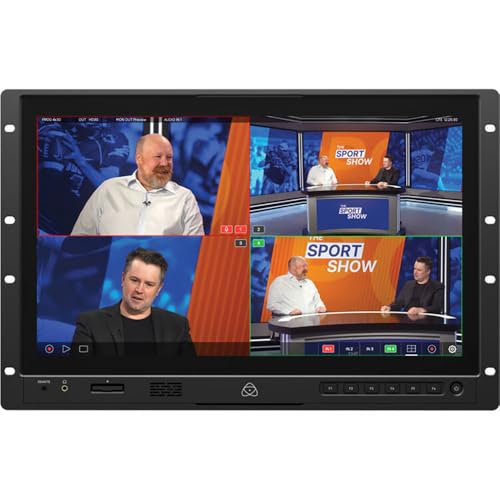
- 19-inch 4K HDR touchscreen
- 12G-SDI, HDMI, and NDI|HX3
- ISO recording and quad split viewing
Best For: Live production, broadcast, and studio monitoring
Best Pullout Rack Option
FEELWORLD SC173-HD 17.3-inch Pullout HDMI Monitor
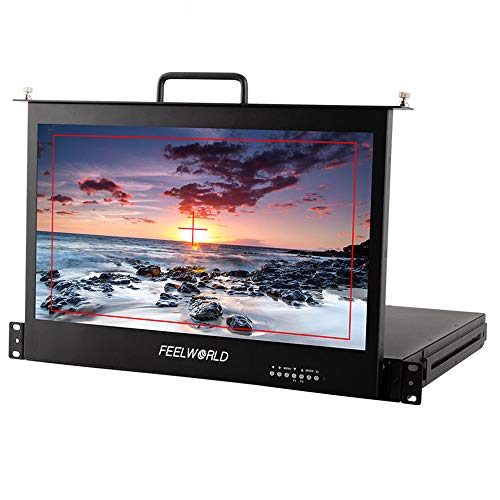
- 1 RU pullout drawer design
- 17.3-inch Full HD IPS panel
- Focus assist and image tools
Best For: Broadcast vans and protected rackmount monitoring
Best Multi-Feed SDI Rack Unit
LILLIPUT RM-0208S 1RU 8x2-inch SDI Monitor

- Eight 2-inch displays in 1 RU
- SDI equalization and re-clocking
- UMD, meters, and time code
Best For: Multi-channel SDI status monitoring in broadcast racks
Best Dual-Screen Rack Choice
FEELWORLD D71 Plus-H Dual 7-inch Rack Monitor

- Two independent 7-inch displays
- 1920 x 1200 panels with 450 cd/m² brightness
- Waveform, vector scope, and 3D-LUT
Best For: Dual-camera monitoring and rack video walls
Dual-Screen Rackmount 4K Monitoring
LILLIPUT RM7026-12G Dual 7-inch Rack Monitor

- Dual 7-inch 1000-nit screens
- 12G-SDI and HDMI 2.0 support
- 3RU rackmount with loop output
Best For: Monitoring two cameras in bright rack-based production setups
Pull-Out 1RU Broadcast Drawer
SEETEC SC173-HD-56 17.3-inch 1RU Rack Monitor

- 17.3-inch Full HD IPS display
- 1RU pull-out drawer saves space
- Focus assist and image tools included
Best For: Broadcast and live production teams needing a larger rack drawer monitor
Dual 10.1-Inch 4RU Production Monitor
FEELWORLD D101 PLUS Dual 10.1-inch Rack Monitor

- Two independent 10.1-inch IPS screens
- 4RU rackmount metal housing
- 3G-SDI, 4K HDMI, and CVBS support
Best For: Dual-source monitoring in broadcast trucks, racks, and post-production rooms
Editor’s Pick
SC173-HSD 1RU Pull Out 17.3" SDI Rack Monitor

- 1RU pull-out design saves rack space
- 17.3-inch Full HD IPS panel with 178° viewing
- Focus assist, zoom, freeze, and marker tools
Best For: Space-limited OB trucks and studio racks
Value Choice
SC173-HSD-56 17.3" 1RU Pull-Out Rack Monitor
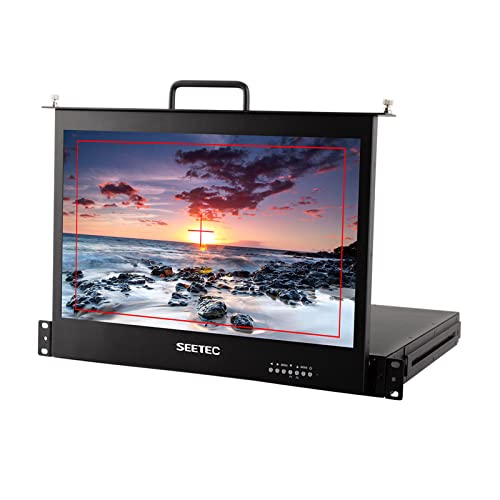
- 1RU drawer design works in rack or standalone setups
- Full HD 17.3-inch IPS screen with wide viewing
- Multiple inputs plus focus and framing tools
Best For: Budget-conscious broadcast and live event racks
Best for Rack Integration
P173-9HSD-RM 17.3" 7RU Broadcast Monitor
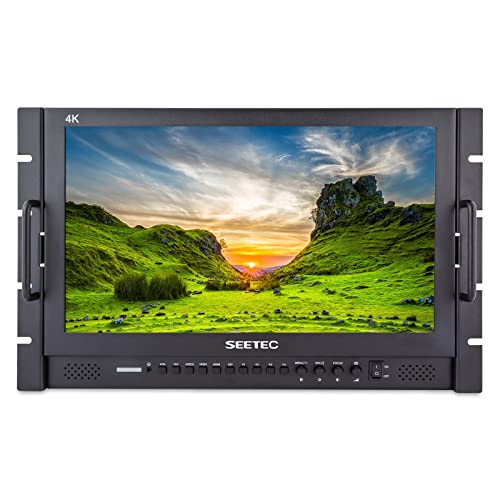
- 7RU rack design suits integrated studio installs
- 400-nit panel with Rec.709 color standard
- Front and rear 3-color tally lights
Best For: Studio racks and director stations needing brightness and tally
Premium Live Production Pick – Atomos Shogun AV-19 19-inch HDR Rack Monitor
If you need rackmount video production monitors for live switching, studio monitoring, or broadcast workflows, the Atomos 19" Shogun AV-19 is built for heavy-duty use. It combines a 19-inch 4K HDR touchscreen, 12G-SDI and HDMI I/O, NDI|HX3 support, and built-in recording tools in a 7 RU rack size.
Best For: Live production teams, broadcast racks, and studios that want monitoring, switching, and recording in one unit.
Pros:
- 19-inch 3840 x 2160 capacitive touchscreen with 1200 cd/m² brightness
- Supports 12G-SDI, HDMI, and NDI|HX3 for flexible production routing
- Records ProRes/Raw or DNx to CFexpress or USB-C with ISO recording
- Includes built-in tools like custom 3D LUTs, quad split, and fullscreen modes
Cons:
- Occupies a large 7 RU rack footprint
- May be more monitor than needed for simple rack viewing tasks
- Higher-end feature set is geared toward professional production setups
This is the most feature-rich option in the group and makes sense when you want a rackmount monitor that does far more than display a feed. Its recording and switching features make it especially practical for demanding live environments.
Best Pullout Rack Option – FEELWORLD SC173-HD 17.3-inch Pullout HDMI Monitor
FEELWORLD SC173-HD 17.3 Inch Pullout Rackmount Monitor 1RU Full HD HDMI 1920x1080 (HDMI)
Check Price On AmazonFor buyers comparing rackmount video production monitors that prioritize protection and straightforward HDMI monitoring, the FEELWORLD SC173-HD is a practical 1 RU choice. It uses a pullout drawer-style metal housing with a 17.3-inch Full HD IPS panel and a solid set of on-screen assist tools for on-site or studio use.
Best For: Broadcast vans, rack setups, and operators who want a protected pullout monitor with HDMI input.
Pros:
- 1 RU pullout rackmount design with metal housing for added protection
- 17.3-inch 1920 x 1080 IPS display with 300 cd/m² brightness
- Useful monitoring tools like focus assist, image zoom, freeze, and check field
- Suitable for studio, post-production, and live broadcast van integration
Cons:
- Single HDMI input limits connectivity options
- 300 cd/m² brightness is modest compared with high-brightness pro monitors
- Does not include the advanced routing or recording features of higher-end units
The SC173-HD is a sensible pick when you want a compact rack monitor with a protective pullout form factor. It focuses on dependable viewing and basic assist tools rather than advanced production processing.
Best Multi-Feed SDI Rack Unit – LILLIPUT RM-0208S 1RU 8×2-inch SDI Monitor
If your rackmount video production monitors need to show multiple feeds in a very small space, the LILLIPUT RM-0208S is built for that job. This 1 RU unit combines eight 2-inch displays with SDI equalization and re-clocking, plus UMD, audio level meters, time code, and RS422 remote control for broadcast workflows.
Best For: Technical directors and broadcast racks that need compact multi-channel SDI monitoring.
Pros:
- Eight 2-inch rack displays in a single 1 RU unit
- SDI equalization and re-clocking for 8x 3G-SDI in and loop out
- Includes UMD, audio level meter, and time code display
- RS422 remote control adds convenience in professional setups
Cons:
- Very small 640 x 240 native resolution is not suited to detailed image review
- 2-inch screens are meant for status monitoring more than critical focus work
- Feature set is centered on SDI broadcast routing rather than general-purpose HDMI use
This model is best viewed as a rack status and signal monitor, not a traditional large-screen production display. It excels when you need many feeds visible at once in a minimal footprint.
Best Dual-Screen Rack Choice – FEELWORLD D71 Plus-H Dual 7-inch Rack Monitor
Among rackmount video production monitors, the FEELWORLD D71 Plus-H stands out for giving you two independent 7-inch displays in a 3 RU form factor. It is aimed at broadcast and post-production work, with 1920 x 1200 panels, HDMI and CVBS input/output, and built-in tools such as custom 3D-LUT, waveform, vector scope, and focus assist.
Best For: Dual-camera monitoring, video walls, and rack setups that need two separate displays.
Pros:
- Two independent 7-inch screens for monitoring different cameras at once
- 1920 x 1200 panels with 450 cd/m² brightness and 178-degree viewing angle
- Includes custom 3D-LUT, waveform, vector scope, and focus assist
- 3 RU rack size is practical for trucks, walls, and post-production systems
Cons:
- Uses 3 RU, so it takes more rack space than single-screen options
- Native resolution is listed as 1280 x 800 despite the higher display maximum
- Connectivity is centered on HDMI and CVBS rather than SDI
The D71 Plus-H is a strong fit when you want two independent displays instead of one larger monitor. It balances screen quality, monitoring tools, and rack-friendly integration for production teams.
Dual-Screen Rackmount 4K Monitoring – LILLIPUT RM7026-12G Dual 7-inch Rack Monitor
If you need rackmount video production monitors that can watch two sources at once, the LILLIPUT RM7026-12G is built for that job. Its dual 7-inch 3RU design packs two 1000-nit LTPS screens into a compact rack space, while 12G-SDI and HDMI 2.0 support up to 2160p60 for modern broadcast workflows.
Best For: Multi-camera monitoring in racks, trucks, and compact production setups where brightness matters.
Pros:
- Dual 7-inch displays let you monitor two cameras simultaneously.
- 1000-nit brightness helps visibility in brighter production environments.
- 12G-SDI and HDMI 2.0 inputs/outputs support up to 4K 60Hz signals.
- Loop output makes it easier to expand your signal chain.
Cons:
- 7-inch screens are small if you want a larger single-view monitor.
- Only one 3RU unit, so it is more about efficient monitoring than large-screen comfort.
The RM7026-12G is a strong fit when rack space is tight but you still want bright, modern 4K-compatible monitoring. It stands out most for dual-camera viewing and high-brightness utility in a professional rackmount layout.
Pull-Out 1RU Broadcast Drawer – SEETEC SC173-HD-56 17.3-inch 1RU Rack Monitor
For buyers comparing rackmount video production monitors, this 17.3-inch SEETEC model focuses on a full-size display in a space-saving 1RU drawer. The pull-out design helps protect the panel in transit, and the 1920×1080 IPS screen gives you broad viewing angles for broadcast, post-production, and on-set monitoring.
Best For: Studios and mobile rigs that want a larger 17.3-inch rack drawer monitor with practical monitoring tools.
Pros:
- 17.3-inch IPS panel with Full HD 1920×1080 resolution.
- 1RU pull-out drawer design saves rack space and adds protection.
- Includes focus assist, image zoom, center marker, screen marker, and freeze tools.
- Multiple inputs support broadcast and live event workflows.
Cons:
- 300 cd/m2 brightness is lower than high-brightness rack monitors.
- SDI input/output is optional, so the base configuration is more HDMI-centric.
This is a practical choice if you want a larger screen without giving up rack efficiency. Its combination of drawer-style mounting, image tools, and wide input support makes it a flexible production monitor for mixed environments.
Dual 10.1-Inch 4RU Production Monitor – FEELWORLD D101 PLUS Dual 10.1-inch Rack Monitor
The FEELWORLD D101 PLUS is a strong option if you want rackmount video production monitors with two independent screens in one unit. Its dual 10.1-inch IPS panels, 4RU rack format, and 3G-SDI plus 4K HDMI inputs make it a practical fit for broadcast trucks, monitor walls, and post-production setups.
Best For: Teams that need dual independent monitoring with a cleaner rack installation and simple front-panel control.
Pros:
- Two independent 10.1-inch IPS displays for watching two sources at once.
- 4RU metal rackmount design is slim and durable for equipment racks.
- Each panel includes 3G-SDI, 4K HDMI, and CVBS inputs and outputs.
- Front-panel buttons and F shortcut key make operation straightforward.
Cons:
- 500 cd/m2 brightness is solid, but not as high as the brightest rack monitors.
- 4RU takes more rack height than 1RU or 3RU alternatives.
Overall, the D101 PLUS is well suited to workflows that value dual-screen flexibility and simple control over maximum rack density. If you want a clean, broadcast-friendly dual display with broad connection options, it is an easy model to place on a shortlist.
Editor’s Pick – SC173-HSD 1RU Pull Out 17.3" SDI Rack Monitor
If you’re comparing rackmount video production monitors for a tight studio or OB-truck build, this SEETEC model stands out for its 1RU pull-out design and broad connectivity. It combines a 17.3-inch Full HD IPS panel with monitoring tools that help you focus, zoom, freeze the image, and mark frames more accurately during production.
Best For: Space-constrained director stations, OB trucks, and boxed studio systems that need a pull-out rack monitor with SDI and HDMI support.
Pros:
- 1RU pull-out drawer design saves valuable rack space.
- 17.3-inch 1920×1080 IPS screen offers wide 178-degree viewing.
- Monitoring tools include focus assist, image zoom, image freeze, screen marker, and image flip.
- Supports SDI along with HDMI, DVI, YPbPr, and related inputs for production gear.
Cons:
- 300-nit brightness may be modest for very bright environments.
- Best suited to rack-based workflows rather than portable field use.
For crews that need a practical rackmount video production monitor without wasting rack units, this model covers the essentials well. Its strength is combining space-saving hardware with the kinds of image tools operators actually use while shooting or switching.
Value Choice – SC173-HSD-56 17.3" 1RU Pull-Out Rack Monitor
SEETEC 17.3 Inch 1RU Pull Out Rack Mount Monitor Full HD 1920x1080 SC173-HSD-56(HDMI/SDI)
Check Price On AmazonFor buyers shopping rackmount video production monitors on a more flexible budget, this 17.3-inch SEETEC unit is built around a 1RU drawer-style chassis and a Full HD IPS panel. It’s designed to work as either a rack-mounted monitor or a standalone unit, while still giving you the core monitoring tools needed on set or in a production rack.
Best For: Broadcast, live event, and post-production setups that want a cost-effective pull-out rack monitor with multiple signal options.
Pros:
- 1RU rack drawer design can slide away for storage or transport.
- 17.3-inch IPS display delivers 1920×1080 Full HD resolution.
- Multiple inputs include HDMI, DVI, VGA, YPbPr, video, and audio.
- Includes useful tools like focus assist, image zoom, image freeze, and center/screen markers.
Cons:
- 3G-SDI support is listed as optional rather than standard.
- 300 cd/m² brightness is adequate, but not especially high.
This is a sensible pick if you want a rack monitor that covers a wide range of production connections without adding unnecessary complexity. It’s especially attractive for teams that need rack integration plus the option to use it outside the rack when required.
Best for Rack Integration – P173-9HSD-RM 17.3" 7RU Broadcast Monitor
If your priority is a larger integrated monitor package rather than a compact drawer style, this SEETEC model is a strong option among rackmount video production monitors. It uses a 17.3-inch Full HD IPS panel with Rec.709 color support and 400-nit brightness, which makes it aimed at director, studio, and production workflows that want clearer viewing and front/rear tally support.
Best For: Studio racks, director stations, and production installs that need a 7RU rackmount monitor with tally lights and a brighter panel.
Pros:
- 7RU rack mount design integrates cleanly into studio or post-production setups.
- 400-nit brightness is higher than the other models here.
- Rec.709 color standard supports more accurate color presentation.
- Front and rear 3-color tally lights add on-set workflow support.
Cons:
- Uses more rack space than 1RU pull-out alternatives.
- Wall-mount listing is less aligned with a typical rack-first buying intent.
This model makes sense when rack integration and visibility matter more than compactness. The added brightness and tally system make it a useful fit for studio installations where the monitor is part of a larger production control setup.
How We Picked These Rackmount Video Production Monitors
We prioritized models that fit real production needs: dependable rackmount construction, useful input options like HDMI and SDI, clear monitoring tools, and screen sizes that make sense for tight rack spaces. We also looked at brightness, resolution, and whether a monitor supports features that matter in fast-moving video environments such as waveform, focus assist, loop-through, or HDR monitoring.
Quick Comparison
In this roundup, the 1RU pullout monitors are the most space-efficient and are a strong fit for portable racks and compact control rooms. Dual-screen and larger 3RU to 7RU options are better when visibility matters more than density. If your workflow uses 12G-SDI, 4K sources, or HDR content, choose a model built to handle higher-bandwidth signals instead of relying on basic HDMI-only monitoring.
Key Buying Factors for Rackmount Video Production Monitors
Signal Compatibility
Match the monitor to your production chain. HDMI is fine for many small setups, but Rackmount Video Production Monitors with SDI support are usually the better long-term choice for broadcast, live events, and longer cable runs. If you work in 4K, look for 12G-SDI or 4K HDMI support so you do not bottleneck your signal.
Size, Rack Height, and Workflow
1RU pullout designs maximize rack density, while 3RU and 4RU dual-screen units improve visibility for operator stations. Larger displays are easier on the eyes during long sessions, but they consume more rack space. Choose based on whether your priority is portability, monitoring comfort, or multi-source visibility.
Brightness and Image Tools
Higher brightness helps in bright control rooms, mobile production racks, and venues with ambient light. Built-in tools such as waveform, focus assist, image freeze, peaking, and HDR support can speed up setup and improve confidence when checking exposure and focus.
Build Quality and Usability
Look for sturdy rack rails, smooth pullout mechanisms, and menus that are easy to navigate under pressure. In live production, quick access matters more than flashy extras.
Who Should Buy Which Rackmount Video Production Monitors?
If you need maximum rack efficiency, go with a compact 1RU pullout model. If you want better multitasking or side-by-side source monitoring, a dual 7-inch or dual 10.1-inch setup is a smarter fit. For higher-end broadcast and HDR workflows, choose one of the more advanced Rackmount Video Production Monitors with SDI, 12G-SDI, or 4K support. For studio operators and engineers who value monitoring precision, the best choice is the unit that matches your signal format, rack space, and day-to-day visibility needs.