A projector can turn a game into a big-screen event, but sports expose weaknesses that movie night might not: washed-out daylight images, blurred motion, and streams that are difficult to access.
These 10 options span bright home projectors, streaming-focused smart models, and portable picks. The right choice depends on where you watch, how much light you can control, and how you plan to stream.
Best 10 Projectors for Sports Picks for 2026
Best All-in-One Audio

- 920 ANSI lumens; native 1080p
- 1,000+ built-in live channels
- Dual 20W Dolby Audio speakers
Best For: Live sports with strong built-in sound
Best Short-Throw Setup

- 100-inch image from about 8 feet
- Built-in live TV and licensed apps
- Auto focus and 65W audio
Best For: Large screens in shorter rooms
Best Portable Roku Pick
- Native 1080p; up to 300 ANSI lumens
- Built-in Roku and 500+ free channels
- 2.60 lb with 65W+ USB-C PD input
Best For: Roku sports streaming in low-light locations
Best Simple Roku Option
- Built-in Roku with 500+ free channels
- Native 720p; 150 ANSI lumens
- AirPlay, Bluetooth 5.2, and HDMI
Best For: Casual sports nights in dark rooms
Best for Easy Setup

- Built-in Roku for sports streaming
- Under 1 lb with rotating stand
- Sports mode and two-way Bluetooth
Best For: Casual game days in small spaces
Motion-Smoothing Pick

- MEMC for fast-moving sports
- Google TV sports app access
- Native 1080p; decodes 4K
Best For: Sports streaming with motion smoothing
Bright-Room Pick

- Rated 4,000-lumen brightness
- Native 1080p 3LCD image
- Two HDMI ports; external streaming
Best For: Sports in rooms with some ambient light
Best for Flexible Connections
P62 Pro Smart Outdoor Projector

- Native 1080p; supports 4K input
- Two HDMI and two USB ports
- Auto focus and dual 10W speakers
Best For: Sports viewing with multiple sources and flexible audio
Best for Roku Streaming
HAPPRUN Roku TV Mini Projector

- Roku apps and free sports coverage
- Portable with a 270° rotating stand
- Dolby Audio stereo speakers
Best For: Portable Roku viewing in supported regions
Best for Small Spaces

- 0.8:1 short-throw ratio
- Built-in apps and auto focus
- Native 720p; 200 ANSI lumens
Best For: Casual sports viewing in small, dim rooms
Best All-in-One Audio – X9 PRO VIDAA Sports Projector
Among projectors for sports, the X9 PRO suits viewers who want live channels, streaming apps, and room-filling sound without assembling a separate setup. Its native 1080p image, 920 ANSI lumens, and HDR10 support make it a practical choice for evening games or moderately lit rooms.
Best For: Sports fans who want built-in live TV and strong integrated audio.
Pros:
- VIDAA includes 1,000+ live channels, including FIFA+, plus access to major streaming apps.
- Two 20W speakers support Dolby Audio; HDMI ARC and Bluetooth 5.4 offer external-audio options.
- AirPlay 2, auto focus, and voice-control features simplify everyday use.
Cons:
- 4K content is decoded and displayed at native 1080p, not native 4K.
- Available live channels and app recommendations may depend on region.
This is a well-rounded pick if sound and convenient access to matches matter as much as image size. Check that your preferred sports service is available before relying on the built-in platform.
Best Short-Throw Setup – GO2 White Smart Projector
The GO2 White is aimed at buyers comparing projectors for sports who need a large image in a shorter room. Its stated 1:1 throw ratio produces a 100-inch picture from about 8 feet, while built-in live TV and licensed apps reduce the need for an external streaming stick.
Best For: Big-screen game days in rooms with limited projector-to-screen distance.
Pros:
- Short-throw design and 360° stand provide flexible placement.
- Auto focus, keystone correction, and obstacle avoidance help with setup.
- Built-in live TV, a broad app catalog, and a 65W Dolby Audio system support an all-in-one setup.
Cons:
- 4K is listed as decoding support rather than a specified native 4K resolution.
- The stated 5000 ANSI-lumen brightness is a manufacturer claim; verify performance against your room lighting.
Its strongest practical advantage is fitting a 100-inch image into an 8-foot throw. If you plan to watch with lights on, weigh the advertised brightness alongside independent measurements where available.
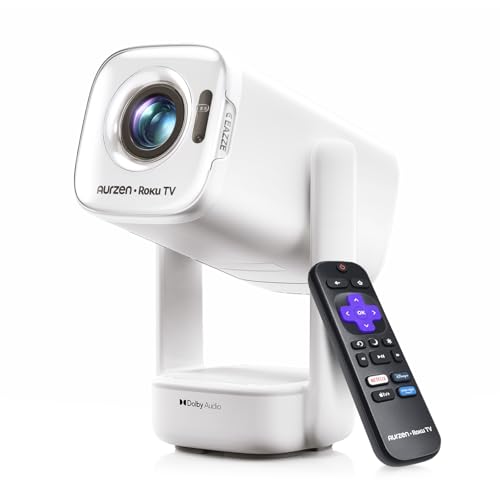
Best Portable Roku Pick – Aurzen D1R air
For buyers seeking projectors for sports that can move from the living room to a backyard viewing spot, the Aurzen D1R air combines built-in Roku TV with 65W+ USB-C PD power support. Its native 1080p picture and adjustable gimbal are particularly useful for flexible, low-light setups.
Best For: Fans who want familiar Roku streaming in different rooms or outdoors after dark.
Pros:
- Built-in Roku provides popular apps and 500+ free TV channels with sports coverage.
- Compact 2.60-pound body and gimbal stand make repositioning straightforward.
- USB-C PD input can run from a compatible charger or power bank; HDMI and audio connections add flexibility.
Cons:
- At up to 300 ANSI lumens, it is best used in dim rooms or outdoors at night.
- Activation requires internet and a Roku account; portable power requires a compatible 65W+ source and specified cable.
Choose this for portability and Roku convenience rather than daytime brightness. Confirm your power bank meets the USB-C requirements before planning an outlet-free watch party.
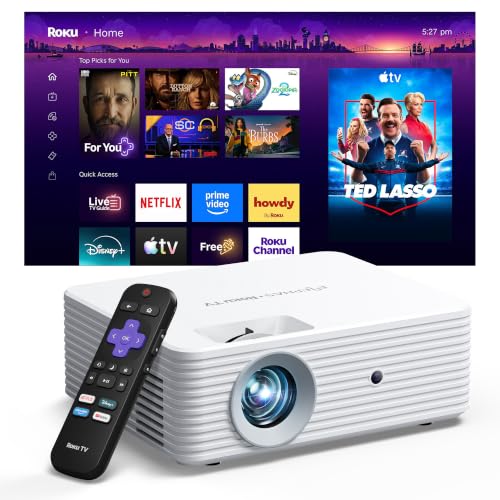
Best Simple Roku Option – ELEPHAS Roku TV Projector
The ELEPHAS Roku TV projector is a straightforward option among projectors for sports if easy app access matters more than maximum picture detail. Roku is built in, with 500+ free channels that include sports coverage, and the portable body suits occasional viewing in a bedroom or backyard.
Best For: Casual sports viewing in a dark room with a familiar Roku interface.
Pros:
- Built-in Roku offers major streaming apps without an external device.
- AirPlay, dual-band Wi-Fi, Bluetooth 5.2, and HDMI provide multiple connection choices.
- Dolby Audio and a 40- to 150-inch image range offer flexibility for small gatherings.
Cons:
- Native 1280 × 720 resolution shows less detail than native 1080p models.
- 150 ANSI lumens favor dark conditions, and focus and keystone adjustments are manual.
- Roku setup requires an internet connection and account.
This is the easier-to-use choice for occasional night games, not the pick for bright rooms or viewers who prioritize sharper scoreboards and on-screen text.
Best for Easy Setup – Aurzen Roku TV E1R
For shoppers comparing projectors for sports in smaller spaces, the Aurzen Roku TV E1R makes streaming straightforward. Built-in Roku offers live sports and familiar apps without a separate streaming stick, while Sports picture mode lets you adjust the look for game day.
Best For: Casual sports viewing in bedrooms, dorms, or at a friend’s place.
Pros:
- Built-in Roku and Wi-Fi provide access to streaming apps and live sports.
- Weighs under 1 lb, with a carry strap and a 180° rotating stand.
- Built-in audio and two-way Bluetooth offer flexible sound options.
Cons:
- Roku activation requires an internet connection and a free Roku account.
- Focus uses a manual wheel; automatic correction is limited to vertical keystone.
Its appeal is convenience rather than a complicated theater setup: move it, aim the stand, connect to Wi-Fi, and choose Sports mode. Check that your preferred sports service is available through Roku before buying.
Motion-Smoothing Pick – WiMiUS G2 Google TV Projector
The WiMiUS G2 is a feature-rich option among projectors for sports, pairing built-in Google TV with MEMC motion smoothing for fast-moving play. Its stated 1100 ANSI-lumen brightness and automatic setup features also suit viewers who want a large picture without extensive manual adjustments.
Best For: Sports fans who want integrated streaming, motion smoothing, and flexible living-room setup.
Pros:
- Google TV includes access to apps such as ESPN, Peacock, and Fox Sports without a separate stick.
- MEMC is designed to reduce blur and stutter during fast action.
- Auto-focus, auto-keystone, obstacle avoidance, and auto alignment simplify placement.
- 30W Dolby Audio speakers, two-way Bluetooth, and HDMI ARC provide audio options.
Cons:
- 4K content is decoded but displayed at the projector’s native 1080p resolution.
- Daytime viewing is described with curtains drawn, not in unrestricted daylight.
Choose this one if smoother-looking motion and an all-in-one smart interface matter most. Its 4K support is useful for compatibility, but buyers seeking a native 4K image should look elsewhere.
Bright-Room Pick – Epson Home Cinema 980
The Epson Home Cinema 980 stands out among projectors for sports when room lighting is a priority. It pairs native 1080p resolution and fast data processing with rated 4,000-lumen color and white brightness for viewing in a variety of lighting conditions.
Best For: Sports viewing in rooms where you cannot always make the space dark.
Pros:
- Rated 4,000 lumens of both color and white brightness.
- 3-chip 3LCD technology displays the full RGB color signal for every frame.
- Two HDMI ports connect sources, and USB can power a compatible streaming device.
- Built-in speaker supports straightforward initial setup.
Cons:
- Streaming apps require a connected device; none are listed as built in.
- Native resolution is 1080p, not 4K.
This is the practical choice if image brightness and source flexibility outweigh built-in smart features. Plan on adding a streaming device to watch sports through your preferred apps.
Best for Flexible Connections – P62 Pro Smart Outdoor Projector
Among projectors for sports, the P62 Pro is a practical pick if you switch between streaming apps, a TV stick, and a game console. It has built-in apps, two HDMI inputs, and native 1080p resolution with 600 ANSI lumens of claimed brightness.
Best For: Sports fans who want multiple source connections and flexible speaker options.
Pros:
- Built-in Prime Video and YouTube access, plus Wi-Fi 6 screen mirroring.
- Two HDMI and two USB ports make room for several devices.
- Auto focus and auto keystone simplify setup; dual 10W speakers support Dolby audio.
Cons:
- 4K content displays at the projector’s native 1080p resolution.
- No carrying case is included.
Its strongest advantage for game day is versatility: you can use built-in apps or connect an external source, then route audio to a soundbar through HDMI ARC or to a Bluetooth speaker.
Best for Roku Streaming – HAPPRUN Roku TV Mini Projector
If you want projectors for sports without adding a streaming stick, this HAPPRUN mini projector puts Roku entertainment on the projector itself. The Roku Channel includes free channels with sports coverage, while its compact size makes it easier to take to a different room or on a trip.
Best For: Viewers in supported regions who prioritize built-in Roku access and portability.
Pros:
- Built-in Roku provides access to major streaming apps and free Roku Channel programming.
- Dual-band Wi-Fi, Bluetooth 5.2, and HDMI with ARC offer several connection options.
- Built-in Dolby Audio stereo speakers and a 270° rotating stand support flexible viewing.
Cons:
- Roku smart features are currently supported only in the U.S., Canada, and Mexico.
- Supplied specifications list HD resolution, not native 1080p.
This is the convenience-first choice: its appeal is quick access to Roku content, including sports coverage, rather than a stated Full HD picture specification.
Best for Small Spaces – Philoent Mini Projector
For shoppers comparing projectors for sports in a bedroom or apartment, this Philoent mini projector offers a 0.8:1 short-throw ratio and built-in apps in a 0.85-pound body. Its 200 ANSI-lumen brightness makes it a more sensible choice for controlled lighting than for a bright room.
Best For: Casual sports viewing in a small, dim room where placement space is limited.
Pros:
- Short-throw design produces a larger image from less distance.
- Built-in Prime Video and YouTube access reduces the need for a separate streaming device.
- Auto focus, automatic vertical keystone, and 180° rotation make placement flexible.
Cons:
- Native resolution is 1280 × 720, despite support for higher-resolution content.
- At 200 ANSI lumens, it is less suited to bright-room viewing.
Choose it for compact-room convenience, not for maximum picture detail or brightness. HDMI is available if your preferred sports source needs an external device.
How We Picked These Projectors for Sports
We looked at the specifications and features most relevant to live games: stated brightness, image resolution, streaming platform, connectivity, setup tools, sound, and portability. The selection includes a traditional home projector as well as smart and outdoor-oriented models, so it covers different viewing spaces rather than assuming everyone has a dark theater room. Manufacturer brightness and performance claims are not independently verified here; use them as a starting point, not a guarantee of daytime visibility.
Quick Comparison: Match the Projector to Your Viewing Space
For a living room with lights on, start with the Epson Home Cinema 980 or one of the higher-brightness smart models, then check their stated brightness using comparable units. For a streaming-first setup, the Roku TV models from Aurzen, ELEPHAS, and HAPPRUN are worth considering if Roku carries the services you use. If you need a compact projector you can move between rooms or take outside, compare the mini and USB-C-powered options against your power and speaker needs. The VIDAA and Google TV models offer other built-in TV interfaces, while models advertising built-in apps warrant a closer check of the specific apps you need.
Key Buying Factors for Projectors for Sports
Brightness and Ambient Light
Sports often happen before sunset. Look for brightness quoted in ANSI or ISO lumens, and be cautious about comparing those figures with vague “lumens” claims. Even a bright projector benefits from curtains or shade; outdoor daytime viewing is difficult without substantial light control. A smaller image will generally look brighter than a larger one from the same projector.
Motion, Sharpness, and Input Lag
Fast camera pans make motion handling important. MEMC or other motion processing may help some viewers, but can change the look of the image. Native 1080p resolution is useful for broadcast sports; “4K supported” usually means the projector accepts a 4K signal, not that its imaging chip displays native 4K. If you also play sports games, check measured input lag from a reliable review rather than assuming movie-friendly specs translate to responsive gaming.
Streaming, Sound, and Setup
Confirm that your live-TV provider or sports app works on the projector’s platform, including any regional or subscription restrictions. An HDMI streaming device can be a fallback. For watch parties, built-in speakers may be convenient, but a soundbar or external speaker can make commentary easier to hear. Auto focus and keystone correction simplify temporary setups; placing the projector squarely in front of the screen still gives the cleanest image.
Who Should Buy Which Projectors for Sports?
Choose the Epson if you want a straightforward home-projector setup and are happy to supply your own streaming source. Consider a brighter smart model for a larger gathering where you cannot fully darken the room, while verifying its brightness claim and app support first. Pick a Roku, Google TV, or VIDAA option if its interface fits your existing subscriptions. Choose a mini or USB-C-powered model when portability matters more than maximum image brightness—and plan outdoor games for after dusk.