If you need to digitize old slides quickly and accurately, the right scanner can save hours while preserving important family or archive images.
This roundup of professional photo scanners for slides focuses on clarity, ease of use, screen quality, and formats supported so you can choose with confidence.
Best 10 Professional Photo Scanners for Slides Picks for 2026
Editor’s Pick
Magnasonic FS71 24MP Film Scanner

- 24MP JPEG output
- 5" LCD with no-computer operation
- Scans slides in under 5 seconds each
Best For: Quick, simple standalone slide scanning
Best Large Screen
KODAK Slide N Scan Max with 7" LCD

- 22MP JPEG conversion
- 7" tiltable screen
- Quick-feed tray for multiple frames
Best For: Users who want a large display and faster handling
Best Warranty Support
ClearClick Virtuoso 3.0 22MP Scanner

- 14MP or 22MP interpolated scans
- Large 7" real-time preview screen
- 2-year warranty with free tech support
Best For: Users who value support and easy standalone scanning
Best Touchscreen

- 13MP capture with 22MP interpolation
- 7" touchscreen with editing tools
- USB and HDMI output options
Best For: Touchscreen-first users who want easy editing and viewing
Best for Easy Setup
KODAK Slide N Scan 22MP Film Scanner

- 22MP scans with built-in 5-inch LCD preview
- Works with 135, 110, and 126 slides and negatives
- Saves directly to SD/SDHC and connects by USB/HDMI
Best For: People who want an easy standalone slide scanner for home archiving.
Value Choice
HP 5-inch Touchscreen Slide Scanner
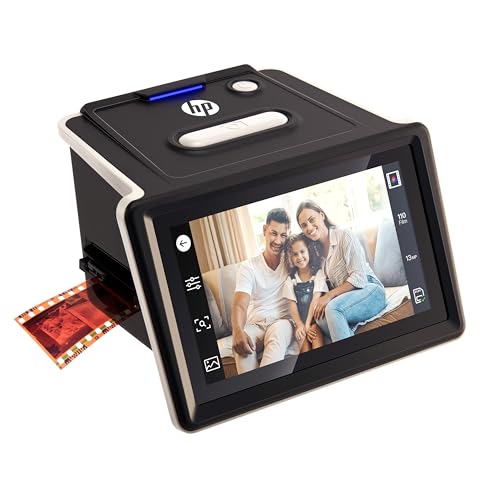
- 13MP sensor with 22MP interpolation
- No-PC operation with a 5-inch touchscreen
- Works with 35mm, 126, and 110 slides and negatives
Best For: Buyers who want a simple, no-computer slide scanner with SD-card saving.
Multi-Format Pick
KEDOK 4-in-1 Slide, Photo & Card Scanner

- Scans slides, negatives, photos, and business cards
- 22MP output with a 5-inch LCD preview screen
- Includes 8GB SD card and multiple film/photo holders
Best For: People who want one scanner for mixed media, not just slides.
Quick Conversion Pick
KODAK SCANZA Film & Slide Scanner
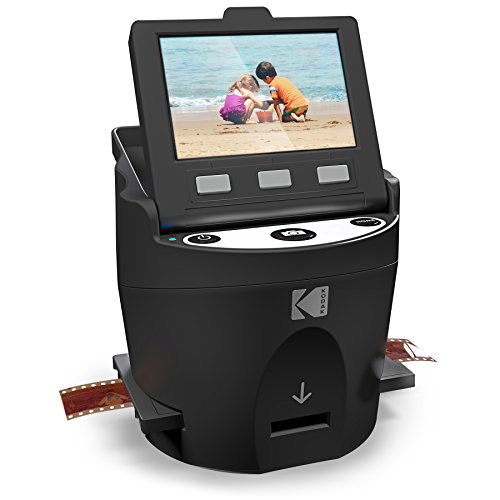
- Scans supported film and slides to JPEG quickly
- 3.5" LCD with adjustable brightness and tilt
- Includes adapters, cables, and cleaning brush
Best For: People who want a compact standalone scanner for mixed legacy film formats
Big-Screen Easy-Use Pick
ClearClick Virtuoso 2.0 22MP Film & Slide Scanner
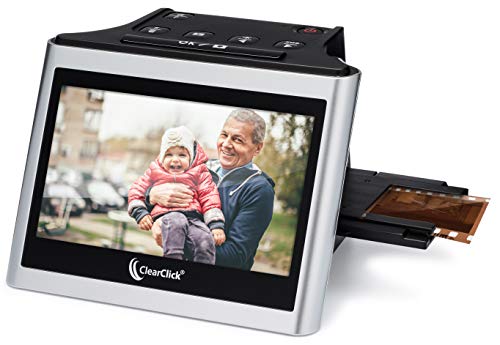
- Extra large 5" preview screen for real-time viewing
- Scans 35mm, 110, and 126 negatives plus 50mm slides
- No computer or drivers required
Best For: Shoppers who want a simple scanner with a larger screen and TV output option
Large-Screen Upgrade Pick
BEONEGLOBAL ClearScan P7 24MP Slide & Negative Scanner

- 7" LCD makes previewing and editing easier
- Up to 24MP scans with CMOS sensor
- Includes SD card and supports many film formats
Best For: People who want a larger standalone scanner with immediate out-of-box use
Editor’s Pick – Magnasonic FS71 24MP Film Scanner
If you want a straightforward option among professional photo scanners for slides, the Magnasonic FS71 is built for fast, no-computer scanning of mixed old media. It converts 35mm, 110, and 126 slides and film into 24MP JPEG files, with on-device brightness and RGB correction to help you tidy up scans as you go.
Best For: Users who want an easy standalone scanner for slides and film with simple controls and a built-in screen.
Pros:
- 24MP output for high-resolution digital JPEG files
- 5″ LCD lets you preview scans directly on the scanner
- No computer or driver installation required
- Fast-loading trays scan photos in less than 5 seconds each
Cons:
- SD card is not included
- HDMI cable is not included
- Built-in memory is limited to 128MB, so external storage is expected
Overall, this is a practical pick for quick home digitizing when you value simplicity and speed over advanced software workflows.
Best Large Screen – KODAK Slide N Scan Max with 7" LCD
The KODAK Slide N Scan Max is a strong choice in professional photo scanners for slides if you want a larger screen and a smoother feed system. It converts 35mm, 110, and 126 negatives plus 50mm slides to 22MP JPEG files, while the 7″ tiltable LCD makes previewing and setup more comfortable.
Best For: Anyone who wants a large, adjustable display and quick batch-style slide scanning without a separate monitor.
Pros:
- 7″ tiltable LCD for easier viewing and framing
- Quick-feed continuous tray reduces manual repositioning
- One-touch editing for color, brightness, film type, and date/time stamps
- USB-C output for transferring scans to a computer
Cons:
- SD/SDHC card is not included
- Supports cards up to 32GB only
- Requires manual loading of the included adapters
This model stands out for convenience and preview size, especially if you expect to scan many frames and want less stopping between shots.
Best Warranty Support – ClearClick Virtuoso 3.0 22MP Scanner
The ClearClick Virtuoso 3.0 is a practical pick for professional photo scanners for slides when you want a standalone unit with strong support. It scans 35mm, 110, and 126 negatives plus 50mm slides to 14MP or 22MP interpolated files, and the 7″ screen shows images in real time as you scan.
Best For: Buyers who want simple no-computer scanning with a large preview display and extra warranty coverage.
Pros:
- 7″ LCD gives real-time preview during scanning
- Works with 35mm, 110, 126, and 50mm slides
- No computer or drivers required
- Includes a 2-year warranty and free tech support
Cons:
- SD card is not included
- Supports 32GB or less only
- Uses interpolated output for 22MP scans rather than native 22MP capture
It is a balanced option for users who want easy operation and peace of mind from a longer warranty without a complicated setup.
Best Touchscreen – HP 7" Slide & Film Scanner
The HP Film & Slide Scanner fits well in a guide to professional photo scanners for slides if you want touchscreen control and simple sharing options. It handles 35mm, 126, and 110 formats, captures 13MP images with 22MP interpolation, and lets you edit and organize scans directly on the 7″ touchscreen.
Best For: Users who want on-device editing, HDMI viewing, and an easy touchscreen workflow for slide digitizing.
Pros:
- 7″ all-angle touchscreen with on-screen editing
- USB and HDMI connectivity for transfer or TV viewing
- Quick-feed tray supports 135, 126, and 110 formats
- Gallery mode turns the scanner into a digital photo frame
Cons:
- SD card is not included
- Listed resolution is 1200 dpi, which may matter to detail-focused buyers
- Works with a narrower set of formats than some competitors
For buyers who want a modern interface and easy playback on a TV, this HP model is a convenient all-in-one digitizing tool.
Best for Easy Setup – KODAK Slide N Scan 22MP Film Scanner
If you want professional photo scanners for slides that are simple to use at home, the KODAK Slide N Scan is built for quick digitizing without a computer. It handles 135, 110, and 126 slides and negatives, previews on a 5-inch LCD, and saves files directly to an SD or SDHC card.
Best For: Users who want a straightforward standalone scanner for old slides and negatives.
Pros:
- 22MP output with a 5-inch LCD for previewing and editing
- Quick-feed tray makes batch scanning easier
- Supports 135, 110, and 126 slides plus negatives
- Can connect to PC, Mac, or TV via USB/HDMI
Cons:
- SD or SDHC card is not included
- Maximum card support is up to 32GB
Overall, this is a strong pick if you value convenience and broad film compatibility more than advanced software workflows. The built-in screen and one-touch scanning keep the process approachable for large personal archives.
Value Choice – HP 5-inch Touchscreen Slide Scanner
For shoppers comparing professional photo scanners for slides, the HP Film & Slide Scanner focuses on ease and speed. It runs without a PC, uses a 5-inch touchscreen to guide scanning, and saves digitized slides and negatives straight to an SD card.
Best For: Anyone who wants a simple, no-computer scanner for turning old film into digital files.
Pros:
- 13MP sensor with 22MP interpolation
- 5-inch touchscreen keeps setup and scanning simple
- Handles 35mm, 126, and 110 slides and negatives
- USB-C powered and no software required
Cons:
- Native resolution is 13MP rather than true 22MP
- Designed around SD-card saving, not direct computer workflows
This model is a practical option if you want a fast, user-friendly scanner for a family slide collection. It is especially appealing when the goal is convenient digitizing instead of a more manual editing process.
Multi-Format Pick – KEDOK 4-in-1 Slide, Photo & Card Scanner
If you need professional photo scanners for slides plus extra document support, the KEDOK 4-in-1 model is the most versatile option here. It scans 35mm and 110 slides, negatives, photos, and business cards, while showing previews on a 5-inch LCD and saving files directly to the unit or included SD card.
Best For: Users who want one scanner for slides, photos, negatives, and business cards.
Pros:
- 4-in-1 design covers slides, negatives, photos, and business cards
- 22MP output with a 5-inch LCD for easy previewing
- Includes an 8GB SD card and multiple holders
- One-touch editing with color, brightness, resolution, and date/time options
Cons:
- Bulkier than the other two models listed
- Uses Windows 7 minimum system support if you connect for workflow needs
This is the best fit if your archive includes more than just slides and you want a single device for multiple media types. The included accessories and onboard memory make it especially convenient for mixed personal and office use.
Quick Conversion Pick – KODAK SCANZA Film & Slide Scanner
If you want professional photo scanners for slides that keep the process simple, the KODAK SCANZA is built for quick film-to-JPEG conversion without needing a computer. It handles 35mm, 126, 110, Super 8, and 8mm negatives and slides, and its 3.5″ LCD plus one-touch buttons make scanning and reviewing straightforward for home archiving.
Best For: Users who want a compact, all-in-one scanner for mixed old film formats and easy standalone operation.
Pros:
- Converts supported film and slides to 14MP/22MP JPEG files in seconds
- Built-in 3.5″ bright LCD with adjustable brightness and tilt
- Includes multiple adapters, trays, USB power cable, HDMI cable, AC adapter, and video cable
- Supports SD cards up to 128GB and works with Mac and PC
Cons:
- SD card is not included
- Does not convert film types outside the supported 35mm, 126, 110, Super 8, and 8mm formats
The SCANZA is a practical pick if you want a self-contained scanner with useful extras included and a clear path from old slides to digital JPEGs. Its smaller screen is offset by the simple workflow and broad format support.
Big-Screen Easy-Use Pick – ClearClick Virtuoso 2.0 22MP Film & Slide Scanner
For shoppers comparing professional photo scanners for slides, the ClearClick Virtuoso 2.0 stands out for its extra-large 5″ preview screen and no-computer workflow. It scans 35mm, 110, and 126 negatives plus 50mm slides to 22MP interpolated digital photos, making it a simple choice for viewing and digitizing as you go.
Best For: Buyers who value a large live preview screen and a computer-free scanning setup.
Pros:
- Extra large 5″ screen shows photos in real time while scanning
- Works with 35mm, 110, and 126 negatives plus 50mm slides
- No computer or drivers required
- Includes mini HDMI output for viewing on a TV
Cons:
- SD card is not included
- Mini HDMI cable is not included
This model is especially appealing if you want a bigger viewing area than most compact scanners provide. It focuses on ease of use, direct scanning, and flexible viewing rather than advanced manual controls.
Large-Screen Upgrade Pick – BEONEGLOBAL ClearScan P7 24MP Slide & Negative Scanner
If you’re looking for professional photo scanners for slides with a larger display and built-in convenience, the BEONEGLOBAL ClearScan P7 is designed for easy standalone use. It scans 35mm/135, 126, 110, Super 8, and 8mm film and slides up to 24MP, with a 7″ LCD that makes previewing, editing, and saving feel more comfortable.
Best For: Users who want a larger screen, simple one-touch scanning, and a scanner that includes an SD card.
Pros:
- Large 7″ LCD for clearer previewing and reviewing
- Up to 24MP scans with a 1/2.3″ CMOS sensor
- Supports 35mm/135, 126, 110, Super 8, and 8mm film and slides
- Includes an SD card so you can start scanning right away
Cons:
- Uses USB connection only, with no HDMI output mentioned
- Warranty is limited to 1 year
The ClearScan P7 is a strong fit if screen size and ease of use matter most. Its upgraded layout, one-touch controls, and included SD card make it a straightforward option for digitizing a broad range of old media.
How We Picked the Best Professional Photo Scanners for Slides
We focused on Professional Photo Scanners for Slides that offer a practical balance of image quality, supported formats, display size, and workflow speed. Priority went to models that can scan without a computer, save directly to SD cards, and handle common legacy formats like 35mm, 110, and 126. We also favored scanners with higher-resolution output, intuitive controls, and screens large enough to review scans before saving.
Quick Comparison
The main differences among these scanners come down to display size, resolution, and format support. Larger touchscreens make setup and preview easier, while higher megapixel output may help when you want more flexibility for cropping or basic restoration. If you are scanning lots of slides, a model with a bigger screen and faster navigation can save noticeable time.
Key Buying Factors for Professional Photo Scanners for Slides
Resolution and Output Quality
Look for a scanner that produces clean, detailed digital files rather than simply high megapixel claims. For slide archiving, consistent color handling and sharpness matter as much as raw resolution.
Supported Film and Slide Formats
Make sure the unit handles the formats you own. Some scanners are optimized for 35mm slides, while others also support 110, 126, Super 8, and 8mm film.
Screen Size and Controls
A larger LCD or touchscreen simplifies previewing, rotating, color adjusting, and saving images. This is especially useful if you plan to scan large batches.
No-PC Workflow
Many buyers prefer scanners that work independently and save directly to memory cards. That setup is faster, simpler, and ideal for users who want a straightforward digitizing process.
Batch Volume and Speed
If you have hundreds or thousands of slides, usability becomes critical. Easy loading, quick navigation, and a responsive interface can matter more than minor differences in resolution.
Who Should Buy Which Professional Photo Scanners for Slides?
If you want the easiest all-around option, choose a scanner with a large screen and broad format support. If your priority is compactness, a smaller unit may fit better on a desk while still handling the most common slide types. For high-volume family archives, look for a model that minimizes menu steps and offers reliable direct-to-card saving. For users comparing Professional Photo Scanners for Slides on a budget, focus first on format compatibility and workflow simplicity before paying extra for features you may not need.