A motorized projection screen can turn a spare room, living area, or dedicated theater into a more immersive gaming setup. With one-button deployment, a clean viewing surface, and sizes ranging from compact 84-inch models to expansive 150-inch screens, these displays offer a practical alternative to large televisions.
Our roundup covers screens suited to different budgets, room sizes, projector resolutions, and control preferences. Before choosing, consider viewing distance, aspect ratio, mounting location, screen material, and whether your projector can fully illuminate the selected size.
Best 10 Motorized Projection Screens for Gaming Picks for 2026
Best Value for Big-Screen Gaming
Kayle 120-Inch Motorized Screen

- 120-inch 16:9 screen with 1.2 gain
- Quiet motor with RF remote control
- Wall or ceiling mounting hardware included
Best For: Large-screen home gaming and movie rooms
Best for Compact Gaming Rooms
Elite Screens 84-Inch Spectrum

- Compact 84-inch 16:9 viewing area
- 1.1-gain MaxWhite 2 material
- IR remote and RJ45 control integration
Best For: Smaller rooms with standard-throw projectors
Best Installation Flexibility
WASJOYE 100-Inch Motorized Screen

- 100-inch 16:9 screen with 1.2 gain
- Dual-side power interfaces for easier wiring
- RF remote with inching mode
Best For: Medium-to-large rooms needing flexible installation
Best for Large Premium Setups
Elite Screens 125-Inch Spectrum

- Immersive 125-inch 16:9 viewing area
- IR and RF remotes with 12V trigger support
- Programmable drop position and MaxWhite 2 material
Best For: Dedicated large-room gaming theaters
Immersive Large-Screen Pick
DINAH 120-Inch Electric Projector Screen

- Large 120-inch diagonal screen
- Remote-controlled motorized operation
- 4K, 3D, and HD projection support
Best For: Spacious gaming rooms and home theaters
Compact Widescreen Choice
VIVOHOME 84-Inch Motorized Projector Screen

- 84-inch 16:9 viewing area
- Remote control reaches up to 82 feet
- Wall or ceiling mounting options
Best For: Smaller gaming rooms and flexible installations
Feature-Rich 16:9 Pick
ZUEDA 100-Inch Motorized Projection Screen
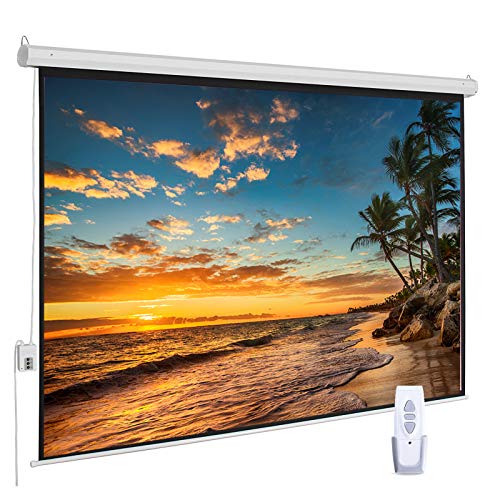
- 100-inch 16:9 viewing area
- Quiet motor with RF remote
- 1.1-gain matte white PVC surface
Best For: Large gaming setups and multipurpose rooms
Best for Immersive Scale
FRAYSCENT 150-Inch Motorized Screen

- Huge 150-inch 16:9 image
- Quiet wireless or wired operation
- Four-layer scrubbable fabric
Best For: Large gaming rooms and home theaters
Best Compact Gaming Pick
Kshioe 92-Inch Motorized Screen

- Room-friendly 92-inch format
- 80-by-45-inch viewing area
- Wireless remote and dual mounting
Best For: Smaller gaming rooms and multipurpose spaces
Best for Flexible Installation
YODOLLA 150-Inch Electric Screen

- 150-inch 16:9 matte PVC screen
- Wall or ceiling mounting hardware
- Wired and wireless remote control
Best For: Indoor gaming and outdoor movie versatility
Best Value for Big-Screen Gaming – Kayle 120-Inch Motorized Screen
For gamers seeking motorized projection screens for gaming, the Kayle 120-inch model combines a spacious 16:9 format with automatic operation and a 1.2-gain matte surface. Its RF remote and wall or ceiling mounting make it a practical choice for a dedicated home theater or flexible entertainment room.
Best For: Large-screen home gaming, movies, and indoor or outdoor presentations.
Pros:
- Large 120-inch 16:9 viewing area suited to immersive gaming.
- 1.2 gain, 180-degree viewing angle, and black-backed, three-layer material.
- Quiet, energy-efficient motor with RF remote and detachable three-way wall switch.
- Ships fully assembled with wall and ceiling installation hardware.
Cons:
- The 120-inch size and 26.5-pound weight require careful installation planning.
- Its large footprint may be excessive for smaller rooms.
This is a strong value-oriented option when you want a very large retractable screen, broad seating coverage, and straightforward controls without adding a separate screen assembly step.
Best for Compact Gaming Rooms – Elite Screens 84-Inch Spectrum
The Elite Screens Spectrum is a more compact choice among motorized projection screens for gaming, with an 84-inch 16:9 image area that fits smaller home theaters, offices, and multipurpose rooms. Its MaxWhite 2 material is designed for standard-throw projectors and wide seating coverage.
Best For: Smaller gaming rooms, home theaters, offices, and standard-throw projector setups.
Pros:
- 84-inch 16:9 viewing area offers a manageable size for tighter spaces.
- 1.1-gain, black-backed MaxWhite 2 surface with a 180-degree viewing angle.
- IR remote, detachable wall controller, RJ45 integration, and programmable drop positions.
- Fully assembled housing with included wall or ceiling mounting hardware.
Cons:
- Not compatible with ultra-short-throw or short-throw projectors.
- Smaller image than the 100-inch, 120-inch, and 125-inch alternatives.
This model makes sense when room dimensions matter more than maximum screen size, especially if you use a standard-throw projector and value control-system integration.
Best Installation Flexibility – WASJOYE 100-Inch Motorized Screen
The WASJOYE 100-inch screen is a flexible option for motorized projection screens for gaming, offering dual-side power interfaces that can simplify wall or ceiling installation. It also adds RF control, inching mode, and a quiet motor for more precise screen positioning during gaming or viewing.
Best For: Gamers who need flexible wiring options and adjustable screen travel in a medium-to-large room.
Pros:
- 100-inch 16:9 format provides a substantial gaming image without the footprint of a 120-inch screen.
- 1.2-gain, four-layer PVC matte material with a 178-degree viewing angle.
- RF remote supports stopping the screen before full extension and includes inching mode.
- Power connections on both ends can make installation wiring more convenient.
Cons:
- Two people are required for installation according to the supplied notes.
- The screen is recommended for medium- to long-focal-length projectors.
- AAA batteries for the RF remote are not included.
Choose this screen when installation flexibility and fine-grained height adjustment are priorities. The dual power interfaces and inching mode are particularly useful in rooms where placement and cable routing need extra attention.
Best for Large Premium Setups – Elite Screens 125-Inch Spectrum
For a truly expansive gaming image, the Elite Screens 125-inch Spectrum is one of the largest motorized projection screens for gaming in this roundup. Its 16:9 MaxWhite 2 surface, dual IR and RF remotes, and programmable drop position make it suited to dedicated home theaters with standard UHD or HD projectors.
Best For: Dedicated large-room gaming theaters and users who want advanced remote and trigger options.
Pros:
- 125-inch 16:9 viewing area creates an immersive large-room gaming setup.
- 1.1-gain, black-backed MaxWhite 2 material offers a 180-degree viewing angle.
- Includes IR and RF remotes, programmable drop positioning, and wired or wireless 12V trigger support.
- Fully assembled for wall or ceiling mounting with a manufacturer warranty and lifetime technical support.
Cons:
- Not compatible with short-throw or ultra-short-throw projectors.
- The 122.2-inch-wide housing requires substantial wall or ceiling space.
- Its 28.4-pound weight makes installation more demanding.
This is the most feature-rich large-format choice here, particularly for a permanent gaming theater. Confirm projector compatibility and available mounting space before choosing this oversized screen.
Immersive Large-Screen Pick – DINAH 120-Inch Electric Projector Screen
For gamers who want a truly expansive setup, the DINAH is one of the larger motorized projection screens for gaming. Its 120-inch diagonal format, automatic operation, and 4:3 design suit spacious rooms where an immersive image is the priority.
Best For: Large home theaters, presentations, and gaming rooms with ample wall or ceiling space.
Pros:
- Large 120-inch screen for an immersive viewing experience.
- Remote-controlled motorized drop-down operation.
- Supports 4K, 3D, and HD projection with a matte finish and 160-degree viewing angle.
- Includes a two-year warranty.
Cons:
- The 4:3 aspect ratio may not suit widescreen gaming content as well as a 16:9 screen.
- Its 87-by-49-inch screen dimensions require substantial installation space.
- At 11.79 kg, it may need careful mounting.
The DINAH makes the most sense when size and motorized convenience matter more than a widescreen format. Check your available wall or ceiling area before choosing this large-screen option.
Compact Widescreen Choice – VIVOHOME 84-Inch Motorized Projector Screen
The VIVOHOME 84-inch model is a practical choice for gaming rooms that need a 16:9 image without the footprint of a very large screen. Its long-distance remote, matte white surface, and wall-or-ceiling mounting make it convenient for everyday use.
Best For: Smaller gaming rooms, living rooms, and users who want flexible 16:9 installation.
Pros:
- 84-inch 16:9 viewing area suited to widescreen content.
- Remote control works from up to 82 feet away.
- Matte white surface offers a 160-degree viewing angle and supports 3D, 1080P, 4K, and Full HD images.
- Can be mounted on a wall or ceiling, horizontally or vertically.
Cons:
- The 23A 12V battery for the remote is not included.
- The overall 82.1-by-50.4-inch size needs more space than the viewing area alone suggests.
- Only a one-year warranty is listed.
With its conventional 16:9 format and flexible mounting options, the VIVOHOME is an easy fit for many gaming spaces. Measure the full housing dimensions and plan for the included 3.28-foot power cord during installation.
Feature-Rich 16:9 Pick – ZUEDA 100-Inch Motorized Projection Screen
The ZUEDA 100-inch screen balances a generous widescreen image with remote-controlled operation, making it a strong middle-ground option among motorized projection screens for gaming. Its 16:9 layout, 1.1-gain matte white PVC surface, and wall-or-ceiling mounting suit home entertainment and shared spaces.
Best For: Gamers wanting a large 16:9 screen for a living room, home theater, office, or multipurpose room.
Pros:
- 100-inch diagonal 16:9 viewing area with an 87-by-48.8-inch image.
- Whisper-quiet electric motor with RF remote and inline switch.
- 1.1-gain matte white PVC surface with a stated 160-degree viewing angle and wrinkle-free design.
- Supports 4K and 1080P HD viewing.
Cons:
- The complete product size is approximately 97-by-60 inches, so installation clearance is important.
- It has a limited one-year warranty.
- The 6.8 kg weight may require secure wall or ceiling mounting.
The ZUEDA offers a useful combination of screen size, widescreen proportions, and quiet electric control. Review the listed product dimensions—not just the 100-inch diagonal—before finalizing your gaming setup.
Best for Immersive Scale – FRAYSCENT 150-Inch Motorized Screen
For shoppers comparing motorized projection screens for gaming, this FRAYSCENT model stands out for its expansive 150-inch 16:9 image area, 1.2 gain, and support for 3D, 1080P, 4K, and Full HD content. Its retractable design and remote operation make it practical for dedicated game rooms, movie spaces, and multipurpose rooms.
Best For: Gamers who want a very large, immersive screen with flexible wall or ceiling installation.
Pros:
- 150-inch 16:9 screen with a 160-degree viewing angle.
- Wireless and wired controls allow the screen to stop at the desired height.
- Four-layer polyester fabric is designed to resist wrinkles and is scrubbable.
- Energy-efficient motor operates smoothly and quietly.
Cons:
- The 150-inch size requires substantial wall or ceiling space.
- No warranty is specified in the supplied details.
This is a strong choice when maximum image size matters most. Measure the installation area carefully, then use the included extended power cord and mounting design to plan the setup.
Best Compact Gaming Pick – Kshioe 92-Inch Motorized Screen
Among motorized projection screens for gaming, the Kshioe 92-inch model is a more manageable option for rooms that cannot accommodate a full 150-inch screen. It provides an 80-by-45-inch viewing area, automatic operation, and a wireless remote for convenient game-night setup.
Best For: Gamers who need a mid-size screen for a bedroom, living room, office, or classroom.
Pros:
- 92-inch 16:9 format with an 80-by-45-inch viewing area.
- 1.3 gain is intended to optimize picture contrast.
- Wireless remote enables operation from anywhere in the room.
- Supports both wall and ceiling installation.
Cons:
- Smaller viewing area than the two 150-inch alternatives.
- The supplied details list a glossy finish rather than a matte finish.
The Kshioe offers a practical balance of screen size and installation flexibility. Its included one-year warranty is also useful for buyers who want additional coverage for a gaming or multipurpose setup.
Best for Flexible Installation – YODOLLA 150-Inch Electric Screen
This YODOLLA screen is a versatile option for shoppers seeking motorized projection screens for gaming that can also handle backyard movies, presentations, and home theater use. The 150-inch 16:9 screen supports 4K, 8K, 3D, and 1080P content, with wired and wireless controls for convenient positioning.
Best For: Gamers who want a large screen that can move between indoor entertainment and outdoor movie setups.
Pros:
- 150-inch 16:9 format with a 160-degree viewing angle and 1.2 gain.
- Wall- or ceiling-mount installation includes expansion screws and S-shaped hooks.
- Auto-lock lets you stop the screen at any height.
- Quiet motor and three-layer PVC matte surface support smooth, bright projection.
Cons:
- The large overall assembly requires careful space and measurement planning.
- A slight new-product PVC odor may require one or two days of ventilation.
- Outdoor use still requires a suitable flat wall and power source.
YODOLLA is appealing when installation flexibility and multi-purpose use are priorities. Check the detailed size chart before ordering, since the full motorized assembly is larger than the stated viewing area.
How We Picked These Motorized Projection Screens for Gaming
We focused on screens that offer the features gamers typically need: dependable electric operation, a common 16:9 format, broad size availability, remote control, and compatibility with modern HD, 4K, 8K, or 3D-capable projectors where stated. The selection also represents a range of screen sizes, housing designs, control methods, and price points.
Because installation conditions vary, we also considered practical details such as wall- or ceiling-mount flexibility, case size, power placement, screen drop, and whether the product is better suited to a bedroom, living room, classroom, or dedicated gaming space. Product specifications can vary by listing, so confirm dimensions and included accessories before ordering.
Quick Comparison
| Screen size range | Best suited for | Features to prioritize |
|---|---|---|
| 84–92 inches | Small rooms and shorter viewing distances | Compact case, quiet motor, adjustable drop |
| 100–120 inches | Most living rooms and gaming rooms | 16:9 format, reliable remote, easy mounting |
| 125–150 inches | Large rooms and dedicated theaters | High projector brightness, sturdy housing, ample wall space |
Key Buying Factors for Motorized Projection Screens for Gaming
Size and Viewing Distance
A larger screen is not automatically better. Choose a size that fits your wall and keeps the image comfortable at your normal seating distance. Very large screens can make low-resolution content look softer and may require a brighter projector, while smaller models are often easier to install and use in multipurpose rooms.
Aspect Ratio and Image Quality
A 16:9 screen is the safest choice for modern consoles, PC games, streaming video, and most home-theater projectors. Look for a flat, evenly tensioned surface to reduce waves or distortion during fast-moving gameplay. “4K,” “8K,” and “3D ready” labels generally describe compatibility; they do not upgrade a projector’s native resolution.
Motor, Controls, and Installation
Remote-controlled operation is convenient when the screen is ceiling-mounted or positioned behind furniture. RF remotes can work without direct line of sight, while IR remotes may require aiming at the receiver. Check whether the model supports wall or ceiling mounting, where the power cord exits, and whether its case can fit above a window or screen recess.
Gain, Room Lighting, and Projector Brightness
For gaming, a matte white surface is typically versatile in a dark or controlled room. Ambient light reduces contrast, so prioritize blackout curtains, projector brightness, and a suitable screen material rather than relying on size alone. Silver or higher-gain surfaces may help in some setups but can narrow viewing angles or emphasize hotspots.
Who Should Buy Which Motorized Projection Screens for Gaming?
Choose an 84- to 92-inch model for a bedroom, apartment, office, or compact gaming room where seating is relatively close. Choose a 100- to 120-inch screen for the best balance of immersion, installation flexibility, and projector demands in a typical living space. Choose a 125- to 150-inch model only when you have sufficient wall width, seating distance, and projector brightness.
If you frequently switch between gaming and movies, prioritize a 16:9 screen with a smooth white surface and dependable remote control. If the screen will stay installed in a dedicated theater, pay closer attention to case construction, mounting options, drop length, and motor reliability. Finally, measure the available wall and verify the projector’s throw distance before purchasing any of these Motorized Projection Screens for Gaming.