The right desk boom arm can turn a small workspace into a more capable mobile production setup. These mounts help position microphones, phones, cameras, and lights while keeping your desk clearer and your framing more consistent.
We selected 10 options ranging from microphone-focused arms to articulating magic arms for overhead shooting. Use the guide below to match clamp strength, reach, compatibility, and adjustment style to your workflow.
Best 10 Desk Boom Arms for Mobile Production Picks for 2026
Professional Pick
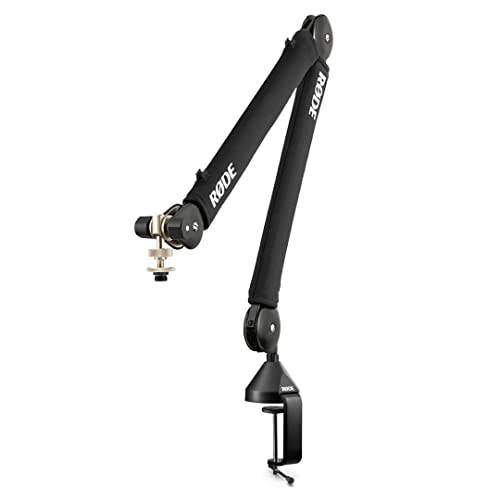
- Quiet spring-damped repositioning
- Supports microphones up to 1.2 kg
- 360° rotation with cable management
Best For: Podcast and streaming microphone setups
Versatile Camera Mount

- 22-inch articulating arm
- Supports devices up to 500 g
- Includes super clamp and phone holder
Best For: Multi-device mobile production
Low-Profile Mic Option

- Low-profile design for screen-side placement
- 29-inch reach with broad adjustment
- Supports up to 1.5 kg
Best For: Tidy podcast and streaming desks
Compact Creator Mount

- 22-inch arm for overhead mounting
- Includes phone holder and crab clamp
- Protective anti-slip contact points
Best For: Lightweight phone and camera rigs
Best Cable-Managed Heavy-Duty Arm

- Built-in cable channels
- 32.3-inch horizontal reach
- Supports up to 3.5 pounds
Best For: Heavy microphones and tidy streaming or recording desks
Best Overhead Camera and Light Arm

- Detachable three-section design
- Supports nearly 6.6 pounds
- Universal 1/4-inch screw
Best For: Overhead cameras, lights, and tabletop production gear
Best Compact Folding Mic Arm
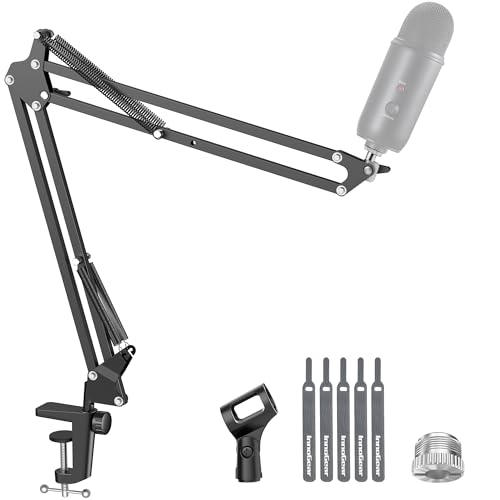
- Folds away for storage
- Supports up to 3.3 pounds
- Includes 3/8-inch and 5/8-inch compatibility
Best For: Space-conscious microphone recording and streaming setups
Best Extended-Reach Pick

- 33-inch reach for wider overhead angles
- Supports equipment up to 2.2 pounds
- Includes phone and action-camera adapters
Best For: Overhead filming and wide-angle desk setups
Best Bare-Bones Arm
K&F CONCEPT 22-inch Magic Arm
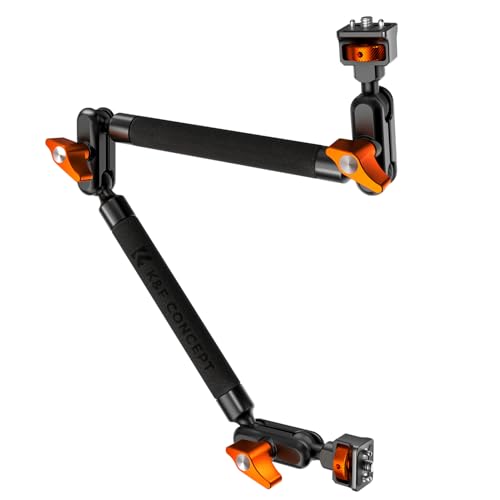
- 22-inch all-metal articulating arm
- Includes a super clamp
- Adapters and phone holder sold separately
Best For: Modular rigs using existing mounting accessories
Best Accessory Bundle

- Includes phone holder, clamp, and thread adapters
- Supports phones, lights, webcams, and microphones
- 600-gram maximum load
Best For: Phone-centered setups needing multiple adapters
Professional Pick – RØDE PSA1+ Boom Arm
For desk boom arms for mobile production, the RØDE PSA1+ is a strong choice when quiet repositioning and a clean microphone setup matter. Its 360-degree rotation, internal cable management, and support for microphones from 0.25 to 1.2 kg suit podcasting and streaming desks.
Best For: Podcast and streaming setups that need quiet, full-range microphone adjustment.
Pros:
- Internal spring damping helps reduce creaks and handling noise during repositioning.
- Supports microphones and shock mounts from 0.25 to 1.2 kg.
- 360-degree rotation and internal cable management keep the workspace flexible and tidy.
- Includes 3/8-inch and 5/8-inch thread adaptors.
Cons:
- Designed for microphones rather than phones or cameras.
- The desk clamp fits surfaces up to 70 mm thick, which may not suit every desk.
The PSA1+ is the most studio-focused option here, prioritizing quiet movement, microphone support, and a polished cable-managed installation for mobile recording workflows.
Versatile Camera Mount – NEEWER UA057 Magic Arm
The NEEWER UA057 broadens the idea of desk boom arms for mobile production by supporting phones, webcams, action cameras, microphones, and small lights. Its 22-inch articulating arm and super clamp are useful when one mounting system needs to handle several compact devices.
Best For: Mobile creators who switch between phones, cameras, webcams, microphones, and lights.
Pros:
- 22-inch arm with dual ball heads for flexible positioning.
- Supports devices up to 500 g, including phones, webcams, microphones, and cameras.
- Clamp works on flat surfaces up to 50 mm thick or cylindrical objects up to 40 mm in diameter.
- Anti-twist pins and nonslip pads help improve grip and protect mounting surfaces.
Cons:
- Its 500 g capacity limits use with heavier cameras or microphones.
- Ball-head adjustment may require more careful positioning than a dedicated microphone arm.
Choose the UA057 when device flexibility is more important than a dedicated broadcast-style microphone arm. The included phone holder makes it especially practical for mobile-first production.
Low-Profile Mic Option – FIFINE BM88W Boom Arm
The FIFINE BM88W is a practical pick among desk boom arms for mobile production when you want a microphone arm that stays below the screen area. Its metal construction, 29-inch reach, broad adjustment range, and built-in cable channels support a tidy recording workspace.
Best For: Podcasting, streaming, and home-office recording where a low-profile microphone position is useful.
Pros:
- Low-profile design extends from below the screen to keep the workspace unobstructed.
- Offers 360-degree horizontal adjustment and up to 220 degrees of vertical adjustment.
- Metal construction and a stated maximum load of 1.5 kg provide substantial microphone support.
- Includes adapters for 1/4-inch, 3/8-inch, and 5/8-inch connections.
Cons:
- The section near the C-clamp cannot be adjusted vertically.
- The desk clamp is intended for desktops from 0.8 to 2.4 inches thick.
- The microphone is not included.
The BM88W emphasizes screen-friendly positioning and cable organization. It is a sensible fit for creators who want a substantial microphone arm without placing the boom prominently across the display.
Compact Creator Mount – SMALLRIG 4766 Magic Arm
The SMALLRIG 4766 is a lightweight option for desk boom arms for mobile production, combining a 22-inch magic arm, crab clamp, and phone holder. It is suited to overhead shots, livestreams, video calls, and other setups using compact devices up to the kit’s recommended capacity.
Best For: Phone-based filming, overhead shooting, webcams, lights, and lightweight action cameras.
Pros:
- 22-inch arm provides extended reach for overhead and POV-style mounting.
- Double-ball joints allow independent angle adjustments.
- Silicone pads and rubber rings help improve grip and protect equipment from scratches.
- Clamp opens up to 63.5 mm and includes a phone holder for 5.5–8.5 cm-wide phones.
Cons:
- The notes give conflicting capacity figures; the product is recommended for loads up to 600 g, while the details list 250 g.
- Heavier phones may cause ball-head slippage unless the arm is positioned carefully.
- It is better suited to lightweight devices than full-size microphones or cameras.
The 4766 stands out for lightweight mobile rigs and flexible camera positioning. Keep the payload conservative and balance the arm carefully for the most stable results.
Best Cable-Managed Heavy-Duty Arm – InnoGear MU-PSA28
For desk boom arms for mobile production, the InnoGear MU-PSA28 stands out when you want a clean setup and enough reach to position a microphone over most monitors. Its integrated cable channels, extension riser, and 3.5-pound capacity make it a practical option for streaming, podcasting, and recording.
Best For: Creators using heavier microphones such as the Blue Yeti or Shure SM7B who want tidy cable routing and extended reach.
Pros:
- Built-in cable channels help keep recording and streaming setups neat.
- Reaches up to 32.3 inches horizontally and 37.4 inches vertically with the riser.
- Supports up to 3.5 pounds and includes a clamp for desks up to 2 inches thick.
- Offers 360-degree base rotation with adjustable arm movement.
Cons:
- The shock mount is not included.
- Its 1.6 kg weight may be less convenient for highly portable setups.
The MU-PSA28 is a strong fit when stability, reach, and cable organization matter more than minimizing carry weight. Confirm your microphone setup and desk thickness before buying.
Best Overhead Camera and Light Arm – JEBUTU MS05
Among desk boom arms for mobile production, the JEBUTU MS05 is the most versatile choice for creators mounting cameras, lights, phones, or projectors. Its detachable three-section design provides adjustable height while the 1/4-inch screw supports a range of compact production gear.
Best For: Overhead photography, tabletop video, podcasting, and streaming setups that use 1/4-inch camera or lighting accessories.
Pros:
- Detachable sections provide height adjustment from about 14.76 to 41.14 inches.
- Each section supports 180-degree movement for overall 360-degree adjustment.
- Supports nearly 6.6 pounds while weighing 2.2 pounds.
- Includes a rubber-padded C-clamp with an extended handle for desks and counters up to 1.96 inches.
Cons:
- It uses a 1/4-inch screw, so microphones or accessories with other mounts may need an adapter.
- The design is oriented toward camera and lighting equipment rather than a dedicated microphone arm.
The MS05 makes sense for mobile creators who switch between overhead camera work, lighting, and audio accessories. Its modular sections can also be removed for easier storage.
Best Compact Folding Mic Arm – InnoGear MU01
For desk boom arms for mobile production, the InnoGear MU01 offers a compact microphone-focused design that folds away when not in use. Its adjustable joints, rotating base, and included adapters make it useful for streaming, gaming, and recording in space-conscious work areas.
Best For: Mobile or compact desk recording setups using microphones such as the Blue Yeti, HyperX models, or Shure SM7B.
Pros:
- Folds away for convenient storage and a smaller desktop footprint.
- Provides 360-degree base rotation, 135-degree extension, and 180-degree vertical movement.
- Supports up to 3.3 pounds with steel construction and strong springs.
- Includes a standard microphone clip and a 5/8-inch-to-3/8-inch adapter.
Cons:
- The desk clamp requires a flat, squared edge up to 2 inches thick.
- It has a lower stated capacity than the MU-PSA28.
- A shock mount is not included.
The MU01 is a practical pick when fold-away storage and broad microphone compatibility are priorities. Check that your desk edge is flat and that the arm’s 3.3-pound capacity suits your microphone and accessories.
Best Extended-Reach Pick – CAMBOFOTO 33-inch Magic Arm
For creators comparing desk boom arms for mobile production, the CAMBOFOTO stands out with its 33-inch reach and flexible mounting kit. Its aluminum-alloy arm supports up to 2.2 pounds and is designed for overhead, side, and front-facing shots.
Best For: Overhead phone filming, product photography, tutorials, livestreaming, and setups needing extra reach.
Pros:
- Long 33-inch arm reaches farther than standard 22-inch models.
- Supports phones, mirrorless cameras, action cameras, webcams, lights, and microphones up to 2.2 pounds.
- Includes a cold-shoe phone holder and action-camera adapter.
- Silicone-padded C-clamp helps protect the desk while saving workspace.
Cons:
- The 33-inch length may be more arm than compact desks need.
- Its 2.2-pound limit is not intended for heavier camera rigs.
Choose this model when reach and included accessories matter most. Three 360-degree double-ball joints provide broad positioning flexibility, while the clamp keeps the setup close to the desk edge.
Best Bare-Bones Arm – K&F CONCEPT 22-inch Magic Arm
The K&F CONCEPT is a straightforward option for desk boom arms for mobile production when you already own the necessary phone or camera adapters. Its all-metal 22-inch arm includes a super clamp and supports static or mildly dynamic setups up to 2.2 pounds.
Best For: Streamers, remote workers, and creators who need a durable arm and clamp for phones, lights, microphones, or action cameras.
Pros:
- Three 360-degree ball heads allow overhead, level, and angled positioning.
- All-metal construction supports up to 2.2 pounds.
- Anti-twist pins and silicone pads help keep connections secure.
- Includes both the magic arm and super clamp.
Cons:
- Phone holders, clamps, and camera adapters are not included.
- Recommended for static or mildly dynamic use rather than vigorous movement.
This is a practical foundation for a modular mobile-production rig. It offers solid adjustment and a useful clamp, but budgeting for compatible adapters is necessary if your devices do not already have suitable mounting hardware.
Best Accessory Bundle – JEBUTU 22-inch Magic Arm Kit
For shoppers seeking desk boom arms for mobile production with more mounting hardware included, the JEBUTU kit combines a 22-inch articulating arm, crab clamp, phone holder, and thread adapters. Its aluminum-alloy construction supports up to 600 grams and is suited to phones, webcams, lights, microphones, and action cameras.
Best For: Mobile creators who want one kit for phone mounting, lighting, webcam use, and microphone accessories.
Pros:
- Includes a phone holder, crab clamp, and 1/4-to-3/8-inch and 1/4-to-5/8-inch adapters.
- Independently adjustable joints support multiple shooting angles.
- Clamp fits surfaces from 0.78 to 1.96 inches wide.
- Non-slip pads and anti-deflection locking features help improve stability.
Cons:
- Its 600-gram capacity is lower than the 1-kilogram capacity of the other listed arms.
- The clamp knobs are not detachable and should not be forcibly removed.
The JEBUTU is appealing when included adapters are more important than maximum load capacity. Its broad accessory compatibility makes it a convenient starting point for a phone-centered production desk.
How We Picked the Best Desk Boom Arms for Mobile Production
We focused on arms suited to compact recording and content-creation setups, including microphone boom arms and articulating mounts for phones, cameras, and lights. The selection considers desk-clamp design, stated reach, load-support potential, adjustment flexibility, cable management, and compatibility with common production accessories.
Because these products serve different roles, a microphone arm should not be judged by exactly the same criteria as a camera magic arm. A stable clamp and smooth positioning matter most for microphones, while thread compatibility, articulation, and overhead reach are especially important for mobile video work.
Quick Comparison
| Best For | Look For | Typical Mount Type |
|---|---|---|
| Podcasting and voice recording | Spring damping, cable routing, strong desk clamp | Microphone mounting hardware |
| Overhead phone shooting | Long reach, friction joints, phone holder compatibility | Articulating magic arm |
| Compact cameras and lights | 1/4-inch threads, secure clamp, rigid joints | Camera or accessory arm |
| Flexible multi-device setups | Multiple adjustment points and adapters | Magic arm with interchangeable attachments |
Key Buying Factors for Desk Boom Arms for Mobile Production
Compatibility and Threading
Check whether the arm includes the attachment you need. Microphone boom arms may use microphone-specific mounts, while magic arms commonly rely on 1/4-inch threads or adapters. A phone holder, action-camera adapter, or light mount may need to be purchased separately.
Reach and Positioning
Measure the distance from the rear or edge of your desk to the desired shooting or recording position. Longer arms provide more overhead coverage but can flex more under load. Shorter arms are often easier to stabilize in a compact workstation.
Clamp and Load Stability
A strong desk clamp is essential for preventing drift, vibration, and accidental tipping. Confirm your desktop thickness and avoid placing heavy equipment at the farthest point of a fully extended arm unless the manufacturer supports that configuration.
Adjustment and Cable Management
Friction joints offer broad positioning control for cameras and lights, while spring-damped microphone arms are convenient for frequent repositioning. Integrated or attached cable channels help keep audio cables away from the frame and reduce desk clutter.
Who Should Buy Which Desk Boom Arms for Mobile Production?
Choose a dedicated microphone arm if your main goal is podcasting, streaming, or voiceover recording. These models generally make microphone positioning simple and may provide better cable organization. Choose a magic arm if you need to mount a phone, compact camera, action camera, or LED light above the desk.
For frequent overhead filming, prioritize reach, rigid friction joints, and a compatible phone or camera attachment. For a mixed setup, select a versatile arm with standard threading and enough clamp capacity for your heaviest device. Before buying, verify the included hardware, desk clearance, and equipment weight so the arm fits your workspace rather than requiring improvised adapters.