A good streaming device can make an older TV feel current—or replace a sluggish built-in smart TV interface. The right choice depends less on the longest feature list and more on your TV’s resolution, your Wi-Fi setup, and the apps you actually use.
These picks span inexpensive HD sticks, compact 4K options, and roomier Google TV boxes. Here’s how to narrow them down without paying for features your setup cannot use.
Best 10 Android Streaming Devices Picks for 2026
Best for Unified Browsing
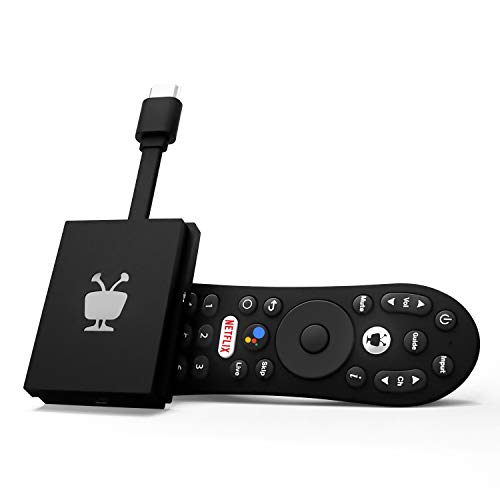
- Cross-app search and watchlists
- 4K with Dolby Vision and Atmos
- 8GB storage; 90-day warranty
Best For: Browsing multiple streaming apps from one interface
Best Portable Stick

- Compact 4K streaming stick
- Chromecast and Google Assistant
- IR remote controls TV or soundbar
Best For: Moving 4K streaming and casting between TVs
Best for App Storage

- 32GB storage for apps
- 4K/60 fps with Dolby Vision and HDR10+
- HDMI cable included
Best For: A compact Google TV box with more app storage
Best for Wired Connectivity

- Ethernet and Wi-Fi connectivity
- 32GB storage and 4GB RAM
- HDMI 2.1 cable sold separately
Best For: Wired streaming with personalized Google TV browsing
Full HD Stick
ONN Android TV 2K FHD Streaming Stick

- 1080p streaming over HDMI
- Voice remote and built-in Chromecast
- Google Play Store app access
Best For: 1080p TVs needing apps and casting
Feature-Rich 4K
onn Google TV 4K Pro with Gemini

- 4K UHD with Dolby Vision and Atmos
- 3GB RAM and 32GB storage
- Wi-Fi 6 plus Ethernet port
Best For: 4K setups with compatible Dolby equipment
Classic Android TV 4K
ONN Android TV 4K UHD Streaming Device

- Up to 3840 × 2160 output
- Google Assistant voice remote
- Chromecast and included HDMI cable
Best For: 4K Android TV apps and casting
Best for Smart Homes
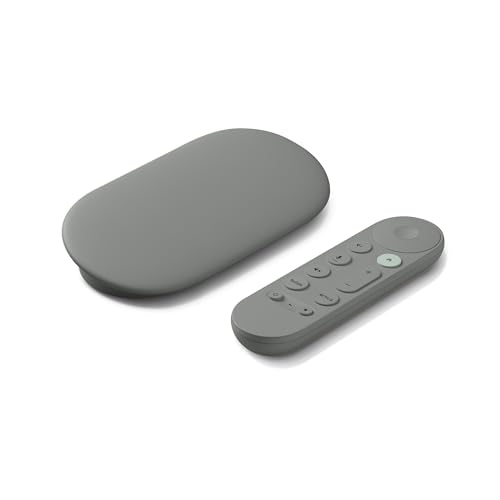
- 4K HDR with Dolby Vision
- 32 GB storage; Wi-Fi and Ethernet
- Voice search and smart-home control
Best For: Households wanting personalized TV and smart-home controls
Best for Cinematic Formats

- 4K with HDR10+ and Dolby Vision
- Dolby Atmos and DTS:X support
- 32 GB storage and Wi-Fi 6
Best For: Viewers prioritizing HDR, audio formats, and casting
Best for Unified Browsing – TiVo Stream 4K
Among android streaming devices, the TiVo Stream 4K stands out for bringing search, recommendations, and watchlists across apps into one interface. It plugs into an HDMI port and supports 4K video, Dolby Vision HDR, and Dolby Atmos audio.
Best For: Viewers who want to browse shows across multiple streaming apps without repeatedly switching between them.
Pros:
- Centralized browsing, search, and watchlists across apps.
- Google Assistant supports voice searches and smart-home commands.
- Supports 4K, Dolby Vision HDR, and Dolby Atmos.
Cons:
- 8GB of storage leaves less room for apps than the 32GB boxes in this roundup.
- The stated warranty is 90 days.
Choose the TiVo if finding something to watch across services matters more to you than extra storage.
Best Portable Stick – Xiaomi Mi TV Stick 4K 2nd Gen
If you want android streaming devices that are easy to carry between TVs, the compact Xiaomi Mi TV Stick 4K 2nd Gen is worth a look. It offers 4K output, built-in Chromecast, Google Assistant, and a remote that can control TV or soundbar power and volume via IR.
Best For: Anyone who wants a portable 4K streaming stick with casting and a versatile remote.
Pros:
- Compact stick design is convenient to move between displays.
- Built-in Chromecast casts from a phone, tablet, or laptop.
- Bluetooth and IR remote can handle streaming controls plus TV or soundbar power and volume.
Cons:
- 8GB of storage offers less space for apps than the 32GB boxes here.
- The stick form factor may be less convenient if you prefer a box that sits beside the TV.
Its strongest case is portability: you get 4K playback and casting in a small HDMI device without giving up voice control.
Best for App Storage – Xiaomi TV Box S 3rd Gen
For shoppers comparing android streaming devices by storage, the Xiaomi TV Box S 3rd Gen provides 32GB alongside a Google TV interface. It supports 4K at 60 fps, Dolby Vision, HDR10+, and Google Cast, with HDMI and USB connections on its compact box.
Best For: Viewers who want more room for apps in a compact Google TV box.
Pros:
- 32GB of storage provides more app space than the 8GB sticks listed here.
- Supports 4K at 60 fps, Dolby Vision, and HDR10+.
- Includes an HDMI cable, voice remote, and power adapter.
Cons:
- 2GB of RAM is less than the Google TV Streamer’s 4GB.
- The supplied notes direct buyers to the seller or manufacturer for warranty details.
This is a practical choice if a larger app library and an included HDMI cable matter more than having the most RAM in the roundup.
Best for Wired Connectivity – Google TV Streamer 4K
The Google TV Streamer 4K is a strong pick among android streaming devices if you want an Ethernet connection as well as Wi-Fi. Its Google TV home screen brings together shows from your services, while 32GB of storage, 4GB of RAM, and a voice remote round out the package.
Best For: Households that want wired networking, personalized recommendations, and plenty of app storage.
Pros:
- Ethernet offers a wired alternative to Wi-Fi.
- 32GB of storage and 4GB of RAM.
- Supports up to 4K HDR with Dolby Vision and access to over 800 free live channels.
Cons:
- An HDMI 2.1 cable is required and sold separately.
- Dolby Atmos playback calls for compatible speakers.
Pick this model when wired connectivity and a service-spanning Google TV home screen are priorities; remember to budget for the separate HDMI cable.
Full HD Stick – ONN Android TV 2K FHD Streaming Stick
Among android streaming devices, this ONN stick suits a TV that needs straightforward Full HD streaming. It connects through HDMI and includes a voice remote, power adapter, and built-in Chromecast for casting from another device.
Best For: Adding Android TV apps and phone-to-TV casting to a 1080p television.
Pros:
- Built-in Chromecast supports casting photos, videos, and music.
- Mic button on the remote enables voice requests.
- Access to apps through the Google Play Store.
Cons:
- Video output is Full HD rather than 4K.
- Listed limited warranty is three months.
Choose it for a compact, voice-controlled way to add streaming and casting when 4K output is not a priority.
Feature-Rich 4K – onn Google TV 4K Pro with Gemini
For shoppers comparing android streaming devices for a 4K setup, the onn Google TV 4K Pro pairs 4K UHD and Dolby Vision with Dolby Atmos audio. Its listed 3GB of RAM, 32GB of storage, and Wi-Fi 6 make it the most extensively specified performance option in this group.
Best For: A 4K TV setup that can use Dolby Vision, Dolby Atmos, and a choice of Wi-Fi 6 or Ethernet connectivity.
Pros:
- Supports 4K UHD, Dolby Vision, and Dolby Atmos.
- Includes 3GB of RAM and 32GB of storage.
- Offers Wi-Fi 6 and an Ethernet port.
- Remote has a backlight and a find-my-remote feature.
Cons:
- Dolby Vision and Atmos benefits depend on compatible viewing and audio equipment.
This is the pick for buyers who want the listed display, audio, storage, and connection options in one streaming device; check that your TV and sound system can use its premium formats.
Classic Android TV 4K – ONN Android TV 4K UHD Streaming Device
This ONN box is a practical choice among android streaming devices if you want 4K output with the familiar Android TV interface. It connects to a TV through the included HDMI cable and supports apps from the Google Play Store.
Best For: Adding 4K Android TV apps, voice search, and casting to an HDMI-equipped television.
Pros:
- Outputs up to 3840 × 2160 resolution.
- Voice remote supports Google Assistant content searches and controls.
- Built-in Chromecast supports casting from Android and iOS devices.
- High-speed HDMI cable is included.
Cons:
- Listed 8GB storage leaves less room for apps than the 32GB 4K Pro model.
- Setup requires a Google account and Wi-Fi configuration.
It covers the essentials—4K playback, apps, voice control, and casting—without the extra storage and connectivity features listed for the 4K Pro.
Best for Smart Homes – Google TV Streamer 4K
Among android streaming devices, the Google TV Streamer 4K is a strong choice if you want entertainment and smart-home controls in one TV box. Google TV brings shows from your services onto the home screen and offers recommendations tailored to different viewers.
Best For: Households that want personalized viewing, voice search, and smart-home control.
Pros:
- Supports up to 4K HDR with Dolby Vision.
- Offers 32 GB of storage, plus Wi-Fi and Ethernet connectivity.
- Provides access to over 800 free live channels from services including Pluto TV and Tubi.
Cons:
- Requires an HDMI 2.1 cable, sold separately.
- Dolby Atmos sound requires compatible speakers.
The mix of tailored recommendations, free live TV, and smart-home features makes this a versatile option. Remember to budget for the HDMI cable needed to connect it.
Simple Google TV Pick – Xiaomi TV Box S 3rd Gen
The Xiaomi TV Box S 3rd Gen covers the essentials buyers often seek in android streaming devices: a Google TV interface, 4K UHD output, Wi-Fi 6, and a voice-control remote. It is a straightforward option for adding Google TV to a compatible television.
Best For: Viewers who want a compact 4K Google TV box with Wi-Fi 6 and voice control.
Pros:
- Outputs video at 3840 × 2160 resolution.
- Supports Wi-Fi 6 connectivity.
- Includes a voice-control remote.
Cons:
- The supplied details list 8 GB of storage, while the product title says 32 GB; confirm capacity before buying.
- Lists 2 GB of RAM.
This listing has an appealing core feature set, but the storage discrepancy matters if you plan to install many apps. Check the seller’s exact configuration before ordering.
Best for Cinematic Formats – Xiaomi TV Box S 3rd Gen
For shoppers comparing android streaming devices by picture and sound support, this Xiaomi TV Box S 3rd Gen listing stands out with 4K UHD, HDR10+, Dolby Vision, Dolby Atmos, and DTS:X. Google TV adds recommendations and cross-app search, while Google Cast lets you send content from a phone or tablet to the TV.
Best For: Viewers who want broad HDR and audio-format support in a Google TV box.
Pros:
- Supports HDR10+ and Dolby Vision video, plus Dolby Atmos and DTS:X audio.
- Lists 32 GB of storage and a quad-core processor.
- Offers Wi-Fi 6, Google Cast, and a Bluetooth remote with Google Assistant voice control.
Cons:
- Wi-Fi 6 requires a Wi-Fi 6-enabled router.
- Has 2 GB of RAM.
This is the more fully documented Xiaomi listing here, particularly if format support and casting are priorities. Its included HDMI cable is another practical detail for setup.
How We Picked These Android Streaming Devices
We focused on practical differences buyers can compare: maximum output resolution, advertised HDR and audio support, operating system, remote features, connectivity, and storage. The lineup includes budget sticks, compact 4K streamers, and larger boxes. Several listings appear to describe the same Google TV Streamer or Xiaomi TV Box S 3rd Gen, so check the exact model and seller before treating similarly named entries as separate hardware.
Specifications on a listing do not guarantee that every app will deliver its highest picture or sound quality. Your TV, sound system, subscription tier, internet connection, and the app itself must also support the format. Check current app availability and seller details before buying.
Quick Comparison
For an HD television: The onn 2K FHD stick covers basic streaming without paying extra for 4K output. For a low-cost 4K upgrade: Compare the onn 4K device, Xiaomi Mi TV Stick 4K 2nd Gen, and TiVo Stream 4K on current price, interface, and remote. For more storage or connectivity options: Look at the onn 4K Pro, Xiaomi TV Box S 3rd Gen, and Google TV Streamer 4K; confirm the ports and specifications of the exact version sold.
Key Buying Factors for Android Streaming Devices
Picture and Sound Compatibility
Choose 4K only if you have a 4K TV or expect to upgrade. HDR labels matter only when your TV and content support them; Dolby Vision requires compatible equipment. Likewise, Dolby Atmos depends on the app, content, and audio setup. An HDMI 2.1 label alone does not tell you that a streamer offers gaming-oriented features.
Software, Apps, and Remote
Android TV and Google TV share an underlying platform but present different home-screen experiences. If you prefer a familiar interface, check which one the device runs. Confirm that your must-have apps are supported in your region, and look for a voice remote, useful shortcut buttons, and straightforward TV power and volume control.
Wi-Fi, Ports, and Storage
Reliable Wi-Fi matters more than a high advertised resolution when streams buffer. Wi-Fi 6 can help on a compatible network, while wired Ethernet may be preferable where available; verify ports on the specific listing. Extra storage is useful if you install many apps, but advertised capacity is not the same as free space after system software.
Who Should Buy Which Android Streaming Devices?
Buy an HD stick for a secondary or 1080p TV. Choose a compact 4K stick or entry-level box if you want a simple upgrade and have few apps. Consider a higher-storage box if you regularly install apps or want its stated connectivity features. If you already own a responsive smart TV with all your apps, a separate streamer is worthwhile mainly when you want a different interface, remote, or supported format.