Looking for a clean, space-saving desktop that can handle creative work without a tower? The best all-in-one computers for content creators combine a sharp display, responsive performance, and easy desk setup in one package.
Below, we focus on models that make sense for editing, design, streaming prep, and multitasking, so you can choose a setup that fits your workflow and budget.
Best 10 All-In-One Computers for Content Creators Picks for 2026
Creator-Friendly Touch AIO
ASUS 27-inch Ryzen AI Touch All-in-One

- Ryzen AI 7 350 with 50 TOPS NPU
- 27-inch FHD IPS touchscreen with 100% sRGB
- 32GB DDR5, 1TB SSD, Windows 11 Pro
Best For: Creators and professionals who want a large touchscreen AIO for multitasking and meetings
Creator Command Center

- Core Ultra 7 355 with AI-focused performance
- 23.8-inch FHD touchscreen in a compact chassis
- Wi-Fi 7, USB-C, HDMI in/out, and Ethernet
Best For: Creators and professionals who want a compact AIO with strong connectivity and touch control
Studio-Style Touch AIO
ASUS 27-inch Ryzen AI Creator Desktop
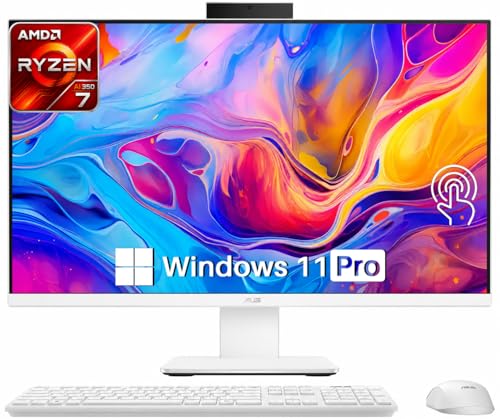
- Ryzen AI 7 350 with up to 5 GHz boost
- 32GB DDR5 and 1TB SSD for smooth multitasking
- 27-inch FHD IPS touchscreen with anti-glare finish
Best For: Home offices and creators who want a large, easy-to-use touchscreen AIO
Bright Everyday AIO

- 27-inch FHD IPS display with 99% sRGB
- 32GB DDR5 for multitasking and content work
- 5MP+IR camera, Dolby Atmos, and ComfortView Plus
Best For: Creators and families who want a roomy, color-rich AIO for everyday productivity and media
AI Workspace Pick

- 49 TOPS NPU for AI-assisted productivity
- 27-inch FHD touchscreen with slim bezels
- 1TB SSD, Wi-Fi 7, and upgradeable memory
Best For: Creators who want an AI-ready all-in-one for multitasking and daily productivity
Balanced Editing Pick

- 10-core i7-13620H with up to 4.9 GHz turbo
- 99% sRGB, 100Hz anti-glare 27-inch display
- Upgradeable to 64GB RAM and 4TB SSD
Best For: Creators who want a practical AIO with strong performance and upgrade room
Touch Creator Bundle
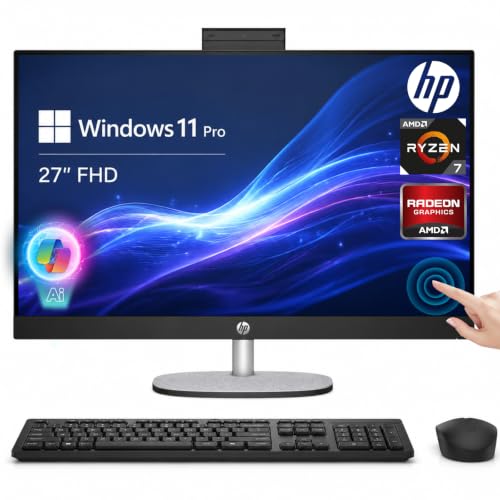
- Ryzen AI 7 350 with Copilot+ features
- 32GB DDR5 RAM and 1TB SSD
- 27-inch touchscreen plus useful accessory bundle
Best For: Creators who want a touch-enabled Copilot PC with strong multitasking and extras
Business-Ready Touchscreen Pick
HP 27” FHD Touchscreen All-in-One

- 27-inch FHD touchscreen for direct on-screen work
- Core Ultra 7 155U with 16GB DDR5 for multitasking
- 1TB SSD plus included USB-C dock for a cleaner setup
Best For: Creators who want a tidy, business-friendly all-in-one for editing and productivity
Color-Accurate Creator Display
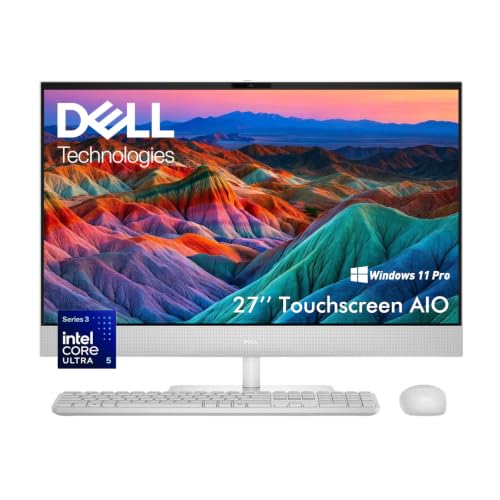
- 27-inch IPS display with 99% sRGB for visual work
- Core 7 150U with 16GB DDR5 and 1TB SSD
- Dual HDMI and Wi-Fi 6E for flexible, tidy setups
Best For: Creators who prioritize a color-accurate screen and a clean desktop setup
Creator-Friendly Touch AIO – ASUS 27-inch Ryzen AI Touch All-in-One
If you want one of the more capable all-in-one computers for content creators, this ASUS 27-inch model balances AI-assisted performance, a color-accurate 1080p touchscreen, and a clean desk-friendly design. It is a practical fit for editing, multitasking, video calls, and everyday creative work where responsiveness matters more than raw workstation size.
Best For: Creators and professionals who want a large touchscreen AIO for multitasking, meetings, and everyday content work.
Pros:
- AMD Ryzen AI 7 350 with up to 5.0GHz boost and a 50 TOPS NPU for AI-enhanced tasks
- 27-inch FHD IPS touchscreen with anti-glare coating and 100% sRGB coverage
- 32GB DDR5 memory and fast SSD storage for smooth multitasking and quick loading
- Windows 11 Pro plus Wi-Fi 6, Bluetooth 5.4, and multiple ports for a complete setup
Cons:
- FHD resolution is less detailed than 4K for fine visual work
- Integrated Radeon 860M is not aimed at heavy GPU-accelerated production
- Large 27-inch footprint may still be too big for very compact desks
This ASUS AIO is strongest as a versatile creator-and-productivity hub rather than a specialized editing tower. If you value a spacious screen, touch input, and strong everyday responsiveness, it is an easy model to shortlist.
Creator Command Center – Dell 24 Ultra 7 Touch AIO
This Dell 24 all-in-one computer is a strong choice for content creators who want a compact touchscreen workspace with modern connectivity. The Intel Core Ultra 7 355, Wi-Fi 7, and 16GB of DDR5 memory make it well suited to creative apps, video conferencing, and day-to-day production tasks in a smaller footprint.
Best For: Creators, designers, and professionals who want a compact AIO with strong connectivity and touch control.
Pros:
- Intel Core Ultra 7 355 with 8 cores and AI-focused performance
- 23.8-inch FHD touchscreen for hands-on editing and navigation
- Wi-Fi 7, USB-C, HDMI-in/out, and RJ45 Ethernet for flexible setups
- Dolby Atmos audio and an FHD+ IR privacy camera for calls and media
Cons:
- 16GB RAM is adequate, but not as roomy as 32GB options
- Smaller 23.8-inch display may feel tight for multi-window creative work
- Integrated graphics are fine for general creation, not heavy 3D workloads
For buyers who want a creator-friendly AIO without moving up to a larger 27-inch chassis, this Dell hits a useful middle ground. It is especially appealing if connectivity, privacy features, and a compact desk setup matter most.
Studio-Style Touch AIO – ASUS 27-inch Ryzen AI Creator Desktop
Among all-in-one computers for content creators, this ASUS 27-inch system stands out for its roomy touchscreen, strong memory configuration, and clean desktop layout. It is built for users who want a fast everyday creative machine for multitasking, video calls, and light production work without cluttering the workspace.
Best For: Home offices and creators who want a large, easy-to-use touchscreen AIO with strong everyday performance.
Pros:
- AMD Ryzen AI 7 350 with up to 5 GHz boost for responsive multitasking
- 32GB DDR5 memory and 1TB SSD for quick loading and smooth workflow
- 27-inch Full HD IPS touchscreen with anti-glare finish and vivid viewing
- Integrated speakers, webcam, Wi-Fi 6, and Windows 11 Pro for an all-in-one setup
Cons:
- FHD resolution may not satisfy users who want a sharper 4K canvas
- Integrated Radeon 860M is suited to everyday creation, not demanding GPU tasks
- Touchscreen convenience may be less important for keyboard-first workflows
This model makes the most sense if you want a polished, space-saving AIO that feels fast in daily use. It is a good match for creators who value screen size, memory headroom, and simple setup over specialized workstation hardware.
Bright Everyday AIO – Dell 27 FHD Creator Desktop
This Dell 27 all-in-one is a straightforward pick for creators who want a larger FHD display, generous memory, and a tidy setup for work or light content creation. Its 99% sRGB IPS panel, 32GB of DDR5 memory, and integrated webcam/audio features make it a useful desktop for editing, streaming, and collaboration.
Best For: Creators and families who want a roomy, color-rich AIO for everyday productivity and media.
Pros:
- 27-inch FHD IPS display with 99% sRGB and improved contrast for vivid visuals
- 32GB DDR5 memory for heavy multitasking and multiple open apps
- 5MP+IR camera, Dolby Atmos speakers, and ComfortView Plus for calls and media
- Smart stand design keeps the desk uncluttered by storing the keyboard underneath
Cons:
- Windows 11 Home is less business-focused than Pro editions
- No touchscreen on this model, so it is less hands-on than other AIOs here
- Integrated graphics and FHD resolution are aimed at everyday use, not advanced production
If you want a comfortable, well-rounded all-in-one with a good screen and plenty of RAM, this Dell is easy to recommend. It leans more toward practical daily creation and media work than specialized editing performance, which keeps it broadly useful.
AI Workspace Pick – HP OmniStudio 27" Touch AIO
If you want one of the more forward-looking all-in-one computers for content creators, this HP OmniStudio 27″ Touch AIO is built around AI-assisted productivity and a clean desk setup. The 27-inch FHD touchscreen, Copilot+ PC features, and roomy 1TB SSD make it a practical fit for editing, organizing projects, and keeping multiple creative tools open at once.
Best For: Creators who want an AI-ready all-in-one for multitasking, media work, and everyday productivity.
Pros:
- Intel Core Ultra 7 355U with up to 49 TOPS NPU for on-device AI features
- 27-inch FHD IPS touchscreen with slim-bezel design and wide viewing angles
- 1TB SSD and upgradeable DDR5 memory for responsive file handling and workflow growth
- Wi-Fi 7, dual USB-C, HDMI, and Ethernet for modern connectivity
Cons:
- Listed as 16GB RAM in the notes, so the base memory is not maxed out at purchase
- FHD display is practical, but not a higher-resolution panel
- Best suited to productivity-focused creative work rather than high-end graphics specs
This HP model stands out if you value AI features, a touch display, and a tidy all-in-one design. It looks especially well matched to creators who spend as much time planning, writing, and organizing as they do producing content.
Balanced Editing Pick – Lenovo IdeaCentre 27" i7 AIO
This Lenovo IdeaCentre is a straightforward option among all-in-one computers for content creators who want strong performance without extra flash. The 10-core Intel Core i7-13620H, 16GB DDR5 memory, and 512GB SSD give it a solid foundation for editing, browser-heavy research, and general creative work in a space-saving 27-inch chassis.
Best For: Creators who want a practical, non-touch AIO with good core performance and upgrade room.
Pros:
- 13th Gen Intel Core i7-13620H with up to 4.9 GHz turbo
- 27-inch FHD IPS anti-glare display with 99% sRGB and 100Hz refresh rate
- Upgradeable to 64GB DDR5 RAM and up to 4TB PCIe SSD
- HDMI-in/HDMI-out, USB, Ethernet, and included wired keyboard and mouse
Cons:
- Non-touch display, so it is less hands-on than some creator-focused AIOs
- 512GB SSD is smaller than the 1TB options in this roundup
- Integrated graphics may limit more demanding visual workloads
For creators who care more about dependable day-to-day performance and expandability than premium extras, this Lenovo is easy to justify. Its display and upgrade ceiling make it a sensible long-term workspace machine.
Touch Creator Bundle – HP 27" Copilot AIO
This HP 27″ all-in-one is a compelling pick for content creators who want a touch display, strong memory, and a generous accessory bundle. With a Ryzen AI 7 350 processor, 32GB DDR5 RAM, and a 1TB SSD, it is built to handle heavy multitasking, large creative files, and long working sessions without feeling cluttered.
Best For: Creators who want a touch-enabled Copilot PC with strong multitasking and included extras.
Pros:
- AMD Ryzen AI 7 350 with Copilot+ PC features and dedicated Copilot key
- 32GB DDR5 RAM and 1TB SSD for large projects and smoother multitasking
- 27-inch FHD IPS touchscreen with anti-glare panel and adjustable stand
- Includes touchscreen pen, USB flash drive, wireless keyboard and mouse, and other accessories
Cons:
- FHD resolution is good for work, but not a high-resolution creator panel
- Integrated AMD Radeon graphics may not suit the heaviest visual workloads
- Accessory bundle is useful, but not all buyers will need every included item
If you want a ready-to-use setup with more memory and a touch interface, this HP package is a strong value. It is especially appealing for creators who want a cleaner desk and a broader out-of-box toolkit.
Business-Ready Touchscreen Pick – HP 27” FHD Touchscreen All-in-One
If you want one of the more straightforward all-in-one computers for content creators, this HP keeps the focus on clean setup and smooth everyday performance. The 27-inch FHD touchscreen makes it easy to navigate projects, present ideas, and work directly on-screen, while the Intel Core Ultra 7 155U, 16GB DDR5 memory, and 1TB SSD handle multitasking without adding desk clutter.
Best For: Creators who want a tidy, business-friendly all-in-one for editing, presenting, and everyday productivity.
Pros:
- 27-inch FHD touchscreen supports direct interaction and faster navigation
- Intel Core Ultra 7 155U is built for multitasking and heavier business workloads
- 1TB SSD gives you plenty of fast local storage for projects and files
- USB-C docking station is included for easier expansion
Cons:
- Touchscreen focus may not matter if you prefer a traditional non-touch workflow
- Included dock is third-party, not HP-branded
- Geared more toward productivity than specialized creator hardware
This HP is a practical pick if you value simplicity, storage, and a cleaner workspace over flashy creator extras. For mixed office and light creative use, it offers the essentials in a format that should be easy to live with day to day.
Color-Accurate Creator Display – Dell 27 All-in-One Desktop
Among all-in-one computers for content creators, this Dell stands out for its display and upgrade headroom. The 27-inch FHD IPS panel covers 99% sRGB, which is useful when you are editing photos, reviewing design mockups, or just want more accurate color while working and streaming. With a Core 7 Processor 150U, 16GB DDR5 RAM, and 1TB SSD, it is built to stay responsive during daily creative workloads.
Best For: Creators who prioritize a color-accurate screen and a clean, expandable desktop setup.
Pros:
- 27-inch FHD IPS display covers 99% sRGB for more accurate color work
- Core 7 Processor 150U and 16GB DDR5 handle multitasking smoothly
- 5MP pop-up IR privacy camera is useful for video calls and hides away when not needed
- Dual HDMI, Wi-Fi 6E, and included wireless keyboard/mouse support a tidy workspace
Cons:
- Standard configuration starts at 16GB RAM and 1TB SSD, so very heavy creators may want more
- Not specifically tuned for pro-grade video editing hardware
- Best results depend on how much you value the display over raw performance
This Dell is a strong all-round choice if your creative work is visual and you care about screen quality. The combination of IPS color coverage, flexible ports, and upgrade options makes it especially appealing for creators who want room to grow.
Fast-Refresh Value Pick – Lenovo ThinkCentre 27-inch All-in-One
If you are comparing all-in-one computers for content creators and want a balanced option, this Lenovo ThinkCentre is easy to like. The 27-inch FHD IPS screen adds a 100Hz refresh rate, 99% sRGB, and low blue light, which is a strong mix for long editing sessions, design review, and general content work. The Core i5-13420H, 16GB DDR5, and 512GB SSD give it a practical starting point for business and creative use.
Best For: Creators who want a smooth display, business-class features, and a compact all-in-one format.
Pros:
- 27-inch FHD IPS display with 100Hz refresh rate feels smoother than standard panels
- 99% sRGB and low blue light support longer creative sessions
- Core i5-13420H with 16GB DDR5 is solid for everyday multitasking
- USB-C, HDMI in/out, and Ethernet provide useful desktop flexibility
Cons:
- 512GB SSD is smaller than the 1TB options on some rivals
- Non-touch display may not suit users who like direct interaction
- Integrated graphics keep it better suited to lighter creative workloads
Overall, this Lenovo is the practical pick for creators who want a smooth screen and business-focused reliability without overpaying for extras. It is a sensible fit for content work, office tasks, and a tidy setup that does not take up much space.
How We Picked These All-In-One Computers for Content Creators
We prioritized systems that are more than just office PCs. For All-In-One Computers for Content Creators, that means strong CPU performance, enough memory for multitasking, fast SSD storage, and displays that are comfortable for long work sessions. We also looked for creator-friendly features such as touchscreen support, USB-C, HDMI input or output, Wi-Fi 6 or Wi-Fi 7, and designs that reduce cable clutter.
Quick Comparison
In simple terms, the best option depends on your workload. If you edit photos, manage light video projects, or create social content, 16GB RAM and a modern Core Ultra or Ryzen AI chip can be enough. For heavier timelines, lots of browser tabs, and Adobe apps running together, 32GB RAM is the safer choice. A 1TB SSD is ideal if you store project files locally, while 512GB works only if you keep a tight storage workflow or rely on external drives.
Key Buying Factors for All-In-One Computers for Content Creators
Performance and Multitasking
Look for recent Intel Core Ultra, Core 7, or AMD Ryzen AI processors if you want smoother exports and better day-to-day responsiveness. Integrated graphics are fine for many creators, but they are best suited to lighter creative workloads rather than demanding 3D work or advanced effects.
Display Quality
The screen matters as much as the processor. A 27-inch FHD panel is common and practical, though you should check brightness, color accuracy, and anti-glare treatment if you spend hours editing photos or video. Touch support can help with navigation, but it should not be the only reason to buy.
Memory and Storage
For most creators, 16GB RAM is the minimum comfortable starting point, while 32GB is better for multitasking and future-proofing. A 1TB SSD gives you room for apps, cache files, and ongoing projects without immediately needing external storage.
Ports and Connectivity
Creative workflows often need monitors, card readers, drives, microphones, or cameras. USB-C, HDMI, Ethernet, and newer Wi-Fi standards can make a big difference in daily use, especially if you move files often or connect extra gear.
Who Should Buy Which All-In-One Computers for Content Creators?
If you want a tidy all-in-one for editing, design, and general content work, choose a 27-inch model with 32GB RAM and 1TB SSD. If your focus is lighter social content, writing, and photo editing, a 16GB system can be enough and may save money. If you value simplicity, touch interaction, and a desk-friendly footprint, an all-in-one is a strong fit. If you need sustained heavy rendering, advanced GPU power, or easy future upgrades, a traditional desktop may still be the better long-term choice.